
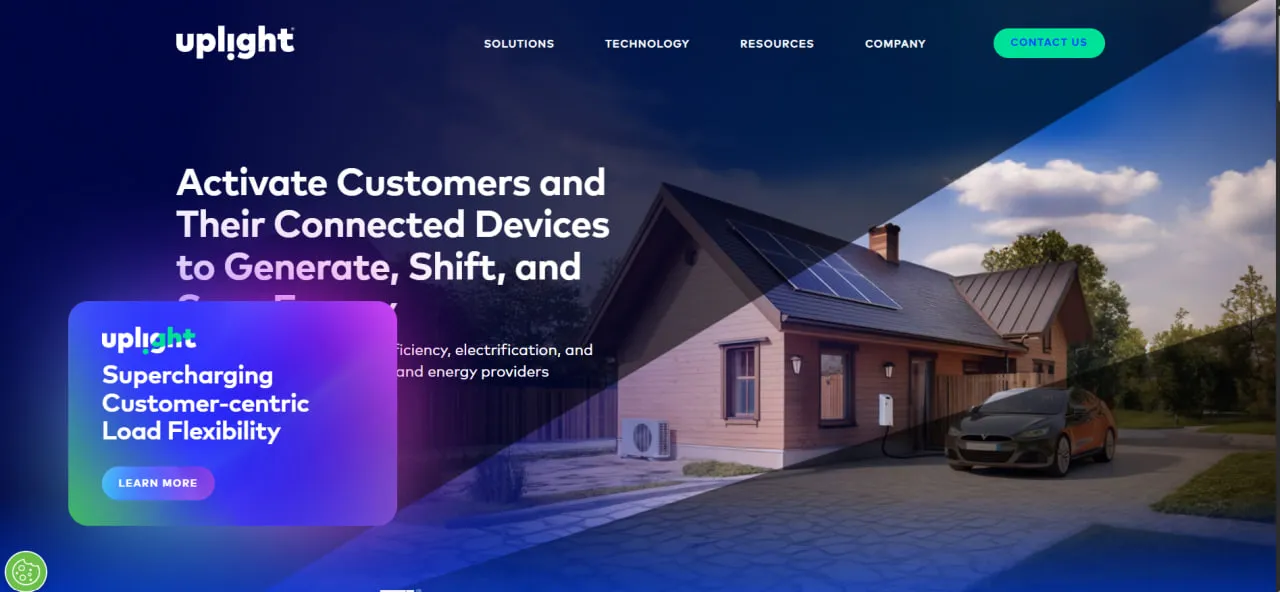
What Is Uplight?
Uplight is a cloud (SaaS) platform with three product lines: energy efficiency and electrification (home energy reports, customer portals and a rebate marketplace), rates engagement (rate reports and coaching emails that move customers onto time-of-use plans) and demand management (demand response, a DERMS and virtual power plants).
It connects to a utility’s billing and customer data systems on one side and to behind-the-meter devices such as smart thermostats, home batteries and EV chargers on the other. Machine-learning forecasts predict demand, and the platform dispatches the connected devices automatically when the grid is under peak strain.
Uplight serves more than 85 utilities and energy providers, mostly in North America and including eight of the ten largest U.S. utilities, and manages about 8.5 GW of flexible load. In early 2024 it acquired the AutoGrid VPP and DERMS platform from Schneider Electric. Octopus Energy Group became the majority owner when its investment closed in September 2026; Schneider Electric, an investor since 2021, remains a significant minority shareholder, and Uplight still operates as an independent company.
Utilities and retail energy providers use Uplight to turn their customers’ thermostats, home batteries, EV chargers and water heaters into load they can shift at peak times, pooled into demand response programs and virtual power plants (VPPs). The same platform runs the customer side that fills those programs: energy reports, web portals and a rebate store.
It is built for utilities, electric cooperatives and retail energy providers running such programs at scale, mostly in North America. It is not a tool for solar asset owners, IPPs or installers, since it does not monitor PV plants, and homeowners cannot buy it: they only meet it through their utility’s branded portal, app or store.
Pros and Cons
Pros
- Run at scale already: about 8.5 GW of flexible load across more than 85 utilities, so a utility launching a VPP is not buying an untested platform.
- Event forecasts Uplight rates at 97% accurate (vendor figure), which helps operators plan peaks around capacity they can count on.
- One vendor for device dispatch and for the reports, portals and store that recruit customers, so the utility does not have to connect a DERMS to a separate engagement tool.
- SOC 2 controls checked by external auditors, plus vulnerability scanning and penetration testing: the kind of evidence utility IT security reviews ask for.
- Backed by Octopus Energy Group (majority owner since 2026) and Schneider Electric; Octopus plans to add its Shift enrollment app and PowerStore home battery offer to Uplight’s suite.
- Reference deployments at large utilities such as Puget Sound Energy and PSEG.
Cons
- Implementation is a project, not a switch-on: Uplight has to be integrated with the utility’s CIS, meter data (AMI) and billing systems.
- High barrier to entry for smaller utilities because of its enterprise focus and pricing model.
- Program and control-room staff need training on the dispatch and analytics tools.
- Device control runs through manufacturer partnerships, so the thermostat, battery and charger brands a program can enroll depend largely on Uplight’s OEM partner list.
- Pricing and specific plan structures are not publicly available.
Features
Demand Response Orchestration
Enrolls customers in programs that cut or shift their usage at peak times, both by controlling devices automatically and through behavioral demand response that asks customers to act.
Virtual Power Plant Management
Pools batteries, solar inverters, EVs and other distributed energy resources (DERs) into a single dispatchable resource that can take part in energy markets.
AI-Powered Forecasting
Machine-learning models forecast load and the flexible capacity available for each demand response event. Uplight puts its event forecasting at 97% accurate; that is the vendor’s own figure, not an independent benchmark.
Personalized Customer Journeys
Sends homes and businesses recommendations based on their own usage data by email, web and mobile app, nudging them into energy-saving programs.
E-Commerce Marketplace
Provides a white-labeled online store where utility customers can purchase energy-efficient products, with rebates and program enrollments applied instantly at checkout.
Performance Analytics and M&V
Measures how much load each event actually reduced and tracks program results over time.
Grid-Edge Intelligence
Uses high-frequency data from smart meters and connected devices to identify specific appliance signatures and optimize load shifting at the individual household level.
Uplight Pricing
Uplight does not publish prices. Utilities request a demo from the sales team and receive a custom quote based on their customer base and grid needs.
The cost structure typically depends on:
The number of utility customers served.
The specific modules selected, such as VPP, Demand Response, or Marketplace.
The volume of flexible energy load being managed.
The complexity of integrations with existing utility systems.
Implementation, onboarding, and technical support requirements.
Integrations
Uplight runs on top of a utility’s existing systems rather than replacing them: utility, third-party and Uplight data go into one central data lake that feeds its AI models, applications and APIs.
- Utility Core SystemsIntegrates with Customer Information Systems, Advanced Metering Infrastructure, and billing systems to synchronize customer data.
- Smart Home HardwareThermostats from Google Nest, ecobee and Honeywell, home batteries from Tesla and SolarEdge, EV chargers from ChargePoint and Wallbox, and water heater controls from Aquanta and Rheem.
- Enterprise SoftwareWorks with cloud platform and technology partners such as AWS, Google Cloud, Microsoft Azure and UtilityAPI.
- Cloud and APIExternal APIs let utilities and partners pull Uplight insights and offers into their own apps, websites and control systems; device and grid signals use open standards such as OpenADR, DNP3, Modbus, MQTT and SunSpec.
- Back-Office Grid ToolsWorks alongside Schneider Electric’s EcoStruxure Grid software, which Schneider said Uplight would enhance when it invested in 2021; Kraken, the utility platform originally built by Octopus Energy, announced in 2026 that it would explore collaboration with Uplight.
How to Set Up Uplight
- Book a discovery call and demo with the Uplight sales and technical teams to assess grid requirements.
- Define the project scope, including which modules—such as VPP or Demand Response—are required.
- Establish data integrations between Uplight’s cloud platform and the utility’s CIS, AMI, and billing systems.
- Configure the customer-facing portals, reports and marketplace under the utility’s own brand.
- Launch device enrollment campaigns to recruit customers into grid flexibility programs.
- Begin monitoring grid load and executing dispatch events through the centralized dashboard.
How to Use Uplight
A program manager or control-room operator starts with the load forecast, looking for grid constraints or high-price hours. If a peak is coming, they schedule a demand response event from the dashboard.
The software notifies enrolled customers and sends control signals to their devices. During the event, the operator watches in real time how much capacity the VPP is delivering.
After the event, the system generates a performance report detailing the total energy shifted and calculated cost savings. Customer service teams can also use the platform to track individual participation and manage incentives or rebates earned by consumers.
What You Can Manage with Uplight
- Virtual Power Plant Portfolios: Mixed fleets of thermostats, batteries, EV chargers and water heaters dispatched as one grid resource; across its programs Uplight passed 1 million enrolled customer devices in 2026.
- Demand Response Programs: Oversee customer enrollment, event scheduling, device dispatch, and notifications.
- Rate Programs: Campaigns that move customers onto time-of-use and other new rates, with rate reports, coaching emails and alerts.
- Customer Engagement: Home energy reports, branded portals, alerts and widgets for residential and business customers.
- Energy Efficiency Marketplaces: Manage product offers, program enrollments, and rebates, while Uplight handles product selection and fulfillment.
- Compliance Reporting: Produce verified reports for regulators covering energy savings and grid impacts.
FAQs
What does Uplight do?
Uplight sells software to utilities and retail energy providers. It links customers’ thermostats, batteries, EV chargers and water heaters to the utility control room so the provider can shift demand at peak times and run virtual power plants, and it runs the energy reports, portals and online store that sign customers up for those programs.
Who is Uplight best for?
Large utilities, electric cooperatives and retail energy marketers, mostly in North America, that want to grow demand response or VPP programs and need customer-facing tools to recruit for them. It is not meant for solar asset owners, installers or homeowners, and smaller utilities may find the integration work and enterprise pricing hard to justify.
Is Uplight free?
No, Uplight is an enterprise B2B software platform. Utilities pay for the service through custom subscription models based on the scale of their operations and the specific features they use.
Does Uplight support integrations?
Yes. Uplight integrates with utility billing systems, Customer Information Systems, Advanced Metering Infrastructure, smart home devices, EV charging networks, cloud platforms, and third-party grid management tools through APIs.
What are the main limitations of Uplight?
Implementation is the main hurdle: Uplight has to be integrated with the utility’s customer, meter and billing systems before programs launch. Enterprise pricing can put it out of reach for smaller utilities, and the device brands a program can enroll depend largely on Uplight’s manufacturer partners.
What are the best alternatives to Uplight?
The closest rival on the device side is EnergyHub, an edge DERMS that utilities use to scale VPPs. For customer engagement, Oracle Opower (home energy reports, time-of-use rate coaching) and Bidgely (appliance-level analytics from smart meter data) compete with Uplight’s reports and portals. Grid-side DER management from Schneider Electric EcoStruxure or Siemens is another route, though Schneider is also a minority owner of Uplight. Tesla and SolarEdge make batteries that Uplight integrates, so they are partners more than rivals.


