
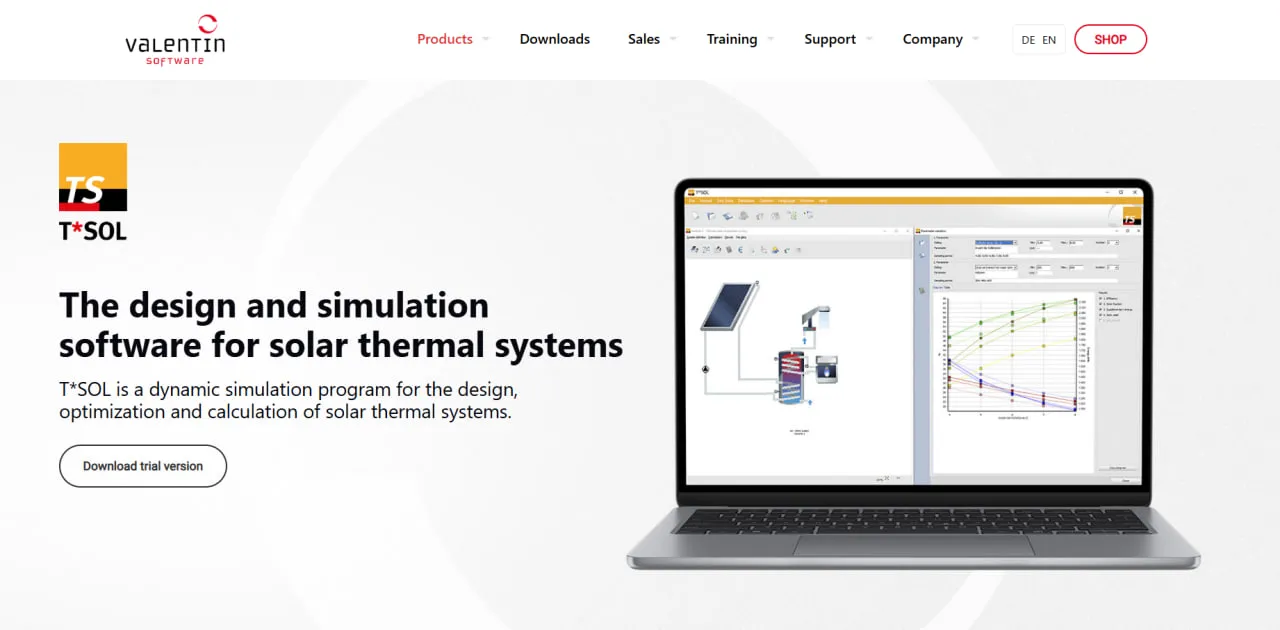
What Is T*SOL?
T*SOL is a desktop program from Valentin Software. The company was founded in 1988, and T*SOL, launched in 1993, was its first software product. It is listed under Solar Design Software but covers solar thermal systems only.
Its dynamic annual simulation calculates temperatures and energy flows in steps of one to six minutes, so changing weather, system temperatures, consumption profiles and component behavior all feed into the result.
The database holds more than 4,000 collectors, 5,000 heat generators and 600 storage tanks, and the program produces the EU package label for solar-supported heating systems.
T*SOL answers the sizing questions of a solar thermal project: how much collector area, how large a storage tank and how much backup heat the building will still need. It simulates a full year of operation and reports solar yield, solar fraction, auxiliary energy and the economics, so planners can avoid both undersized and oversized systems.
It is built for HVAC planners, energy consultants and solar thermal installers who need simulated yield and payback figures for projects from single-family hot water to swimming pools and industrial process heat. Several features target Germany, including GEG 2024 compliance calculations and a project report designed as evidence for BAFA funding applications. It does not design PV systems (Valentin sells PV*SOL for that) and runs only as a local Windows install.
Pros and Cons
Pros
- Minute-level time steps show how the system behaves on individual days, not just as annual totals.
- Designs and quotes can use the exact collectors, tanks and boilers being installed.
- Produces the EU package label installers must supply for solar-supported heating systems.
- Parameter variation and up to six variants side by side help justify a collector area or tank size to the customer.
- Photo Plan shows customers their own roof with the collectors in place.
- Reports export to PDF or editable RTF and can serve as evidence for German BAFA funding applications.
- One program covers everything from single-family hot water to swimming pools and industrial process heat.
Cons
- Windows only: there is no macOS, Linux or cloud version of the full program.
- Assumes working knowledge of solar thermal sizing; newcomers face a steep learning curve.
- At €485 per user per year it is costly for occasional solar thermal work, though a €165 three-month license is available.
- No 3D shading scene: obstacles are entered as horizon lines and individual objects.
- Solar thermal only: PV systems need a separate program, such as Valentin’s PV*SOL.
T*SOL Features
Dynamic Annual Simulation
Reports solar yield, solar fraction, efficiency, auxiliary energy and losses, with bar or line graphs of energies, temperatures and volumes over any period from one day to a full year.
Extensive Component Database
Collectors cover flat plate, tube and air types, and heat generators range from condensing, wood and pellet boilers to district heating. Load profiles, fresh water stations and heat exchangers are included, and manufacturers can have their products added free of charge.
Preconfigured System Layouts
Includes more than 200 system templates for domestic hot water, space heating, swimming pools, large-scale systems, and industrial process heat.
Parameter Variation
Varies up to two parameters at once, such as collector area and storage volume, and simulates every combination: 20 values per parameter means 400 runs. The results show which combination gives the best balance of efficiency, solar fraction, auxiliary energy and solar yield.
Photo Plan Visualization
Places photorealistic collectors on a photo of the customer’s roof for use in sales presentations. Photo Plan projects can be exported to PV*SOL and back, so a roof that takes both solar thermal collectors and PV modules can be laid out in one image.
Financial Analysis
Uses the method recommended by the German Solar Industry Association (BSW), accounts for grants and loans, and reports net present value (NPV), IRR, MIRR, capital return time and amortization period.
Climate Data Integration
Supplies typical meteorological year (TMY) data for any location worldwide through Meteonorm and, for Germany, Valentin’s own TMY data sets for every km², based on DWD data. Locations are selected on an interactive map.
Energy Label Generation
EU rules have required energy labels for space and water heating systems since 26 September 2015. T*SOL simulates the solar-supported system and generates its package label, which Valentin calls the composite system label.
Shading Analysis
Quantifies how buildings, trees and other nearby objects reduce collector output, with graphical and numerical results.
T*SOL Pricing
T*SOL is sold as a named-user license with a one-year or three-month term, directly from Valentin Software or through its international sales partners. A license can be installed on any number of computers but used on only one at a time.
30-Day Free Trial
The downloadable 30-day trial includes every feature except printing and saving the project report, and it doubles as a check that your computer can run the program.
Standard License
A one-year named-user license costs €485 plus VAT, and a three-month license costs €165 plus VAT.
T*SOL Express
T*SOL Express is not currently offered: Valentin Software’s website and shop list only the full T*SOL desktop program and the free T*SOL online calculator.
T*SOL Online
T*SOL Online is a free web-based tool for basic solar thermal output calculations. It does not include the full simulation, optimization, visualization, and reporting functionality of the desktop version.
Software Maintenance
Separate maintenance agreements are no longer sold: Valentin Software stopped offering maintenance renewals on 1 October 2024. An active user license includes all program and database updates as well as email and phone support for its full term. Perpetual licenses bought before 19 November 2024 keep working indefinitely but receive no updates once their maintenance term ends.
T*SOL Integrations
T*SOL is a standalone, locally installed program rather than cloud software, so its integrations are file-based: climate data comes in, and reports and result tables go out.
Meteonorm Climate Data
T*SOL 2026 Release 1 (April 2026) updated the bundled climate data to Meteonorm 9, covering 2001–2020. SolarAnywhere is available as an additional climate data provider.
Weather Data Imports
Your own measured weather data can be imported from files in DWD, Meteonorm or WBV format.
Microsoft Word Export
Customizable project reports can be saved as editable RTF files, which open in Microsoft Word for further editing and company-specific formatting.
PDF Export
The project report, configurable from a short summary to a full technical and financial report, can be saved as PDF for customers, investors or funding applications.
CSV Export
Results tables can be exported as CSV files for further analysis in Microsoft Excel or other spreadsheet applications.
Graphics and OpenGL
T*SOL requires an OpenGL-capable graphics card with 2 GB of memory. It models shading from horizon lines and individual objects such as buildings and trees rather than a 3D shading scene, which Valentin Software offers in PV*SOL premium. It also supports standard image formats for the Photo Plan feature.
How to Set Up T*SOL
- Download the installer from the Valentin Software website or use the download link provided after purchasing a license.
- Install it on a 64-bit Windows 10 or 11 computer with Microsoft .NET Framework 4.8.
- Launch T*SOL and sign in with the email address and password linked to your user license, or continue with the 30-day trial.
- Configure the preferred language, units, currency, and regional settings.
- Add your company details and branding for generated reports.
- Use the update manager to download the latest component database.
- Configure climate data for the regions where your company operates.
- Create your first project using the Design Assistant or a predefined system template.
How to Use T*SOL
1. Create a New Project
Open the Design Assistant and enter the project’s basic information, including its name, location, building type, and customer details.
2. Select a System Layout
Choose one of the 200-plus predefined systems that matches the job, such as domestic hot water, hot water with space heating support, swimming pool heating or industrial process heat.
3. Define the Energy Demand
Enter the required hot water volume, building heating demand, process heat demand, or swimming pool characteristics.
4. Select the Components
Choose solar collectors, storage tanks, boilers, heat exchangers, and other equipment from the integrated component database.
5. Configure the Collector Area
Define the number of collectors, orientation, tilt, available roof area, and potential shading conditions.
6. Run the Simulation
Start the dynamic annual simulation to calculate temperatures, energy flows, solar yield, system losses, auxiliary energy consumption, and solar fraction.
7. Analyze the Results
Check solar fraction, auxiliary energy and temperatures in the charts and tables against the project’s targets.
8. Optimize the System
Use parameter variation to compare different collector areas, storage capacities, and component configurations.
9. Complete the Financial Analysis
Enter investment costs, energy prices, financing assumptions, maintenance costs, and available incentives to calculate economic performance.
10. Generate the Project Report
Create the project report with the technical configuration, simulation results, energy yield, environmental benefits and financial analysis.
What You Can Manage with T*SOL
- System Designs: Create detailed technical configurations for solar thermal installations.
- Yield Simulations: Estimate annual energy production, system losses, and solar fraction.
- Financial Proposals: Generate reports containing NPV, MIRR, amortization periods, and investment costs.
- Shading Analysis: Evaluate how nearby objects affect solar collector performance.
- Energy Labels: Produce EU package labels for solar-supported heating systems.
- Component Databases: Create customized lists of preferred collectors, storage tanks, boilers, and heat generators.
- Parameter Comparisons: Compare up to six design variants per project and sweep two parameters at once.
T*SOL FAQs
What does T*SOL do?
T*SOL is a dynamic simulation application used to design, optimize, and calculate the energy yield of solar thermal systems. It models the interaction between collectors, storage tanks, boilers, loads, and other components throughout an entire year.
Who is T*SOL best for?
T*SOL suits HVAC planners, energy consultants, architects and installers who regularly design solar thermal systems, from single-family hot water to process heat, and need simulated yield and payback figures to back their quotes. Firms that only need it for an occasional project can buy a three-month license instead of a full year.
Is T*SOL free?
The professional T*SOL desktop application is paid software, but a free 30-day trial is available. T*SOL Online can also be used free of charge for basic solar thermal output calculations.
How much does T*SOL cost?
A one-year named-user license costs €485 plus VAT, and a three-month license costs €165 plus VAT. Orders of two or more licenses of the same program receive volume discounts of 5% to 20%.
What are the main limitations of T*SOL?
T*SOL covers solar thermal only, not PV. It runs only as a local Windows install, with no macOS or cloud version, and it models shading from horizon lines and objects rather than a 3D scene. Its simulation and optimization tools also assume working knowledge of solar thermal sizing.
What are the best alternatives to T*SOL?
Common alternatives include Polysun for integrated renewable energy and thermal system modeling, RETScreen for energy project feasibility analysis, and TRNSYS for advanced dynamic simulations. PV*SOL is a related Valentin Software product intended for photovoltaic system design rather than solar thermal projects.


