
What Is TrakSun?
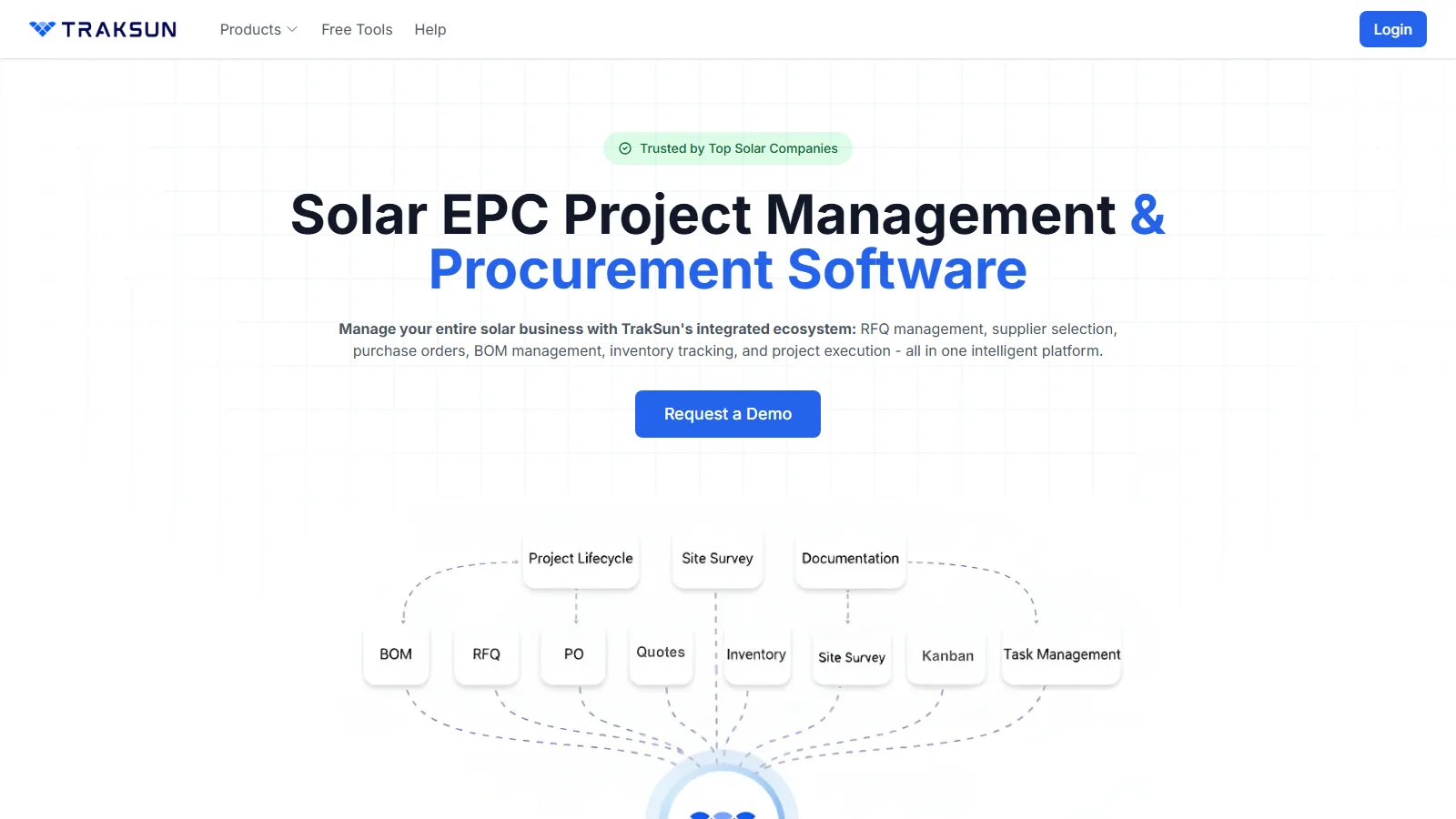
TrakSun is a cloud-based solar project management platform for solar EPCs and installers, built by Genii IT Services in Hyderabad, India. Its strongest part is purchasing: a bill of materials (BOM) becomes a request for quotation (RFQ), the winning quote becomes a purchase order (PO), and goods receipts update inventory.
Field teams work in a mobile app with offline forms. TrakSun fits Indian EPCs and government-program contractors with hundreds of similar small sites, such as solar pumps or rooftops. It does not suit US or European installers, who need local tax, permitting and interconnection steps, or teams looking for inverter monitoring.
Pros and Cons
Pros
- Purchasing and projects share one system, with no re-keying between tools.
- Suppliers quote without registering, so bids do not depend on vendor adoption.
- Offline forms suit rural pump and mini-grid sites with poor coverage.
- Required photos and GPS per stage prove work at every site.
- Stage templates keep hundreds of similar installations on one process.
- GST and TDS are calculated on BOMs and POs.
Cons
- Pricing information is not publicly available.
- No public API documentation, named ERP connectors or documented inverter/SCADA links, so it cannot track plant output after commissioning.
- Initial setup requires configuration of workflows and forms.
- Built for India: no US or EU tax, permitting or interconnection workflows.
- The standalone report generator and data export tool are still "Coming Soon".
Features
Project Lifecycle Management
Stage templates for rooftop, solar pump, mini-grid, street-light and solar-farm projects, plus custom types.
Task Management
Kanban boards, subtasks, @mentions and dependencies; checklists can be bulk-created by pasting a list.
Mobile Field Application
Technicians fill in survey and inspection forms, upload photos and update site progress from the field.
Offline Functionality
Forms can be completed without a connection and sync automatically once the device is back online.
Bill of Materials (BOM) Management
Reusable templates per project type, line-item costs with GST and planned-versus-actual cost tracking.
Geo-Tagged Documentation
Capture GPS coordinates, timestamps, and photographic evidence for field activities.
Custom Digital Forms
A drag-and-drop builder with 10+ field types, including GPS location and file upload.
RFQ and Procurement Tools
Suppliers quote via a no-login link, the lowest (L1) price per item is flagged, and POs get multi-level approval.
Real-Time Dashboards
Project completion rates, field executive performance and the geographic spread of sites.
Reporting and Analytics
Dashboards and progress data are available; the standalone report generator and data export tool are still "Coming Soon".
TrakSun Pricing
TrakSun publishes no prices; quotes depend on the organization's requirements and project scale.
Custom Pricing Model: Sold as a monthly or annual subscription, with all modules included in the plan.
Demo and Free Trial: Request a demo or start a free trial with full access to all features.
Enterprise Agreements: Custom packages are available for large EPC firms, government programs, and utility-scale deployments.
Implementation Services: Setup and implementation are billed separately.
Integrations
- Email: RFQ invitations and PO PDFs go to suppliers by email, with delivery tracking.
- Excel Import/Export: Sites import from an Excel template and BOMs can be imported; bulk item import is still planned.
- API Availability: The vendor mentions API-based data export and ERP connectivity, but publishes no API documentation or named ERP connectors.
- GPS Services: Forms capture GPS coordinates; photo GPS metadata is read on upload.
- Document Storage: Photos, videos and PDF, Word and Excel files stored by site and stage.
How to Set Up TrakSun
- Request a demo or start the free trial.
- Create your company account and organizational structure.
- Configure project lifecycle stages and workflow templates.
- Build custom forms and inspection checklists.
- Add master items and suppliers, then import sites from the Excel template.
- Add users as Super Admin, Admin, Manager or Field Executive.
- Deploy the mobile application to field teams.
- Launch projects and begin tracking activities through the platform.
How to Use TrakSun
Project managers check dashboards for site progress, open tasks, procurement status and field activity, then assign sites and tasks to field executives, who receive them in the mobile app.
On site, field executives fill in each stage's form: a survey with GPS location and photos, later installation photos and completion certificates. Once stages are approved, the office has a dated, geo-tagged record for every site.
Buyers turn the project BOM into an RFQ and convert the best supplier quote into a purchase order in one click. Goods receipts update stock at the delivery location, and PO payments are tracked against milestones.
What You Can Manage with TrakSun
- Solar project lifecycles and milestones.
- Site surveys and field inspections.
- Task assignments and workforce management.
- Bills of Materials (BOMs) and multi-location inventory.
- Suppliers, RFQs, purchase orders and payments.
- Geo-tagged site documentation.
- Quality assurance and compliance workflows.
- Progress and performance dashboards across projects and sites.
- Installation and commissioning activities.
FAQs
What does TrakSun do?
It runs a solar EPC's site-by-site project tracking and its purchasing, from BOMs and supplier RFQs to purchase orders and inventory, in one cloud system.
Who is TrakSun best for?
Indian EPCs and contractors running many similar sites, such as solar-pump or rooftop programs. It does not suit US or European installers or teams that need inverter monitoring.
Is TrakSun free?
There is no free plan, only a free trial with full access. The vendor's PM Surya Ghar quotation generator, photo geotagging and image-to-PDF tools are free without registration.
How much does TrakSun cost?
Pricing is customized and not publicly disclosed. Interested organizations must contact the TrakSun sales team for a quote.
What are the main limitations of TrakSun?
It is built for Indian purchasing (rupees, GST, TDS), publishes no prices or API documentation, has no documented inverter or SCADA links, and some advertised tools are unreleased.
What are the best alternatives to TrakSun?
Solar and energy alternatives include Sitetracker, Scoop Solar, SolarNexus and Sunbase; Smartsheet, JobNimbus and Monday.com are not solar-specific.


