
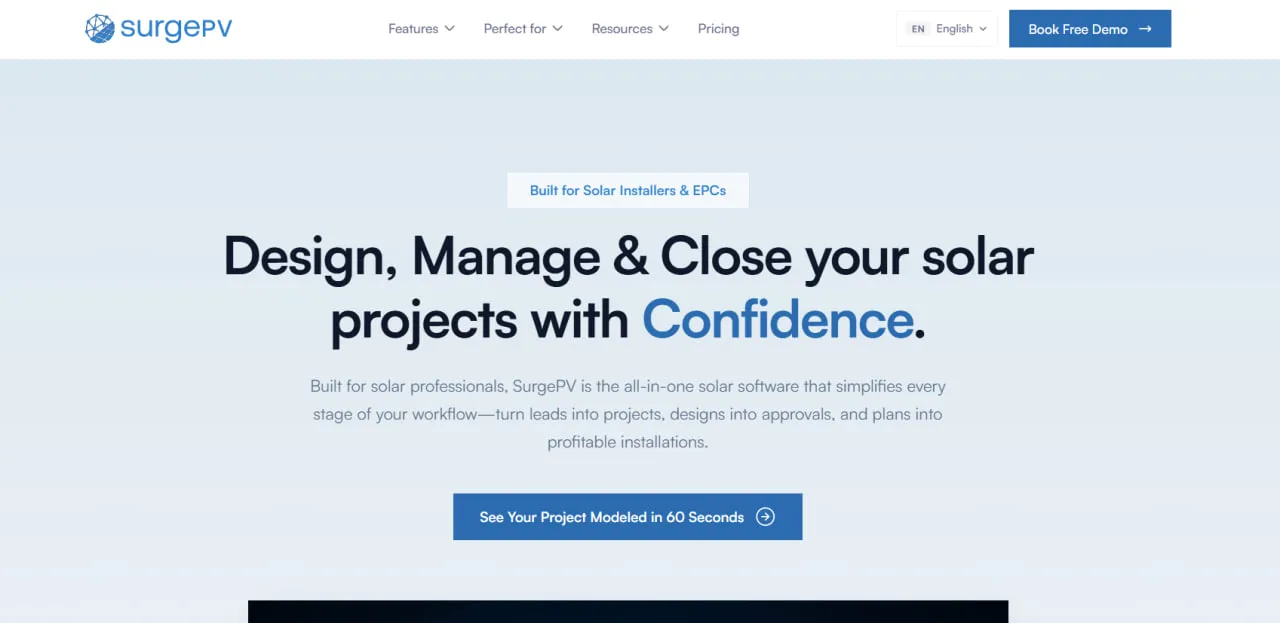
What Is SurgePV?
SurgePV is cloud-based solar design and proposal software from London-based SurgePV Technologies Ltd, founded in 2025. Its founding team previously delivered solar projects through Heaven Designs, an Indian solar engineering firm with more than 50 engineers.
It covers residential and commercial rooftops and ground-mounted arrays.
Storage sits in the same project: you choose on-grid, hybrid or off-grid at the start, size the battery for self-consumption, time-of-use arbitrage or backup, and it carries into the simulation, bill of materials and proposal.
SurgePV keeps a solar job in one cloud project from the lead’s address to the signed proposal: a 3D roof model from satellite imagery, module layout and stringing, 8,760-hour shading, the single-line diagram, the bill of materials and a branded proposal with the financial model.
It fits residential and commercial rooftop installers, EPC firms and their sales staff, especially teams that quote many jobs a month and offer loan, lease or PPA financing alongside cash.
It is the wrong pick for utility-scale ground-mount plants, which SurgePV’s own buyer’s guide sends to RatedPower or PVcase Ground Mount, and for carport or tracker work, which it does not document. Sales teams that need a CRM will also need a second product.
Pros and Cons
Pros
- Layout, shading, electrical drawings, BOM and proposal share one project model, so nothing is re-keyed.
- Single-line diagrams and cable sizing follow regional rules for six markets, with no redrawing in CAD.
- P50/P90 figures from 8,760-hour shading give clients and financiers a downside case, not one number.
- Cash, loan, lease and PPA offers can be modeled in several currencies.
- Battery sizing for self-consumption, time-of-use or backup is part of the same design and BOM.
- Per-seat prices are published and every paid plan has unlimited projects, so cost does not grow with volume.
Cons
- Annual billing, no refunds and no self-service trial: a one-person shop commits $1,899 up front after a demo.
- Not aimed at utility-scale ground-mount; carport and tracker layouts are not documented.
- Lender acceptance of its P50/P90 reports is project-specific, so some financiers may still want a PVsyst report.
- No built-in CRM; the partner CRM, QuickEstimate, does not sync and targets the Indian market.
SurgePV Features
AI-Powered 3D Roof Modeling
From an address and satellite imagery, SurgePV builds a 3D roof model that handles dormers, multiple planes and complex pitches. The vendor advertises satellite-to-3D in 60 seconds and notes that the result depends on the quality of the source imagery.
Clara AI Assistant
Clara is SurgePV’s built-in AI co-pilot for auto-design, electrical code lookup and troubleshooting. As with any AI assistant, a designer should check its suggestions before use.
8,760-Hour Shading Analysis
Shading is simulated for all 8,760 hours of the year, and the results feed P50 and P90 energy yield reports.
Native Electrical Engineering
SurgePV strings arrays against inverter and MPPT limits, sizes cables with voltage-drop checks and draws single-line diagrams with cable schedules, using regional packs for India, the US, Germany, Australia, South Africa and the UK (IEC 60617 or ANSI symbols). Drawings export as PDF or DXF; DWG is not offered.
Branded Proposal Generation
Users can create customized multilingual sales proposals containing financial models and project performance data.
The financial model compares cash, loan, lease and PPA offers in several currencies and calculates payback alongside:
- Capital expenditure
- Levelized Cost of Energy (LCOE)
- Net Present Value (NPV)
- Internal Rate of Return (IRR)
- Return on Investment (ROI)
Automated Bill of Materials
The bill of materials pulls modules, inverters and optimizers from the design and batteries from the storage workflow. Teams can add custom items from their own library and keep cost and selling prices separate when preparing project cost estimates.
Advanced Mapping Integration
Designers can switch between four imagery providers and use whichever gives the clearest, most recent view of the site:
- Google 3D
- Esri
- Bing
SurgePV Pricing
Billing is annual only, prices are listed plus 18% GST, and the terms allow no refunds. SurgePV says all plans share the full feature set and differ mainly in the number of seats. Enterprise pricing for multi-seat EPCs is on request.
| Plan | Users | Annual Price |
|---|---|---|
| Guided demo | Evaluation only | Free |
| Individual Plan | 1 user | $1,899 per user per year |
| For 3 Users | 3 users | $1,499 per user per year |
| For 5 Users | 5 users | $1,299 per user per year |
Free Trial
SurgePV does not advertise a self-service free trial. The public route is a free guided demo on a representative project, and booking it does not require a credit card.
Unlimited Projects
All paid subscriptions allow users to create an unlimited number of projects and designs.
Updates and Support
Standard plans include software updates, access to the equipment database, and customer support.
SurgePV Integrations
Mapping Integrations
SurgePV supports site imagery and mapping data from providers including Nearmap, Google 3D, Esri, and Bing.
Weather Data Integrations
The platform uses PVGIS and Meteonorm datasets to support hourly shading, irradiance, and energy generation simulations.
API and Webhooks
SurgePV does not publish general API or webhook documentation. It offers custom features and API integrations for OEMs and channel managers, arranged with the vendor.
CRM and Accounting Integrations
SurgePV has no CRM of its own. For leads and pipeline it refers customers to its partner QuickEstimate, a separate product with no data sync, built around Indian solar sales (PM Surya Ghar subsidies, DISCOM tariffs, WhatsApp follow-up) and of limited use elsewhere. Salesforce or HubSpot connectors are not documented; confirm with SurgePV if you need one.
How to Set Up SurgePV
- Book the free guided demo on the SurgePV website.
- Select the Individual, three-user, or five-user subscription plan, or request an Enterprise quote.
- Create a company profile and upload branding assets for proposals.
- Select preferred solar modules and inverters from the equipment database.
- Invite team members and assign the appropriate user roles.
- Enter a project address to create your first AI-assisted 3D design.
How to Use SurgePV
1. Enter the Project Address
Enter the lead’s address in the dashboard and choose the imagery provider with the clearest, most recent view of the site.
2. Generate the 3D Roof Model
SurgePV builds a 3D model of the roof or site from that imagery. Review roof planes and obstructions before placing modules.
3. Design the Solar Array
Place modules automatically or by hand, apply setbacks, keep clear of obstructions and set panel orientation.
4. Run the Energy Simulation
Run shading and energy simulations to estimate irradiance, system production, and long-term project performance.
5. Configure the Financial Model
Add local utility rates, installation costs, financing assumptions, and other project variables to calculate financial returns.
6. Generate the Proposal
Create a branded proposal and share it with the customer as a digital link or downloadable PDF.
7. Export Engineering Documents
Engineering teams can export single-line diagrams (PDF or DXF), cable schedules, bills of materials (CSV), and other project documentation.
What You Can Produce with SurgePV
- AI-generated 3D roof and site models
- P50 and P90 energy yield reports
- Branded sales proposals with ROI calculations
- Single-line diagrams (PDF and DXF)
- Cable schedules with voltage-drop checks
- Automated bills of materials
- Shadow and irradiance maps
- Battery sizing for on-grid, hybrid and off-grid systems
- Permit drawing sets for engineer and AHJ review
SurgePV FAQs
What does SurgePV do?
SurgePV is cloud software for solar design and sales: AI roof models from satellite imagery, shading and yield simulation, stringing and single-line diagrams, bills of materials and branded proposals with a financial model.
It replaces separate layout, simulation and proposal tools, but not a CRM: lead management sits in a partner product that does not sync with SurgePV.
Who is SurgePV best for?
Residential and commercial rooftop installers and EPC firms, with their designers and sales staff, especially teams quoting many jobs a month. For utility-scale ground-mount the vendor itself points to RatedPower or PVcase Ground Mount, and carport or tracker layouts are not documented.
Is SurgePV free?
SurgePV is a paid professional platform with no free plan, and the vendor does not advertise a self-service trial. Prospective users start with a free guided demo, which does not require a credit card.
How much does SurgePV cost?
The Individual Plan costs $1,899 a year. Team plans are $1,499 per user per year for three users ($4,497 in total) and $1,299 per user per year for five ($6,495). Enterprise pricing is on request.
Prices are listed plus 18% GST, billing is annual only and the terms allow no refunds. All paid plans include unlimited projects.
What are the main limitations of SurgePV?
Billing is annual and non-refundable, with no self-service trial; there is no built-in CRM; CAD export is DXF only; carport and tracker layouts are not documented; and lender acceptance of its P50/P90 reports varies by project, so some financiers may still ask for a PVsyst report.
What are the best alternatives to SurgePV?
- Aurora Solar: For residential solar design and sales workflows.
- PVsyst: For utility-scale and bankable energy simulations.
- OpenSolar: For design and proposals on a free platform.
- HelioScope: For commercial rooftop, carport and ground-mount PV design.


