
What Is Sunbase?
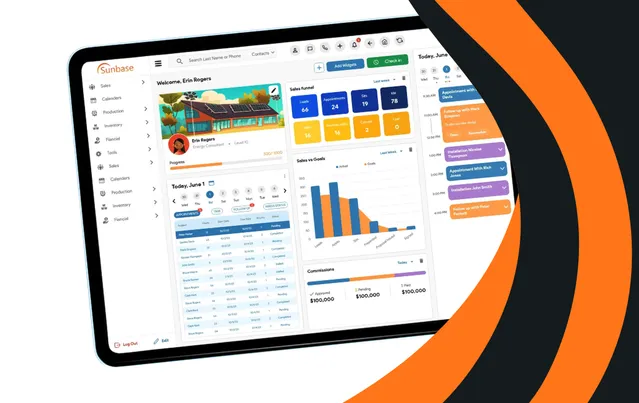
Sunbase is a cloud platform for running a contractor’s sales and operations, made by a Florida company founded in 2011. Its solar edition targets residential and commercial installers; roofing and construction firms use the same system. It covers the CRM and door-to-door canvassing, design and proposals, project delivery, inventory, HR and invoicing.
The point is one record per job from lead generation to permission to operate (PTO), so the canvasser, designer, project manager and office never re-key it. That suits an installer that sells and builds its own projects. It is a weaker fit where engineering-grade design leads the sale, and it is not built for utility-scale work.
Pros and Cons
Pros
- One subscription instead of a separate CRM, project tracker and HR system.
- Built-in design and proposals can spare a residential installer a separate design-tool subscription.
- Per-user, per-module pricing: you pay only for what the team uses.
- iOS and Android apps work offline, which matters for canvassers and crews without signal.
- Month-to-month billing with no long-term contract.
- Built-in canvassing removes the need for a separate door-to-door app.
Cons
- Setup (pipelines, stages, permissions, data import) takes about 1–2 weeks of onboarding by the vendor’s estimate.
- Only the $59 starting rate is public; budgeting the real cost needs a sales call.
- The vendor admits its 3D design may not match Aurora Solar’s precision on complex commercial jobs; bankable shade reports and utility-scale work need a dedicated tool.
- No free plan or self-serve trial; you see it only in a sales demo, not on your own jobs.
Features
CRM and Lead Management
Leads from web forms, Facebook, Google and lead providers are scored, assigned to reps and followed up by automated email and SMS.
Solar Design Tools
Rooftop, canopy and ground-mount layouts with setbacks, obstructions, azimuth and tilt, shading analysis, a production estimate, BOM and permitting handoff. The free iPad app Sunbase Solar Designer adds on-site design with LiDAR data.
Proposal Generation
Proposals take system size, equipment and production from the approved design, add financing and ROI figures, and are signed electronically.
Project Management
Configurable workflows for permitting, install scheduling, crew assignment and project milestones.
Canvassing and Field Sales
Territory mapping, route optimization, live rep tracking on a map, mobile lead capture and commission targets for door-to-door teams.
Inventory Management
Monitor equipment, materials, and warehouse stock levels across multiple projects.
Financial Management
Invoices, quotes, expenses and commissions per project, with profitability reports.
Reporting and Analytics
Sales by rep and lead source, conversion rates, revenue forecasts, project delays and crew workload.
Sunbase Pricing
Free Demo: The only way to see the product; there is no free plan or self-serve trial.
Entry-Level Pricing: Plans start from $59 per user per month; the final quote depends on users, industry workflows, selected modules and implementation.
No Fixed Tiers: There are no preset Basic or Premium packages to compare; each plan is built from the modules you pick.
Implementation and Training: Onboarding, workflow setup and team training are priced into the quote when you need them.
Larger Organizations: Custom quotes for multi-team or multi-location companies with complex workflows; pricing still scales per user.
Contract Terms: Month-to-month billing is available, with no long-term contract required.
Integrations
- Email, SMS and Calendar: Gmail or Microsoft 365 for email, Twilio for text messages, and Google Calendar sync.
- Accounting and Payments: QuickBooks, Xero and Stripe are listed as supported connections.
- Lead Sources and CRMs: Website forms and Meta Lead Ads, plus HubSpot, Salesforce, Zoho CRM and Pipedrive.
- Solar Design, Equipment and Financing: Aurora Solar, OpenSolar, Enphase, SolarEdge, GoodLeap and LightReach; Sunbase lists these as examples, so confirm each connection in the demo.
- API and Webhooks: Custom connections to in-house systems, plus Zapier and Make for no-code automations.
How to Set Up Sunbase
- Schedule a product demonstration with the Sunbase team.
- Select the modules that match your business requirements.
- Configure sales pipelines, workflows, and project stages.
- Import existing customer, lead, and project data.
- Create user accounts and assign permissions.
- Connect third-party applications such as QuickBooks and Google Workspace.
- Customize dashboards, reports, and automation settings.
How to Use Sunbase
A job starts in the CRM: a lead arrives from a web form or a canvasser’s phone, is assigned to a rep and booked for an appointment. Before the quote, the designer draws the layout and production estimate, and the proposal is built from that approved design.
Once the contract is signed, the job moves to operations with the design and documents attached, so nobody re-enters system size or customer details. Project managers track permits, schedule the install, assign a crew and check stock; owners follow pipeline, delays and crew workload on the dashboards.
What You Can Manage with Sunbase
- Sales: leads, appointments, follow-ups, utility data and proposals.
- Design: property details, design requests, revisions and the approved system.
- Project coordination: surveys, permits, inspections, interconnection and PTO.
- Installation: approved designs, equipment lists, site notes and checklists for each crew.
- Finance: project values, invoices, expenses and commissions.
- People: attendance, leave, payroll and onboarding (built-in HR).
FAQs
What does Sunbase do?
It runs a solar installer’s jobs from first contact to PTO: lead capture, canvassing and CRM, design and proposals, then permits, installs, stock, invoices and staff.
Who is Sunbase best for?
Solar installers that sell with their own reps, often door to door, and install with their own crews get the most from it. Design-first EPC teams that need engineering-grade commercial layouts, and utility-scale developers, should look at dedicated design tools.
Is Sunbase free?
No. Sunbase has no free plan, and the vendor lists no free trial; prospective customers evaluate it through a free demo.
How much does Sunbase cost?
Pricing starts from $59 per user per month. There are no fixed tiers; the final quote depends on the number of users, industry workflows, selected modules and implementation support.
What are the main limitations of Sunbase?
Only the $59 starting rate is public, onboarding takes about 1–2 weeks by the vendor’s estimate, and Sunbase concedes its 3D design may not match Aurora Solar’s precision on complex commercial projects. It is not built for utility-scale development.
What are the best alternatives to Sunbase?
SolarNexus and Enerflo are the closest like-for-like options. For design accuracy, use Aurora Solar on residential roofs or HelioScope for C&I arrays; roofers who also sell solar can try JobNimbus, and EPCs that prefer to build their own pipeline boards can use Monday.com.


