
What Is Sunbase Construction?
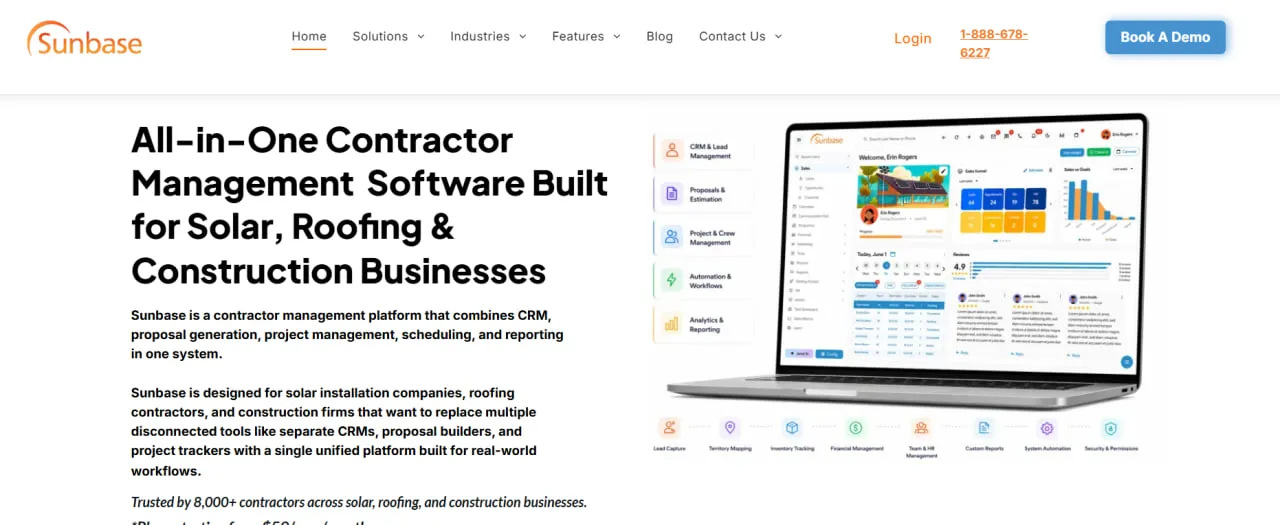
Sunbase Construction is a cloud platform for contractors and EPC companies that combines a construction CRM, estimating and proposals, and Project Management software, with HR and time tracking built in. It is modular: a company switches on the modules it uses and pays per user.
Sunbase positions it for mid-market general and specialty contractors, remodelers and residential builders with up to about $25M in annual volume, and it suits solar EPCs that run their own lead generation and canvassing alongside installs. It is not meant for enterprise GCs on $50M+ compliance-heavy commercial builds; for those, Sunbase itself says Procore remains the standard.
Sunbase Construction keeps a contractor's sales and delivery work on one job record: lead, estimate, contract, procurement, schedule, field updates, change orders, job costing and closeout. The aim is to replace separate estimating, project management, document and field apps with one subscription.
It is the construction edition of Sunbase, the platform the vendor also sells to solar installers and roofers, which is why it handles selling as well as building: a sales CRM, door-to-door canvassing and proposals sit next to estimating and project management, from the first knock on a door to the final invoice.
Pros and Cons
Pros
- Lead, estimate, schedule, field updates and job costs share one project record, so nothing is retyped as the job passes from sales to the crew to accounting.
- Sales tools that Procore does not offer (CRM, door-to-door canvassing, proposals), so a contractor that generates its own leads needs no separate sales CRM.
- Offline mode in the iOS and Android apps keeps crews working on rural sites and rooftops without a signal.
- Project stages, custom fields, milestones and approvals can be configured, with or without coding, so the system follows the company's process instead of forcing a fixed one.
- Quick rollout: Sunbase puts setup at days to weeks with no paid professional services, against 3–6 months for Procore, and users often praise support during onboarding.
- Job costing compares estimated, committed and actual cost while the job is running, so a slipping margin shows up before closeout rather than after.
Cons
- Only the $59 starting rate is public; the real price depends on modules, users and implementation, so a small team cannot budget without a sales call.
- With CRM, estimating, scheduling, HR and field tools in one system, less technical staff need time to learn it.
- Younger than Procore and, by Sunbase's own comparison, weaker on large, compliance-heavy commercial work: lighter RFI, submittal and drawing version control tools, basic safety management and nothing like Procore's 500+ app marketplace.
- The proposal engine works well for residential jobs, but complex commercial bids may need extra customization.
Features
Contractor CRM and Lead Management
Leads, opportunities, follow-ups and sales activity per customer, with a handoff that turns a won deal into a project without re-entering it.
- Solar Design and Proposal Tools: Solar jobs get interactive web proposals with financial analysis and white-label branding; construction bids are built from scope items, quantities, unit costs, labor, subcontractor and equipment costs and markup, with the expected margin shown before the proposal goes out.
Door-to-Door Canvassing Module
Territory mapping, route optimization and live map tracking of reps, plus achievement badges and automatic commission targets for the sales team.
Project Management and Job Boards
Kanban-style job boards and Gantt scheduling with predecessor and successor activities, plus daily logs, RFIs, submittals, change orders and punch lists from signed contract to closeout.
Automated Workflows
Milestones trigger emails, tasks and project updates, so office staff stop sending routine status messages by hand.
Mobile Application
Full-featured iOS and Android apps with time tracking, work orders and e-signed contracts, plus an offline mode for capturing leads and documenting work on sites without a signal.
Inventory and Asset Management
Tracks equipment and tools using GPS or barcodes, helping businesses manage stock levels and automate the ordering process for new materials.
Real-Time Reporting Dashboards
Aggregates data from all modules to provide a high-level view of business performance, including sales conversion rates, job profitability, and team productivity.
Sunbase Construction Pricing
There are no fixed tiers. Sunbase publishes only a starting rate; the actual price is quoted after a demo or a call with sales.
Free Trial: Sunbase does not advertise a free trial or a free plan; prospects evaluate the software through a live demo instead.
Entry-Level Pricing: Plans start from $59 per user per month, can run month to month and need no long-term contract.
Modular Costs: The quote depends on the number of users, the modules switched on (solar design or inventory tracking, for example), workflow configuration and integrations.
Implementation Fees: Implementation is one of the quote factors, so ask whether setup and data migration from old systems are included; Sunbase says no paid professional services are required.
Integrations
QuickBooks and Xero connect natively, so invoices and job costs do not have to be retyped into accounting. For anything else, Sunbase says availability depends on the system and connection method, so confirm each integration during the demo.
CRM and Productivity
- Zapier and Make, for apps without a direct integration.
- Google Calendar.
- Outlook.
Field and Solar Tools
- Solar design, hardware and financing tools such as Aurora Solar, OpenSolar, Enphase, SolarEdge, GoodLeap and LightReach.
- GPS and mapping services for canvassing.
Communication and Documents
- DocuSign, as an option: e-signatures are also built in.
- Twilio for SMS, plus Gmail and Microsoft 365 for email.
API and Webhooks
A REST API and webhooks are available for custom connections to systems without a ready integration.
How to Set Up Sunbase Construction
- Book a demo and ask to see one real project move from estimate to closeout, not just isolated feature screens.
- Choose the modules you need, such as CRM, estimating and proposals, project management or solar design, and receive a quote.
- Work with the Sunbase team to configure project stages, custom fields, milestones, approvals and statuses.
- Import existing lead data and customer records from spreadsheets or previous CRM systems.
- Invite team members and set permission levels for different roles, such as sales representatives, project managers, and office administrators.
- Connect accounting (QuickBooks or Xero), calendars and email, then run the first live project.
How to Use Sunbase Construction
Managers usually start the day on the dashboard, checking sales, project status and overdue or blocked activities. Sales reps work their leads in the CRM pipeline. When a lead is ready to quote, an estimator builds the bid from scope, quantities, labor, subcontractor costs and markup, checks the expected margin and sends it as a proposal.
Once the contract is signed, project managers take over: they move the job across the Kanban board, schedule crews and subcontractors, raise purchase orders for long-lead materials and log RFIs and change orders against the job. Field crews use the mobile app to see their appointments, upload site photos and complete work orders. The customer gets automatic progress updates, and job costing compares estimated with actual cost while the project is still running, not only after closeout.
What You Can Manage with Sunbase Construction
- Sales Pipelines: Track every interaction from initial lead capture to signed contract.
- Subcontractors: Assigned scope, work packages, schedules, documents and completion status.
- Project Workflows: Preconstruction checklists, permits and drawings, a readiness check before mobilization, and closeout items such as punch lists, warranties and owner sign-off.
- Field Teams: Crew schedules, time tracking, daily progress, site photos and inspection results.
- Inventory and Procurement: Stock across locations, purchase orders, supplier delivery dates and long-lead items.
- Financial Records: Invoices, progress or milestone billing, approved change orders and estimated versus actual cost per job.
- Customer Communication: Store a complete history of emails, texts, and documents in a centralized portal.
FAQs
What does Sunbase Construction do?
Sunbase Construction combines a contractor CRM with estimating, scheduling, procurement, field reporting, change orders, job costing and closeout, so each job keeps one record from first lead to final invoice. Solar modules such as design, proposals and door-to-door canvassing come from the wider Sunbase platform.
Who is Sunbase Construction best for?
Mid-market general and specialty contractors, remodelers, residential builders and solar EPCs with up to about $25M in annual volume, which is the range Sunbase itself targets. Enterprise GCs running large, compliance-heavy commercial projects are better served by Procore.
Is Sunbase Construction free?
Sunbase does not offer a free version or a free trial; businesses evaluate the software through a demo. Access to the full platform requires a paid subscription based on a custom quote.
How much does Sunbase Construction cost?
Pricing starts at $59 per user per month, with month-to-month terms available. The final cost depends on the modules you choose, the number of users, integrations and implementation, and is quoted per company.
What are the main limitations of Sunbase Construction?
Sunbase publishes only a starting price, so the final cost needs a sales call. It also acknowledges that its RFI, submittal and drawing version control tools are less deep than Procore's for large, compliance-heavy commercial builds, and it rates its own safety management as basic, against Procore's dedicated safety module.
What are the best alternatives to Sunbase Construction?
It depends on which part of the job you need covered: Aurora Solar or HelioScope for solar design, JobNimbus or Sitetracker for project management, Buildertrend for residential builders and remodelers, and Procore for enterprise construction management.


