
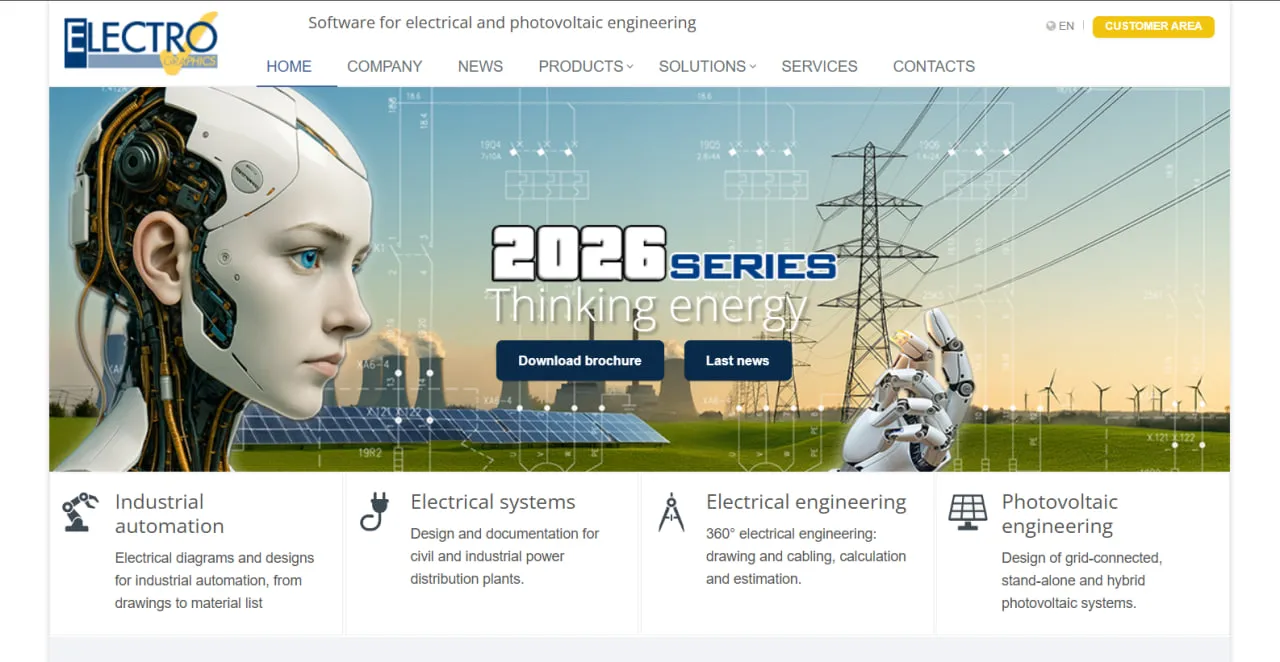
What Is Solergo?
Solergo belongs to the Solar Design Software category but leans toward electrical engineering: it works as a step-by-step wizard around a job order and generates every report from the project data. The vendor's sample projects range from a 2.25 kWp stand-alone chalet and a 78 kWp hybrid system for a shopping center to a 343.2 kWp ground-mounted plant.
Besides fixed arrays it handles one-axis, two-axis and tilted-axis trackers, module-level power optimizers and plants built in sections with different commissioning dates, such as an extension of an existing system. Shading losses from the 3D shading analysis feed straight into the yield estimate.
Its developer, Electro Graphics Srl of San Martino di Lupari near Padua, has made electrical CAD and calculation software since 1990 and reports more than 23,000 installations of its programs.
Solergo is a Windows desktop program for the engineering side of a photovoltaic (PV) project. It takes a grid-connected, stand-alone or hybrid system from shading and yield through string, cable and protection sizing to the single-line diagram, the economic report and the paperwork for the grid-connection request.
It is built for electrical engineers and installers who must produce full technical documentation, above all in Italy (CEI-based diagrams and checks, regulated tariffs) and Brazil (ANEEL net metering, NBR cable tables). Sales teams that want quick web-based proposals, Mac users and US installers should look elsewhere; nothing in the vendor's documentation covers the NEC.
Pros and Cons
Pros
- Cable sizing uses the runs measured on the layout, so voltage drops reflect the real cable routes.
- One job order goes from shading to the single-line diagram, economic report and grid-connection paperwork, so data is entered once.
- Covers off-grid and hybrid plants too, sizing batteries and a backup generator, not just grid-tied systems.
- Manufacturer packages from EG Data Exchange keep the component database current without manual entry.
- Italian rules (CEI 82-25 diagrams, CEI 64-8/7 fuse checks, D1–D3 tariffs) and Brazil's ANEEL net metering are built in, saving local designers manual checks.
- Sends the single-line diagram to CADelet, Eplus or iDEA and the PV generator to Ampère for detailed drawings and LV/MV network checks.
Cons
- Has a steep learning curve for users without electrical engineering experience.
- No public prices; after 90 days, updates, component packages and hotline support need a service and maintenance contract.
- Windows only (64-bit Windows 7 SP1, 10 or 11, with at least a 3 GHz processor, 8 GB RAM and 10 GB free disk); no macOS or browser version.
- Built around Italian practice: CEI-based diagrams, Italian tariffs, report templates only in Italian, English and Portuguese, and no coverage of the US NEC.
- The vendor lists no P50/P90 yield output, so bankable energy studies need a separate simulator.
Solergo Features
3D Modeling and Shading Analysis
You model the site in 3D with its mounting areas and obstacles. Far shading comes from a horizon chart drawn from photos taken at the site; near obstacles such as chimneys and parapets are evaluated with a module model that includes bypass diodes.
Comprehensive Component Database
Holds an editable archive of PV modules, single- and three-phase multi-MPPT inverters, hybrid inverters, batteries, power optimizers, cables, protection devices and transformers, extended with manufacturer packages through EG Data Exchange.
Electrical Diagram Generation
Draws the single-line diagram for LV or MV grid delivery, with symbols per the Italian CEI 82-25 standard and protection devices labeled per CEI 0-16.
Cable Sizing and Protection Calculations
Sizes low-voltage AC and DC cables from IEC-UNEL, NF, UNE, BS or NBR tables using the runs measured on the layout, sets up DC- and AC-side protection and surge protection devices (SPDs), and checks string-fuse coordination per CEI 64-8/7.
Economic and Financial Analysis
Works out payback, net present value (NPV), internal rate of return (IRR) and cash flow, and compares financing options: own capital, third-party, mixed or leasing. Built in are Italy's regulated D1–D3 tariffs and 2026 hyper-depreciation, plus net metering under Brazil's ANEEL Resolution 482.
Hybrid and Stand-Alone System Support
For off-grid plants Solergo sizes the battery capacity and charge controller from the expected consumption; hybrid designs can add an auxiliary generator that supplies the load when the PV array and battery fall short.
Energy Consumption Analysis
Imports the utility's consumption data from an .xls file or builds a profile from typical household loads, and balances it against production hourly or in 15-minute steps. A profitability simulation then sizes AC- or DC-coupled storage.
Solergo Pricing
Electro Graphics does not publish Solergo prices; you request a quote from its sales team or an authorized distributor.
Free Trial and Demo
A free demo and trial version is available on request through the form on the Electro Graphics website.
Paid Licenses
Electro Graphics sells Solergo as a purchased license; its website does not advertise a subscription plan.
iSolergo Mobile App
The free iSolergo app for iOS and Android does preliminary designs on site and saves them as Solergo files that can be emailed to the desktop program.
Maintenance and Updates
Software updates, component database packages and hotline support are included for 90 days after purchase; after that, they require a service and maintenance contract.
Solergo Integrations
Apart from Google Maps satellite views, Solergo's direct integrations are with Electro Graphics' own programs and EG Cloud; other software is reached through DWG/DXF drawings and PVGIS climate data.
Internal CAD Integrations
- CADeletRuns inside AutoCAD and takes Solergo's DWG single-line diagram for detailed construction drawings.
- EplusStandalone electrical CAD for civil and industrial installations with AutoCAD OEM included; it opens the same DWG diagram.
- iDEAElectrical CAD for automation and electrical systems, also with AutoCAD OEM included.
Electrical Calculation Tools
- Ampère ProfessionalCalculates LV/MV electrical networks to international standards; like Ampère Evolution, it receives the PV generator data from Solergo for network analysis.
- Ampère EvolutionCalculates LV/MV electrical networks with distributed generation from renewable sources.
EG Cloud
Solergo connects with EG Cloud, an Acronis-based service for project backups, file sharing and remote access that is available to customers under warranty or a maintenance contract.
CAD File Exports
The software imports site plans as DWG, DXF or raster files and exports the PV layout and the single-line diagram as DWG for further editing in other CAD applications.
Climate Databases
Solergo includes Italian climate data (UNI 10349-1:2016 and ENEA tables) and an international climate database covering all countries, and it can import climatic data from PVGIS.
How to Set Up Solergo
- Request a demo or purchase a license through the Electro Graphics website or an authorized distributor.
- Download the installation package for a compatible 64-bit Windows computer.
- Install the software and activate it with the license supplied by Electro Graphics.
- Use EG Data Exchange to download the latest module, inverter and battery data packages into the component database.
- Add your company information and branding details for professional report headers.
- Create a new Job Order to begin your first photovoltaic design project.
How to Use Solergo
A project starts as a job order. You place the site by coordinates or on a Google Maps satellite view, choose the climate data source that sets the site's irradiance, and enter the albedo and the module tilt and azimuth.
Next you model the site in 3D with its nearby obstacles and choose modules, inverters and, where needed, batteries from the component database.
Solergo proposes string combinations for each inverter's MPPT trackers, grouping strings with the same orientation, and checks their electrical compatibility. It then places modules and strings on the layout automatically, and the measured cable runs feed the cable and protection sizing.
Last comes the economic simulation of payback, NPV and IRR. Solergo then builds the technical and economic reports, datasheets and diagrams from Word-editable templates in Italian, English or Portuguese and can merge everything into PDF files.
What You Can Manage with Solergo
- 3D Site Models: Model mounting areas and obstacles and render images of the finished system for the report.
- Electrical Diagrams: Draw single-line diagrams and plant layouts with string boxes, panels, inverters and the delivery point.
- Energy Yield Reports: Estimate monthly and annual production with thermal, mismatch, conversion and shading losses, plus the CO2, SO2 and NOx emissions avoided.
- Economic Feasibility Studies: Break down costs by component (modules and mounting, inverters, cables, panels, design) and work out the contribution margin.
- Technical Datasheets: Compile documentation for the modules, inverters, batteries, and other components used in a project.
- Bill of Materials: Prepare lists of modules, inverters, cables, batteries, and protection devices for procurement.
- Compliance Documents: Fill in grid-connection request templates, the test certificate and declarations in Word and output them as PDF.
Solergo FAQs
What does Solergo do?
It designs grid-connected, stand-alone and hybrid PV systems on Windows and produces the documents that go with them: shading and yield analysis, string and inverter matching, cable and protection sizing, the single-line diagram, and the economic and grid-connection reports.
Who is Solergo best for?
Electrical engineers and installers who must deliver the full technical and grid-connection documentation, especially in Italy (CEI standards, regulated tariffs) and Brazil (ANEEL Resolution 482, NBR cable tables). Sales teams that need fast proposals, Mac users and US installers working to the NEC are better served elsewhere.
Is Solergo free?
No. The desktop program is paid, but a free demo and trial version is available on request, and the iSolergo app for iOS and Android, which handles preliminary designs, is free.
How much does Solergo cost?
Electro Graphics does not publish prices; you get a quote from its sales team or an authorized distributor. After the first 90 days, updates, component packages and hotline support require a service and maintenance contract.
What are the main limitations of Solergo?
It runs only on 64-bit Windows and is priced by quote. Its diagrams, checks and tariffs follow Italian practice, report templates come only in Italian, English and Portuguese, and the vendor lists no P50/P90 yield output. It also expects electrical engineering knowledge.
What are the best alternatives to Solergo?
Common Solergo alternatives include Aurora Solar and HelioScope for faster sales-oriented design workflows, PVsyst for advanced energy simulations, and PV*SOL for detailed photovoltaic designs aligned with European standards.


