
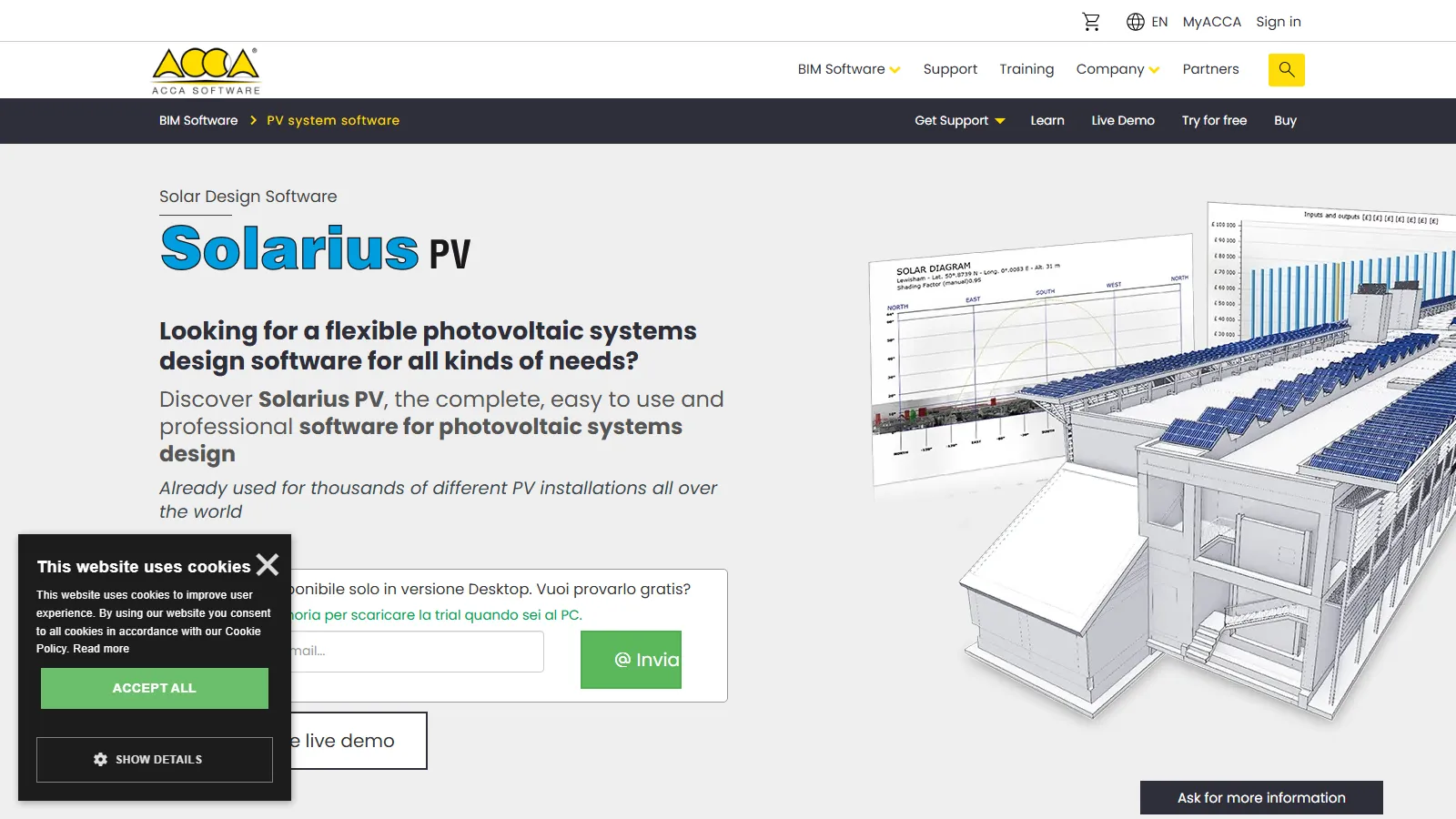
What Is Solarius PV?
Solarius PV is a Building Information Modeling (BIM) application for the design, simulation and economic evaluation of photovoltaic systems, made by ACCA Software, an Italian developer founded in 1989.
It covers residential, commercial, industrial and utility-scale projects, from roofs, facades and canopies to ground-mounted PV farms, and exchanges models with architectural software through open BIM (IFC).
Solarius PV puts photovoltaic design inside a building model. The 3D roof or site, module layout, shading, DC and AC wiring, yield estimate, single-line diagram, technical report and business plan all live in one project, so no data is copied between separate tools.
It suits solar designers, electrical engineers, architects and EPC firms that work in BIM and need permit-ready documents for grid-connected systems, with or without batteries. It is a poor fit for off-grid sizing, Mac-only offices (it runs only on Windows) and teams that want a browser-based tool.
Pros and Cons
Pros
- Certified IFC exchange with Revit, ArchiCAD and Edificius lets architects and PV designers work on one model.
- Horizon and near-obstacle shading feed the yield estimate directly, with no separate shading tool.
- The electrical design and single-line diagram come out of the layout, which cuts manual drafting.
- A quick business plan can be run before the technical design is finished, useful at the proposal stage.
- Only components that pass the electrical checks are offered, so mismatched strings are caught early.
- Reports in Italian, English, Spanish, French and Portuguese suit firms working in several markets.
Cons
- Made for grid-connected systems; off-grid sizing is not advertised.
- BIM workflows may require additional training for new users.
- Subscription-only licensing: the software stops working when the subscription expires, and subscriptions are non-refundable.
- Needs a capable PC: at least 8 GB of RAM and a 2 GB video card scoring 2,000+ PassMark points.
- Windows-only desktop app; Mac users need Boot Camp or a virtual machine, and real-time rendering does not work correctly in a VM.
Features
3D BIM Modeling
Model roofs, facades, canopies and ground sites from scratch or on an imported DXF, DWG or IFC file.
Shading Analysis
Far horizon from a panoramic site photo, near obstacles from the 3D model, and automatic minimum row spacing.
Automatic Wiring Diagrams
A wizard sizes DC and AC cables to IEC 60364, checks voltage drop and draws the single-line diagram with fuses and SPDs; SolarEdge optimizers are supported.
Climate Data Integration
Meteonorm or PVGIS data, custom locations, or your own TMY files (.csv, .json).
Component Libraries
Modules, inverters and batteries (lithium or lead-acid; LG, BYD, Sonnen and others), plus consumption profiles; missing items can be added.
Financial Analysis Tools
Installation costs, self-consumption and grid imports by time slot, and loan or leasing finance.
Design Validation
Flags design errors and failed electrical checks as you work, with a suggested fix for each.
Photorealistic Visualizations
Overlay the designed system on a site photo, scaled from two on-site measurements.
Solarius PV Pricing
Solarius PV is sold only by subscription, priced per PC in euros; card and PayPal plans renew automatically until cancelled.
Free Trial: 30 days of the full professional version, with no functional limits.
Annual Subscription: A one-year plan costs €17 per month billed monthly (€204 per year) or €199 paid upfront, for one PC; two- and three-year plans lower the rate to €15 and €14 per month, or €359 and €539 paid upfront.
Monthly Subscription: A single month costs €29, with no long-term commitment.
Multi-PC Licensing: One subscription can cover from 1 to 50 PCs, chosen when configuring the plan.
Technical Support: Every subscription includes updates, help from ACCA technicians and remote-desktop assistance.
Integrations
BIM and CAD data move as files: IFC for building models, DXF and DWG for drawings, SKP, OBJ or 3DS for 3D objects.
- IFC Support: buildingSMART-certified IFC import and export; projects can also be shared on ACCA's usBIM.platform.
- AutoCAD Files: Import and export DXF and DWG drawings.
- Revit Compatibility: Import Revit building models via IFC and export the PV system back as IFC.
- ArchiCAD Integration: Import ArchiCAD models via IFC; Allplan, Vectorworks and Edificius models work the same way.
- Meteonorm: Version 7.1 climate data for any location worldwide, included free.
- PVGIS: Import irradiation data automatically from PVGIS-SARAH3 (Europe and Africa) or PVGIS-ERA5 (worldwide).
- ENF Solar Database: Equipment specifications in the component library draw on ENF Solar's database.
How to Set Up Solarius PV
- Download and install the software from ACCA Software.
- Activate the license or start a trial using an ACCA account.
- Configure regional preferences, units, and climate data settings.
- Update equipment libraries through the library manager.
- Import CAD drawings, BIM models, or site photographs.
- Create a new photovoltaic project and begin system design.
How to Use Solarius PV
Start with the building or site model and set the location to load Meteonorm or PVGIS climate data. Click a roof, canopy or ground surface: Solarius PV reads its tilt and orientation, excludes obstacles such as chimneys, and proposes a module layout for maximum annual yield or peak power.
After you choose modules, inverters and optional batteries, Solarius PV runs the yield simulation and electrical checks. The single-line diagram, technical report, shading results and business plan are generated from the project and update after each change, ready for permitting, engineering review or the client.
What You Can Produce with Solarius PV
- Technical Reports: A full system description, exported to PDF, RTF or DOCX.
- Single-Line Diagrams: Switchboards, cables and protection devices, exportable to DXF or DWG.
- 3D BIM Models: The PV system as an IFC model, plus plans, elevations and sections.
- Shading Studies: Losses from distant and nearby obstacles, viewable by year, month, day or hour.
- Financial Business Plans: NPV, IRR, payback, 25-year cash flow and CO2 avoided, plus an automatic cost estimate.
- Photorealistic Renderings: Visualizations for client presentations and approvals.
FAQs
What does Solarius PV do?
It takes a grid-connected PV project from a 3D model to a finished document set: layout, shading, yield, DC/AC electrical design, single-line diagram, cost estimate and business plan.
Who is Solarius PV best for?
Solar designers, electrical engineers, architects and EPC contractors who work in BIM (Revit, ArchiCAD, Edificius) and need full permit and sales documents for grid-connected rooftop, canopy or ground-mounted systems.
Is Solarius PV free?
No, it is subscription software, but the full professional version can be tried free for 30 days with no functional limits (an ACCA account is required).
What are the main limitations of Solarius PV?
It is built for grid-connected systems and does not advertise off-grid sizing; it runs only on 64-bit Windows (Mac users need Boot Camp or a virtual machine); BIM newcomers face a learning curve; and licensing is subscription-only, so the software stops working when the subscription expires.
How much does Solarius PV cost?
A one-year subscription costs €17 per month for one PC (€204 per year), or €199 if paid upfront. A single month is €29, multi-year plans drop to €14–15 per month, and licenses for multiple PCs are available.
What are the best alternatives to Solarius PV?
For browser-based design and sales, look at Aurora Solar (residential), HelioScope (commercial and industrial) or OpenSolar. PVsyst focuses on detailed design and yield simulation, and PVcase on ground-mounted utility-scale layouts.


