
What Is Solargenic?
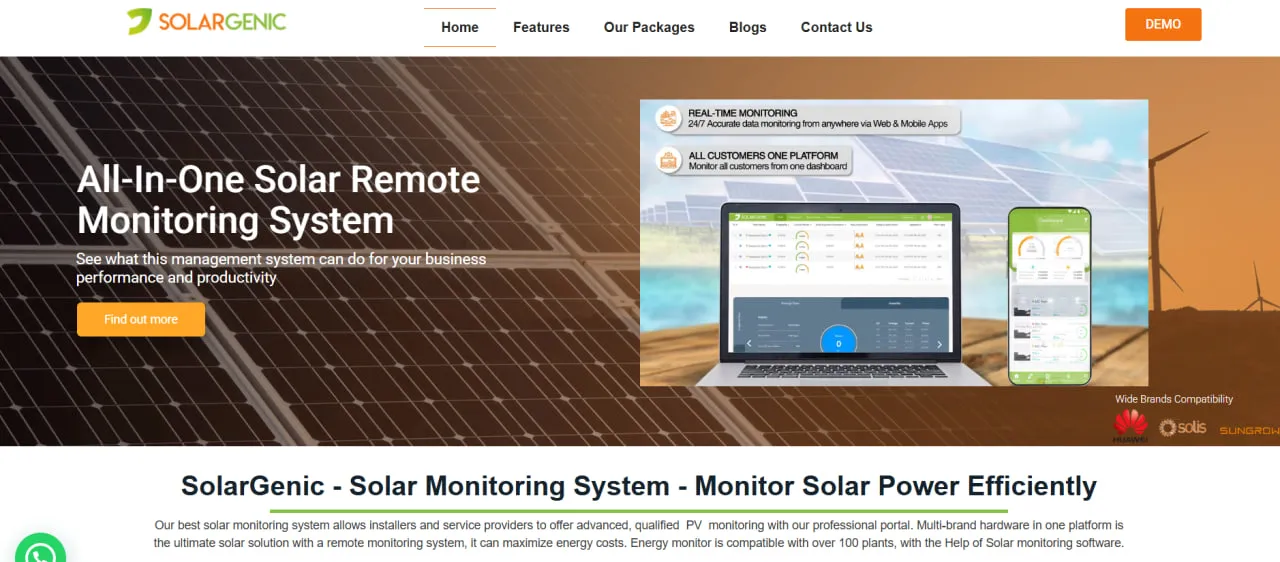
Solargenic is a cloud monitoring platform. It collects data from inverters, data loggers, smart meters and sensors through their manufacturers’ APIs and shows it in a web app and in Android and iOS apps.
Access is split into three user levels: an individual user for a home system, a company user who manages several plants, and a NOC user with a consolidated view of the whole portfolio.
Beyond the basic dashboards, a Live Weather Report compares output with weather and reference data to flag deviations from expected generation, and a Plant Performance Comparison graph shows each plant’s output against its capacity.
Solargenic is a solar monitoring portal and app from VIION Technology, a software agency with offices in Karachi, Dubai and the US. It tracks each plant’s output against expectations, flags faults, turns them into maintenance tickets and shows what the system is saving. Its marketing targets Pakistan, the UAE and the US.
The plans work as a white-label service for installers and EPCs: from the Intermediate tier up, their customers get a co-branded or fully own-branded app, and a NOC dashboard lets a small operations team watch up to 55 plants on one screen. It does not suit utility-scale owners or asset managers who need SCADA, plant control or bankable performance analytics, or buyers who want published prices and self-serve sign-up.
Pros and Cons
Pros
- Puts plants with different inverter brands in one dashboard instead of separate manufacturer portals.
- Android, iOS and web apps and all software updates and bug fixes are included on every plan.
- Alerts become assigned maintenance tickets in the same tool, so a small O&M team does not need a separate helpdesk.
- Savings shown in money by day, month and year give installers a ready answer when customers ask whether the system is paying off.
- The NOC wall-screen view and plant map let one operator watch every site at a glance.
- Installers can give customers a co-branded app, or on the Advanced plan a fully own-branded app and a web portal on their own domain.
Cons
- No prices are published: every plan needs a quote and a one-time setup fee, and SMS alerts are billed per use on top.
- Integrations are capped by plan, and there is no public inverter compatibility list or API documentation to check before buying.
- Published plans stop at 55 plants, and the complaint system, AI comparisons and own-brand apps are only on the top tier.
- No documented IEC 61724 performance-ratio analytics, SCADA or plant control, so it does not suit utility-scale plants.
Features
Real-time monitoring
Shows daily, monthly and yearly generation for each plant with the time of the last polled value, and from the Intermediate plan up it compares actual with expected generation.
Multi-plant map view
Plots every plant on Google Maps from its GPS coordinates, so a manager can see where each site is and how it is running; the bird’s-eye view of the whole portfolio is part of the Advanced plan.
Diagnostic tools and alert center
Decodes fault codes reported by inverters, and by meters on the Intermediate plan and up, so users see what failed, prioritize alerts and create maintenance tickets directly from the platform.
Cost savings and benefits graph
Converts generation into daily, monthly and yearly savings using the tariff rate set for each plant, so owners can track bill savings and payback.
NOC dashboard
A consolidated view of all plants with profiles and summaries, meant for a wall screen (Solargenic recommends 55 inches or larger); a version with fewer features runs in the mobile app.
Environmental impact tracking
Expresses the environmental benefit only as an equivalent number of trees saved, a figure for customer reports rather than formal emissions accounting.
Ticketing and complaint management
On the Advanced plan, customers raise tickets by phone, email or a self-service portal, and NOC staff can add, update or close them on a customer’s behalf and get notified as SLA deadlines approach.
Customizable notifications
Sends in-app, email and SMS alerts when a fault or a performance drop is detected; on the Advanced plan, admins can also define custom alerts.
Solargenic Pricing
Solargenic sells three plans, set by the number of plants and the features included. No prices are published for any plan, so every tier is quoted on request, and a one-time setup fee applies to all plans.
Starter Plan
Up to 10 plants under one individual user, aimed at residential systems. It includes real-time monitoring, daily, monthly and yearly energy tracking, an alert center that decodes inverter fault codes, and in-app notifications only; no third-party integrations are listed, and support is 8x3 through a ticketing system.
Intermediate Plan
Up to 30 plants for companies. It adds a consolidated NOC dashboard, email and SMS alerts, integration with up to two inverter brands plus one brand of sensors, loggers or meters, administrator rate adjustments, CSV exports, output to outdoor display boards, a co-branded mobile app published under Solargenic’s store accounts, and 8x5 email support.
Advanced Plan
Up to 55 plants. It adds a Google Maps bird’s-eye view of all plants, NOC access to plant profiles, AI-based comparisons between current and historical performance, the complaint ticket system with SLA notifications, API integration with up to four inverters or sensors, scheduled and bulk email, SMS and in-app announcements, and the customer’s own branded apps plus a web app on its own domain.
Larger portfolios
No enterprise tier is published. The plans stop at 55 plants, although Solargenic says the platform can monitor more than 100, so bigger portfolios have to be agreed with the company.
Running costs come on top of the subscription and setup fee: SMS alerts are paid per use at country-specific gateway rates, while email and in-app notifications are unlimited. Custom integrations and reports are billed per job, and the pricing page adds that conditions apply. Quotes are available through info@solargenic.net.
Integrations
Solargenic publishes no inverter compatibility list and no public API documentation, and its homepage shows only Huawei and Sungrow logos, so check that your inverters and loggers are supported before signing.
- Solar invertersPulls generation and operating data from several inverter brands into one dashboard; the number is capped by plan, at two brands on Intermediate and four API devices on Advanced.
- Sensors and metersSupports data loggers, smart meters, irradiance sensors and temperature probes through their manufacturers’ APIs; the Intermediate plan allows one such brand.
- APIsOn the Advanced plan, alerts can also come from genset loggers, probes and other smart devices connected by API.
How to Set Up Solargenic
- Audit the solar site and confirm that compatible monitoring hardware or inverter APIs are available.
- Request a quote, choose a plan by number of plants and the integrations you need, and pay the one-time setup fee.
- Connect the inverters, data loggers and meters to the Solargenic portal through their manufacturers’ APIs.
- Create the site profiles and enter their GPS coordinates, designed capacities, and expected generation targets.
- Choose which errors trigger alerts and whether they arrive in-app, by email or by SMS.
- Log in through the web portal or mobile application and confirm that real-time data is being received from each plant.
How to Use Solargenic
The day usually starts on the dashboard or the NOC screen, where the map view shows whether each site is online and generating normally.
When an alert comes in, open the plant profile and compare actual with expected generation; the Live Weather Report helps tell a cloudy day from a real fault. The decoded alert code then shows whether the inverter, a meter, a sensor or the data link is at fault.
Maintenance teams primarily work through the Alert Center and Ticketing System. When an inverter reports an error, the team can open a maintenance ticket and assign it to a technician.
Business owners can use monthly reports, CSV exports, and cost-savings graphs to confirm whether their solar investments are meeting financial performance targets.
What You Can Manage with Solargenic
- Energy reports: Generation and historical values as pie, bar and line graphs or plain numbers, exportable to CSV from the Intermediate plan.
- Maintenance tickets: Records of technical issues, assigned personnel, status updates, and completed resolutions.
- Cost savings reports: Financial benefit calculations based on energy production and applicable electricity tariffs.
- Plant profiles: GPS location, designed capacity, expected generation and data update interval for each site, with plants grouped under company users.
- Customer announcements: Custom, scheduled or bulk in-app, email and SMS messages to some or all customers, sent from the admin portal on the Advanced plan.
FAQs
What does Solargenic do?
Solargenic collects data from inverters, meters and sensors into a web portal and Android and iOS apps. It decodes fault alerts, tracks maintenance tickets, compares actual with expected generation, and reports savings and trees saved. On the Intermediate and Advanced plans, installers can give customers a co-branded or own-branded version of the app.
Who is Solargenic best for?
It fits installers and EPCs with up to 55 client plants that want to give customers a monitoring app under their own brand and run a small NOC. Homeowners can use the Starter plan. It is a poor fit for utility-scale IPPs and asset managers that need SCADA, plant control or bankable performance analytics, for portfolios above 55 plants without a negotiated deal, and for buyers who want self-serve sign-up or published prices.
Is Solargenic free?
No. Solargenic sells paid plans tiered by the number of plants (up to 10, 30 or 55) and by features, and every plan carries a one-time setup fee. No free plan or free trial is advertised, but a demo can be requested through the contact form.
What are the main limitations of Solargenic?
Integrations are capped by plan (two inverter brands plus one sensor or meter brand on Intermediate, four API devices on Advanced), and Solargenic publishes no inverter compatibility list or API documentation. There are no documented IEC 61724 performance-ratio analytics, SCADA or plant control, and the NOC dashboard, complaint system and AI comparisons are tied to the higher plans.
What are the best alternatives to Solargenic?
Common alternatives include SolarEdge Monitoring Platform, SMA Sunny Portal, Huawei FusionSolar, and Enphase Enlighten. Enterprise asset managers may also consider Stem PowerTrack (formerly AlsoEnergy) or Power Factors.


