
What is SolarEdge Designer?
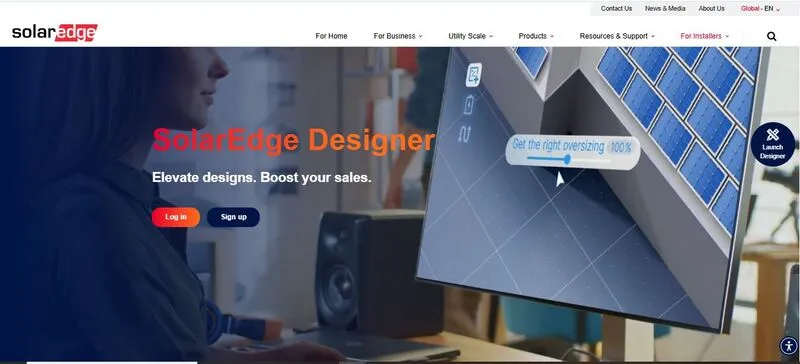
SolarEdge Designer is a web-based PV design platform from SolarEdge Technologies, launched in 2018 and extended to commercial rooftops in 2020. It covers roof modeling, layout, stringing and energy simulation, and checks each design against SolarEdge hardware limits as you work.
SolarEdge Designer is built for installers already standardized on SolarEdge inverters and power optimizers. It is free, runs in a browser and keeps layout, yield simulation, financials and the client report in one project.
It is the wrong tool if you quote other inverter brands, design utility-scale ground mounts or need permit drawings: it lays out stringing and DC cabling, but single-line diagrams and permit drawings are finished in CAD from its DXF export.
Pros and Cons
Pros
- Automatic roof detection and panel placement make first layouts fast
- Designs are checked against SolarEdge rules as you work, so fewer come back for redesign
- Optimizer-level modeling gives more realistic yield estimates on partially shaded roofs
- Free for every user, with no license or subscription fees
- Layout, yield, financials and the client report come from one project, with no re-entry
Cons
- Inverters, optimizers and batteries must be SolarEdge, so no side-by-side quotes with other brands
- Browser-only, so every task needs an internet connection
- Single-line diagrams and permit drawings need a CAD tool, via DXF export
- CRM integration is basic; proposals leave Designer as exported files
Features
Automated layout generation
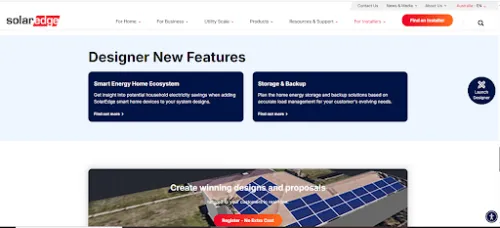
Roofs are traced on HD satellite imagery, with AI-assisted detection of the roof and of obstacles such as AC units and skylights. Panels are placed automatically from an irradiance map and shading analysis, or by hand. Spacing, tilt and alignment rules apply during placement, which cuts correction work later.
Electrical validation engine
Stringing and DC cabling can be generated automatically, and voltage limits, string sizing and inverter loading are checked continuously. Errors appear on screen during configuration, not in a report afterwards, which matters when a team runs many projects in parallel.
Module-level performance modeling
Energy output is calculated panel by panel from each power optimizer’s behavior, which improves accuracy on partially shaded roofs, where simplified string models tend to overestimate yield. Since April 2026 the model also includes optimizer input-power clipping.
3D shading analysis
Shading from obstacles and trees is modeled across the day and the seasons, and the resulting losses feed straight into the annual yield. The model is not elaborate, but it is detailed enough for most residential and small commercial roofs.
Component matching and constraints
Designer offers only compatible SolarEdge inverters and optimizers, so every configuration is valid from the manufacturer’s standpoint. The cost is flexibility: you cannot price the same roof with another inverter brand.
Proposal generation
The layout, bill of materials, production estimate and financials export into a structured report usable as a client proposal without heavy editing, though some teams still move it into their own template.
Financial estimation tools
Payback, bill savings, NPV, IRR, ROI and LCOE are calculated from system pricing, up to five incentives per project and a built-in utility rate database with time-of-use, tiered and demand charges; consumption can be uploaded as Green Button interval data. It is not a full financial modeling suite, but it covers what a sales proposal needs.
SolarEdge Designer Pricing
SolarEdge Designer is free: there is no license or subscription fee.
Usage requirement: SolarEdge account
Dependency: SolarEdge inverters and optimizers required for system design
There are no paid tiers; the cost sits in the SolarEdge hardware the design specifies, not in software licenses. That works for teams already standardized on SolarEdge equipment. For anyone else, the free price comes with a lock-in to one inverter brand.
Integrations
Designer doesn’t try to connect with everything. Outside the SolarEdge ecosystem, its main bridge is CAD: AutoCAD drawings can be imported as DXF, and the site layout exported back to DXF.
Hardware ecosystem
SolarEdge inverters, optimizers, batteries and monitoring are preloaded in the design environment, so the design matches the installed hardware and fewer compatibility issues turn up on site. Smart Energy Home devices can be added to show their effect on savings.
Monitoring transition
A finished design can be exported to the SolarEdge Monitoring Platform to create the site’s physical layout there, so the system does not have to be rebuilt by hand after installation.
CRM and proposal workflows
Designer is not deeply integrated with third-party CRMs; proposals reach the sales pipeline as exported reports.
How to Use SolarEdge Designer
- Create an account
Register at monitoring.solaredge.com, or have your company’s account manager add you, then sign in at designer.solaredge.com in any browser on Mac or PC.
- Create project
Enter the project address, and the satellite image loads automatically; no manual mapping is needed at this stage.
- Define roof geometry
Outline roof sections or use auto-detection. Adjust pitch, azimuth, and usable surface area based on actual site conditions.
- Place modules
Apply automatic panel placement or position modules manually, then adjust the layout around obstructions or to suit design preferences.
- Configure the electrical system
Select inverter models and assign power optimizers, or let Designer string the system automatically. Invalid configurations are flagged as soon as you make them.
- Run performance simulation
Generate energy production estimates. Review annual yield, system losses, and shading impact.
- Resolve validation issues
Clear any remaining warnings on voltage limits, string sizing or inverter loading before you export.
- Generate proposal
Export the system layout, bill of materials and performance summary for internal review or the client presentation.
FAQs
Does SolarEdge Designer support large commercial projects?
For commercial rooftops, yes: it handles multi-array systems, commercial load profiles and commercial storage (CSS-OD) simulations up to 4 MWh. Highly complex or utility-scale designs may still need additional simulation tools.
Is the platform suitable for early-stage sales design?
Yes. It is commonly used to generate quick layouts and proposals during the sales phase.
Can designs include battery storage systems?
Yes, with SolarEdge batteries only. Designer suggests a battery size from daily consumption, and the report can show battery-only, PV-only or full-system financials.
Does it work with other inverter brands?
No. Inverters, power optimizers and batteries must be SolarEdge products, but PV modules from other manufacturers can be selected from Designer’s module database.
Is training required before use?
Minimal. Most users manage without formal onboarding, and SolarEdge offers a Designer course in its Edge Academy.
Can multiple users collaborate on projects?
Yes. Projects belong to the company’s SolarEdge account, with user roles such as Account Manager, Account Engineer and Account Sites Viewer, but collaboration controls are basic compared to a full CRM.


