
What is SMA Sunny Portal?
Sunny Portal is SMA’s browser-based portal for monitoring, analyzing and configuring PV systems, from home rooftops with a battery to commercial systems. Live status, production and consumption history, device data, alarms and reports sit in one place, and the ennexOS platform behind it is ISO/IEC 27001 certified.
SMA launched Sunny Portal in 2003 and is gradually moving systems from the original version, now called Sunny Portal Classic, to Sunny Portal powered by ennexOS, which will become its only monitoring portal. Systems with Sunny WebBox, SMA Cluster Controller, SMA Inverter Manager or Sunny Home Manager 1.0 will not be migrated.
SMA Sunny Portal, whose current version is called Sunny Portal powered by ennexOS, is SMA’s free web portal for PV systems built on its inverters, batteries and energy managers. Owners use it to check production, consumption and battery use; installers use it to watch all customer systems from one account and get an email when a device fails or goes offline.
The portal does not raise output; it cuts downtime by reporting faults quickly. It is the obvious choice when the hardware is SMA and a poor one for mixed-brand fleets or vendor-neutral O&M monitoring.
Pros and Cons
Pros
- Faults are reported by email, and on eligible inverters SMA ships a replacement on its own, which cuts downtime
- No monitoring fee: only the optional Energy Maximizer (SMA Premium) is paid
- Installers run all customer systems from one account and give owners, operators or guests only the access they need
- 5-minute history and CSV export of up to a year of data for your own yield analysis
Cons
- Locked to SMA hardware: a mixed-brand fleet needs a second monitoring tool
- The Sunny Portal Classic interface looks dated next to the ennexOS version
- Moving to ennexOS keeps only the last 60 days of performance curves, and Tigo module layouts are not supported
Features
Real-Time System Tracking
The dashboard shows live system status and current output, so you can tell at a glance whether everything is producing. On systems with an ennexOS System Manager, installers see instantaneous values refreshed every 5 seconds.
Energy Flow Visualization
The energy flow widget shows where power is going right now: from the panels to the house, the battery or the grid. It is the quickest way to check self-consumption.
Historical Data Analysis
The portal keeps production, consumption and battery history for daily, monthly and yearly comparisons, and since September 2026 exports up to a year of energy balance and intraday power data as CSV. Detailed AC/DC and battery data in Analysis Pro only goes back 100 days.
Fault Detection & Alerts
Alarms cover the system’s connection to the portal, inverter failures (detected by comparing inverters) and battery monitoring, and email registered recipients per system or across a portfolio. On eligible inverters the free SMA Smart Connected service goes further: SMA diagnoses the fault and ships a replacement automatically.
Multi-System Management
All registered systems appear in one account and can be grouped by your own criteria. Owner, Installer, Operator and read-only Guest roles control who sees and changes what, which suits installers with many customer sites and companies with several SMA-equipped buildings.
Reporting Tools
Daily and monthly standard reports can be sent by email on a schedule, event reports can go out as often as hourly, and the inverter comparison view lists each inverter’s performance in a table.
Device-Level Insights
Each device in the system has its own status view, and detailed AC/DC and battery data help trace a yield drop to a specific inverter or battery.
SMA Sunny Portal Pricing
Sunny Portal itself is free for systems with compatible SMA devices. The optional SMA Premium subscription adds the Energy Maximizer for systems with an ennexOS System Manager, a battery and a meter at the grid connection point (Sunny Home Manager 2.0 is not supported); it is sold in only a few countries and billed monthly by credit card after a 90-day free trial. SMA also sells its APIs to application partners (B2B) for a yearly fee per system, charged pro rata for the months in which the system is actually used and scaled by system size in kWac:
SMA SmartHome API: base fees from €6 (systems up to 19 kWac) to €32.50 (over 1,000 kWac), plus a per-kWac factor for mid-sized systems
SMA GridControl API: base fees from €18 to €31 plus a per-kWac factor, with custom pricing for systems over 1,000 kWac
SMA Monitoring API: base fees from €12 to €65, plus a per-kWac factor for mid-sized systems
SMA Live API: monthly packages from €100 (200,000 calls) to €1,250 (5,000,000 calls), with extra calls billed per request
Integrations
Sunny Portal is built around SMA’s own hardware, apps and services:
- SMA inverters such as Sunny Boy and Sunny Tripower
- SMA Energy App
- SMA 360° App
- SMA Smart Connected (automated inverter monitoring)
- SMA Monitoring, GridControl, SmartHome and Live APIs for third-party integrations
Some non-SMA devices can be included: in systems with a Sunny Home Manager 2.0, for example, third-party PV inverters or balcony solar systems can be added as virtual PV generators via a supported meter (SMA Energy Meter, FRITZ! or Shelly), but the full functionality is designed for SMA hardware.
How to Use SMA Sunny Portal
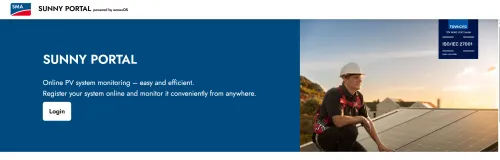
1. Create an account
Go to the Sunny Portal powered by ennexOS website (ennexos.sunnyportal.com) and log in with your SMA ID or existing Sunny Portal account, or register a new one.
2. Register your system
Registering the system links the inverter, battery and other devices to the portal by their device details. This is usually done by the installer, who can also activate the free SMA Smart Connected service at this step.
3. Configure devices
Set fixed or dynamic electricity tariffs (dynamic ones in 12 European countries), load priorities and battery charging windows. In Germany this is also where the FNN control box for §14a EnWG / §9 EEG is paired.
4. Explore the dashboard
Once you’re connected, you can start monitoring your live data.
5. Set alerts and reports
Turn on email notifications for faults and lost communication, and schedule reports so you don’t have to log in to check on the system.
FAQs
Is SMA Sunny Portal free?
Yes, it’s generally free for users with SMA-compatible systems, though the Energy Maximizer requires a paid SMA Premium subscription (after a 90-day free trial). The SMA APIs listed in the pricing section are paid extras aimed at application partners.
Can I use it without SMA hardware?
Not really. While limited integrations exist, the platform is designed primarily for SMA devices.
Does it show real-time data?
Yes. The dashboard is live; the refresh rate depends on the hardware, down to 5 seconds for installers on systems with an ennexOS System Manager. Analysis charts use 5-minute values.
Is it beginner-friendly?
For owners, yes: day to day you read the dashboard and charts. Registration and device setup are usually left to the installer.
Can I monitor multiple solar systems?
Yes, as long as they are built on SMA devices. A portfolio view lists every system in the account, and notification settings can be applied to several systems at once.
Does it work on mobile?
Yes. Owners use the SMA Energy App (iOS and Android) with their Sunny Portal login; installers commission systems with the SMA 360° App. Guest users cannot open the system in the Energy App.
What happens if my system goes offline?
If you have set up notifications for communication monitoring, you’ll receive an alert, and the portal logs the event so you can troubleshoot.


