
What Is SKM Power*Tools?
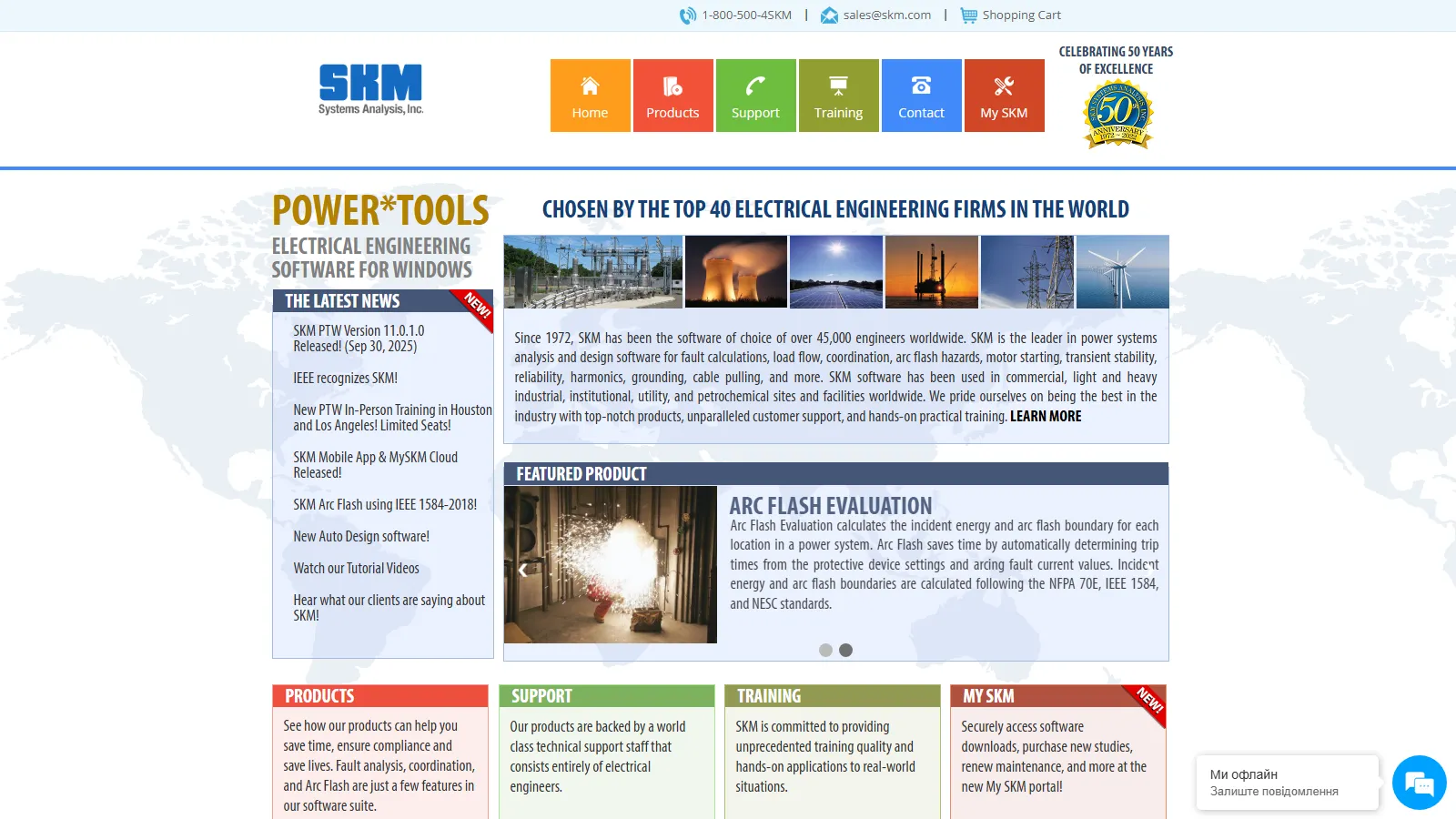
SKM Power*Tools (PTW) is a modular electrical power system analysis and simulation platform developed by SKM Systems Analysis, Inc.
Everything is built on the DAPPER base module. Study modules such as CAPTOR coordination, Arc Flash Evaluation, TMS motor starting and HI_WAVE harmonics are bought separately and work from the same project database, so equipment entered once is used by every study. SKM, founded in 1972, first wrote DAPPER for a UCLA mainframe; the Windows version (PTW) followed in 1995.
SKM Power*Tools is a Windows desktop suite for the power system studies an electrical engineer has to stand behind: short circuit, protective device coordination, arc flash, load flow and motor starting. It runs both ANSI and IEC fault calculations and computes arc flash to NFPA 70E and IEEE 1584. The trade-offs are cost that climbs with model size, a Windows-only install tied to a USB hardware key, and a workflow that assumes power systems training.
Its core users are consulting engineers, industrial facilities, utilities and EPC firms. On solar projects it models the electrical system: fault levels, breaker and fuse coordination, arc flash and load flow on the AC and DC distribution. It has no PV array, irradiance or energy-yield models, so it works alongside a PV design tool rather than replacing one.
Pros and Cons
Pros
- Long track record: SKM reports more than 50,000 engineer users, and its calculation engines have been refined since 1972.
- Modular buying: start with DAPPER and add coordination, arc flash or harmonics modules only when projects call for them.
- One project database: change a cable or breaker once and every study uses the new data.
- Covers ANSI C37 and IEC 60909 fault methods, plus IEC 61363 for marine and offshore systems, so one tool serves North American and international projects.
- Technical support is staffed by electrical engineers, more than 20% of them registered PEs (per SKM), and SKM runs training classes.
- SKM Mobile sends field-collected equipment data and photos straight into the desktop model, so nothing is re-typed from paper notes (requires a MySKM Cloud subscription).
Cons
- Requires advanced electrical engineering knowledge.
- Bus-count pricing gets expensive on large models: DAPPER alone runs from $2,450 at 50 buses to $24,500 at 12,000, before add-on modules and annual maintenance.
- The desktop interface looks dated next to cloud-based tools.
- No PV array, irradiance or yield modeling, so solar projects still need a separate PV design tool.
- Windows desktop only, and each license is tied to a USB hardware key; there is no browser or Mac version.
Features
One-Line Diagrams
Build the system model graphically as a one-line diagram.
DAPPER Load Flow and Fault Analysis
Load flow and voltage drop, short-circuit, demand load, feeder and transformer sizing, plus panel and switchboard schedules.
CAPTOR Coordination Analysis
Draw time-current curves (TCCs) and adjust protective device settings directly on the plot.
Arc Flash Evaluation
Calculate incident energy and arc flash boundaries to IEEE 1584-2018, NFPA 70E or NESC, and print NEC 110.16 labels and work permits.
Equipment Evaluation
Check short-circuit and continuous ratings against calculated values and color-code failing equipment on the one-line.
TMS Motor Starting Analysis
Simulate the voltage dips caused by starting large motors.
HI_WAVE Harmonic Analysis
Identify harmonic distortion and resonance issues within power systems.
SKM Mobile
Collect field data on iOS or Android and synchronize it with desktop projects through a MySKM Cloud subscription.
SKM Power*Tools Pricing
Licenses are perpetual and priced per module and per bus count (a bus is a node in the modeled network), so the price depends on which studies you need and how large your biggest model is.
Free Trial: Demonstrations and trial access are available upon request.
Individual Modules: The core DAPPER module lists at $2,450 for 50 buses and $24,500 for 12,000 buses; add-on study modules cost $1,250 to $7,500 each, depending on the module and bus count.
Combo Packages: Bundles start at $6,195 for Power*Pack (DAPPER, CAPTOR and Arc Flash Evaluation) at 50 buses and reach $45,095 for the IEC Maritime Pack at 12,000 buses.
Annual Maintenance: The first year of updates and support is included; renewals are priced per module or package, for example $600 a year for DAPPER or $1,830 for Power*Pack, with a discount for timely renewal.
Enterprise Licensing: Network licenses add $1,500 (LAN) or $3,000 (WAN) to the program price; multi-site corporate licenses are quoted on request.
Integrations
Bulk data exchange runs through the Data Exchange module, which reads and writes tab-delimited, CSV and SKM XML files and also links to Intergraph SmartPlant Electrical (SPEL).
- AutoCAD: Export one-line diagrams and engineering documentation.
- Revit: Import electrical equipment and connections from Revit models and return study results to them through the Data Exchange module.
- Excel and CSV: Import and export engineering data and reports.
- PDF and Word: Export study reports for client deliverables.
- Manufacturer Libraries: Protective device and equipment data from ABB, GE, Schneider Electric, Siemens and other vendors; SKM adds missing devices on request from the manufacturer's datasheets.
How to Set Up SKM Power*Tools
- Contact SKM Systems Analysis for licensing and module selection.
- Download installation packages through the SKM customer portal.
- Install Power*Tools and the USB hardware key that carries the license (standalone or network).
- Configure reporting utilities and project databases.
- Customize equipment libraries and manufacturer preferences.
- Create a project and begin modeling electrical systems.
How to Use SKM Power*Tools
Work starts with the one-line diagram: you place transformers, switchgear, cables, motors and protective devices, then pull their ratings and curves from the manufacturer libraries.
With the model in place, you run fault, load flow, coordination and arc flash studies on the same data. Results come out as datablocks on the one-line, TCC drawings, report tables and arc flash labels; when a device setting changes, the studies are rerun rather than re-entered.
What You Can Manage with SKM Power*Tools
- Protective Device Coordination: Optimize breaker and fuse settings.
- Arc Flash Compliance: Keep incident energy, PPE levels and labels current as the system changes.
- Fault Current Analysis: Verify equipment withstand ratings.
- Load Flow Studies: Evaluate voltage performance and system loading.
- Project Revisions: Compare alternative system configurations and operating scenarios.
FAQs
What does SKM Power*Tools do?
SKM Power*Tools performs electrical power system analysis including short-circuit studies, load flow analysis, arc flash evaluations, harmonic studies, and protective device coordination.
Who is SKM Power*Tools best for?
Electrical engineers at consulting firms, utilities, EPC contractors and industrial facilities who produce short-circuit, coordination and arc flash studies. Solar developers and installers who need array layout or yield estimates should look at PV design software instead; Power*Tools covers only the electrical system.
Is SKM Power*Tools free?
No. Licenses are perpetual and start at $2,450 for DAPPER at 50 buses, with the first year of maintenance included. A demo version is available on request.
What are the main limitations of SKM Power*Tools?
Cost rises quickly with model size and module count, it runs only on Windows with a USB hardware key, and it assumes power systems training. It has no PV array, irradiance or yield models, and its DC battery library covers only lead-acid and nickel-cadmium batteries, with no lithium-ion entries.


