
What Is Sitetracker?
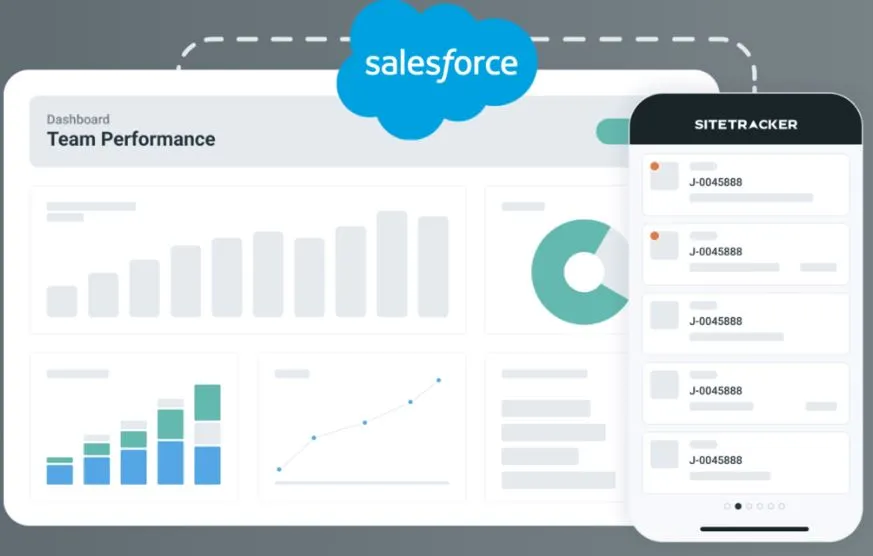
Sitetracker is a cloud-based asset lifecycle management platform built on Salesforce, which supplies the security and scalability underneath. It is aimed at enterprise, high-volume portfolios: in energy the vendor names NextEra, Iberdrola, ENGIE, Cypress Creek Renewables and Arevon as customers, and in December 2024 it bought FTC Solar’s ATLAS portfolio management software for solar developers and asset owners. It is not a PV design, monitoring/SCADA or residential sales and proposal tool, so small installers looking for those should look elsewhere; performance data comes in from your monitoring platform through an integration.
Once a team is running hundreds of sites in parallel, each with its own land, permitting, interconnection and construction milestones, spreadsheets and generic project management tools start to fall apart. Sitetracker is built for that volume: solar and wind developers, telecom operators and utilities use it to move every site from early development through construction and to keep tracking the asset after it is commissioned.
Pros and Cons
Pros
- Permitting, interconnection tracking and crew dispatch are built in, not bolted onto a generic project tool
- One record per site from development through O&M, with no data handoff to a separate system after commissioning
- Per-user rate does not rise with project count, so a growing pipeline costs more only when you add users
- 55+ integrations (Oracle, NetSuite, QuickBooks, ArcGIS) cut re-keying between finance, GIS and project data
- Runs on Salesforce with SOC 1 Type II, SOC 2 Type II, ISO 27001 and ISO 27701, which helps with enterprise IT security reviews
- Mobile apps work offline, which matters on remote solar and wind sites with poor coverage
Cons
- No public prices, plans or free trial: cost and fit only become clear after a demo and scoping
- Implementation is a configuration project with the vendor’s team, so budget internal time for templates, workflows and integrations
- Better suited for mid-market and enterprise organizations than smaller operations
Features
The core modules for solar and energy teams are listed below. Sitetracker also sells Agreement Central for tracking contract obligations after signature, and Scout, an AI add-on (limited release since April 2026) that extracts data from permits, leases and invoices and checks field photos.
- Project management built on templates, web-based trackers and dashboards for high-volume solar and energy programs, so every project runs through the same milestones and handoffs
- Finance Central for budgets, purchase orders, invoice tracking, cost forecasts and ERP alignment, so capex and project spend sit in the same system as the work itself
- Field work management to schedule and dispatch installation and maintenance crews and send them live job details, so crews arrive with what they need and fewer visits have to be repeated
- Planning and development tools covering site selection, permitting, environmental and interconnection tracking, and GIS integration; permit timelines are forecast by benchmarking each AHJ (authority having jurisdiction), and permitting dependencies are tracked across the portfolio
- Operations and maintenance management for planned and unplanned maintenance, ticketing, maintenance schedules and compliance after commissioning, with asset performance data brought in through integrations with monitoring platforms
- Vendor management and document generation handled from within the project workflow
- Reporting dashboards that show schedules and team performance across the portfolio as they change
- Native iOS and Android apps that work offline, with geofenced check-in, photos and video, digital signatures, barcode scanning, safety checklists and timesheets
Pricing
Sitetracker is licensed per user, with no published prices, plans or free trial. Quotes are scoped by team size, industry and the modules you need, and the per-user rate stays the same whether a user handles five projects or a hundred. The conversation starts with a demo request at sitetracker.com.
Integrations
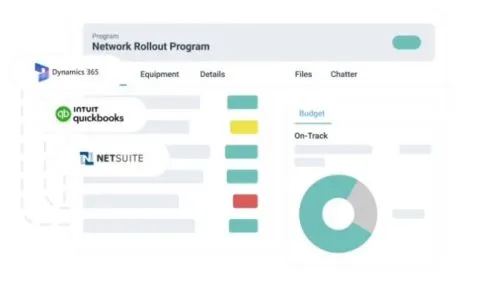
Sitetracker lists more than 55 live integrations and is meant to sit alongside the systems a team already runs. NetSuite and QuickBooks carry financial data, ArcGIS brings in geospatial planning, and Salesforce CRM turns sales opportunities directly into active projects. Connections outside the pre-built packages, such as data lakes and master data management platforms, go through MuleSoft or Salesforce-standard REST, SOAP and Bulk APIs, with one- or two-way sync.
How to Set Up Sitetracker
There is no self-serve signup: Sitetracker’s team configures the platform around your project types, permitting workflows and organizational structure.
- Request a demo at sitetracker.com to talk through your organization’s scope and requirements.
- Configure project templates, workflows and dashboards for each project type you build: utility-scale solar, distributed generation, wind or hybrid projects with storage.
- Connect existing systems using pre-built packages for NetSuite, ArcGIS, or Salesforce, or wire up custom connections via API.
- Set up Finance Central for budget and cost tracking across projects.
- Add users, assign roles, and configure field team mobile access.
- Go live with Sitetracker’s implementation team; the vendor says teams typically see better project visibility and schedule adherence within weeks.
How to Use Sitetracker
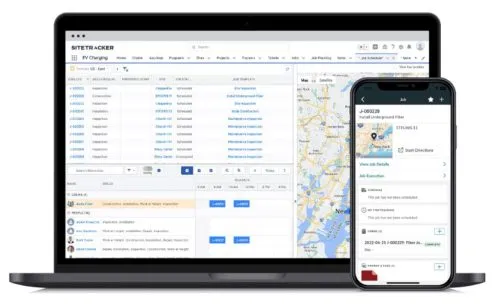
In daily use, project managers work from templates, dashboards and project records in the browser, while field crews work from the mobile app on the same site records.
- Start each new solar or energy deployment from a project template so it follows the same permitting sequence, milestone structure, and handoff process.
- Check project dashboards each morning for live site schedules, permitting milestones, and construction team workloads to catch slippage before it becomes a delay.
- Track permitting status, interconnection applications, vendor activity, and site documentation inside each project record instead of across emails and spreadsheets.
- Generate permitting, environmental, and interconnection documentation from the planning module for regulatory submissions across multiple jurisdictions.
- View deployment areas, routes and site boundaries on GIS-linked maps (designs imported from Esri ArcGIS or KMZ, SHP and GeoJSON files) against live project timelines for internal planning and stakeholder reporting.
- Prepare vendor work orders and document packages without leaving the project workflow.
- Monitor budget status, committed costs, and spend forecasts in Finance Central, and pull budget reports with a full audit trail for investor reporting, lender draw requests, and internal reviews.
- Dispatch installation and maintenance crews through Field Work Management with job details, site documentation, and safety checklists already on their mobile devices.
- Move commissioned sites into operations and maintenance records that hold maintenance history, work orders and compliance requirements, linked to performance data from your monitoring platform, for the rest of the asset’s life in the same system.
FAQs
What industries does Sitetracker serve?
Sitetracker is built for companies managing critical distributed infrastructure: telecommunications, solar and wind energy, battery energy storage (BESS), EV charging networks, utilities, data centers, construction and engineering firms, distributed properties such as franchise locations, and space and satellite.
Does Sitetracker cover both project delivery and long-term asset management?
Yes. Rather than handing off to a separate system after construction, Sitetracker carries the same project data through into operations and maintenance, keeping the full asset history in one place.
Does the per-user price go up as the project portfolio grows?
No. Sitetracker’s FAQ says a user handling five projects pays the same per-user rate as one handling a hundred, and that per-asset costs do not rise as the asset portfolio grows.
Can Sitetracker connect to existing enterprise systems?
Yes. Sitetracker lists more than 55 live integrations, including Oracle, Salesforce, NetSuite, ArcGIS and QuickBooks. Pre-configured packages cover NetSuite, GIS platforms and QuickBooks; anything else connects through MuleSoft or the API.


