
What Is Roofgraf?
Roofgraf is browser-based roof measurement and project management software for residential roofing contractors. Montreal-based Sofdesk built it as the roofing counterpart to its solar design tool Solargraf; Enphase Energy acquired Sofdesk in January 2021 and now runs both products.
Its scope is the sales stretch of a roofing job, from finding the property through takeoff and pricing to an e-signed proposal, all in one app. It is a tool for estimators and sales reps who want a quote out before a competitor gets on site, not a full production or accounting system.
Roofgraf lets a roofing contractor price a job without climbing the roof: trace it on aerial imagery, and the measurements flow into a bill of materials and a proposal the homeowner signs by email.
It is built for small and mid-size residential roofing companies, including those that also sell siding, gutters and other services on the same proposal. It is not a solar design tool (no panel layout or production modeling), and it is a poor fit for large commercial roofs or for teams that need a CRM sync or an API.
Pros and Cons
Pros
- Quotes go out without a drive to the property, so leads get a price while still shopping.
- AI-assisted pitch and line-type detection speeds up drawing complex roofs.
- Good/Better/Best options let the homeowner pick a tier and sign on the spot.
- Takeoff, BOM, proposal and e-signature in one app, with nothing re-keyed into spreadsheets.
- Quick to learn: a FastQuote template needs just four inputs.
- Unlimited users on every plan; you pay for jobs (50 or 200 a month on monthly plans), not seats.
- Support is praised in customer testimonials, though independent reviews are few.
Cons
- Accuracy drops under heavy tree cover or where imagery is poor, as in some rural areas.
- Not built for large commercial roofs or industrial sites.
- The entry plan costs $150 a month, steep for a contractor quoting only a few roofs.
- Measurements are only as current as the available imagery, and advertised accuracy applies to US roofs.
- No documented CRM connector, Zapier app or public API.
Features
HD Aerial Imagery Integration
Nearmap HD aerial imagery by default, with Google Maps satellite imagery and Street View as alternatives; for homes not yet built, users can measure from uploaded blueprints or drone photos.
One-Click Pitch Calculation
Liz, Roofgraf’s AI assistant, helps identify pitch and line types while you draw.
Automated Bill of Materials (BOM)
Builds material lists and quantities from the drawn roof and your template costs, with automatic waste calculation.
Customizable Proposal Templates
FastQuote templates need only a name, a per-square price, a shingle option and a statement of work; SmartQuote templates also model material and labor costs, margin, taxes and discounts. Proposals carry your logo and can show Good/Better/Best options side by side.
Lead and Job Management
Tracks each lead and job by status, with notes and stored files.
Cross-Device Accessibility
Runs on desktop, tablet and phone, so a rep can draw and quote at the office or in front of the homeowner.
Automated Roof Reports
A PDF of every dimension, slope and facet, generated once the drawing is done, for the homeowner, the crew or an insurance adjuster.
Roofgraf Pricing
All plans have the same features, including unlimited users, and differ only in job allowance. Prices are plus tax, and premium roof reports cost $10 each.
Free Trial: A 5-day free trial is available for new users to test the measurement and proposal tools.
Gold Monthly: $150 per month for up to 50 jobs a month.
Gold Yearly: $1,260 per year (about $105/month) for up to 750 jobs a year.
Platinum Monthly: $400 per month for up to 200 jobs a month.
Platinum Yearly: $3,360 per year (about $280/month) for up to 3,000 jobs a year.
Custom/Enterprise: A custom plan for higher volumes, quoted by Roofgraf’s sales team.
Integrations
Roofgraf documents few third-party connections beyond its imagery sources (Nearmap aerial imagery, with Google Maps and Street View as alternatives); most of the workflow stays inside the app:
- CRM Integrations: No native connector to roofing CRMs such as JobNimbus is documented; Roofgraf has its own built-in lead and job tracking instead.
- Solar Design Tools: Not built in. Solar installers would use Enphase’s separate sister product, Solargraf, for layout design and shading analysis; no data link between the two tools is documented.
- E-Signatures: Homeowners sign the emailed proposal directly, and the job status updates automatically once they sign.
- API Access: No public developer API or Zapier app is documented; data leaves the app mainly as PDF roof reports, bills of materials and emailed proposals.
How to Set Up Roofgraf
- Start the 5-day free trial on the Roofgraf website, or book a demo.
- Select the plan (Gold or Platinum) that matches your estimated monthly or yearly job volume.
- Configure your company profile by uploading your logo and setting your default material costs and tax rates.
- Set up at least three templates for Good/Better/Best options, with your statement of work and terms and conditions.
- Invite your team members and set their permissions (e.g., administrator vs. sales rep).
- Enter your first project address to start the measurement process.
How to Use Roofgraf
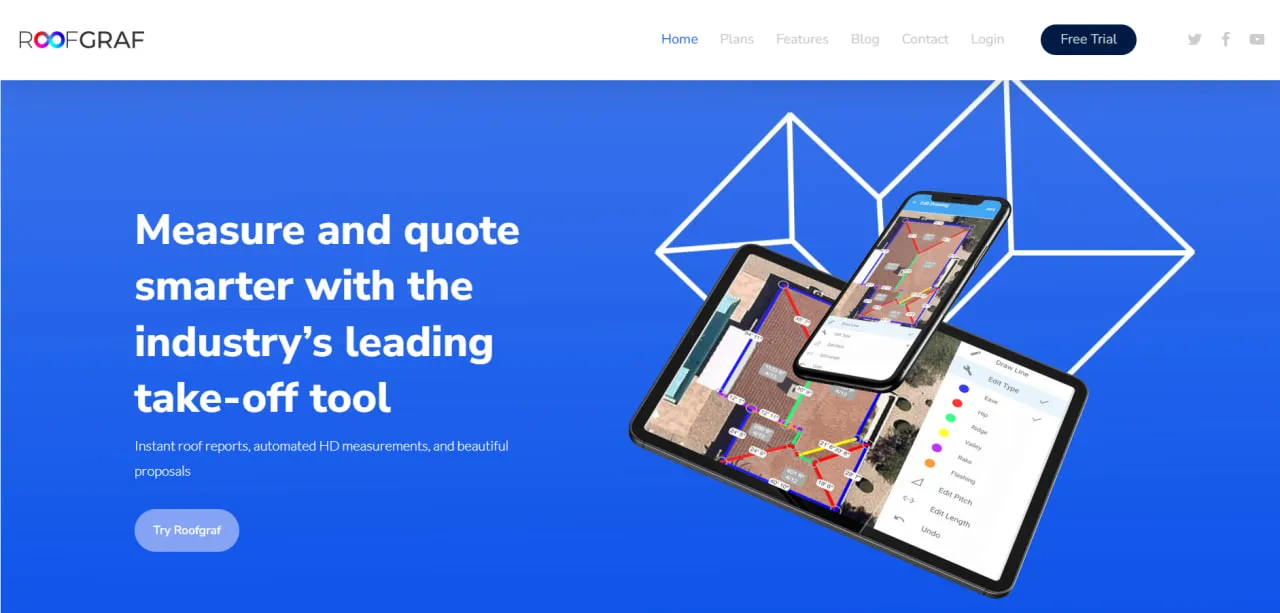
A job starts with an address. The estimator picks the clearest imagery of the house, traces the perimeter and internal lines, and Roofgraf calculates the area and length of each facet; Liz suggests the pitch and line types, and the user confirms the pitch of each section.
Choosing one or more templates turns the measurements into a bill of materials and a priced proposal, sent by email or shown on a tablet. Once the homeowner picks an option and signs, the contractor is notified and the job shows as closed, ready for the production team.
What You Can Manage with Roofgraf
- Roof Takeoffs: Roof drawings with the area, edge lengths and pitch of each facet.
- Material Estimates: Automated lists of shingles, underlayment, and accessories needed for the job.
- Sales Proposals: Branded quotes with a statement of work, terms and conditions, and attachments such as warranty sheets.
- Customer Contracts: Proposals the homeowner signs electronically, with the signed status shown on each job.
- Project Statuses: Tracking for leads and active jobs from initial measurement to signed contract.
- Team Activity: Oversight of how many quotes and measurements each team member is producing.
FAQs
What does Roofgraf do?
Roofgraf lets residential roofers measure a roof from aerial imagery and turn the measurements into a priced, e-signable proposal, so the first quote does not require measuring on the roof.
Who is Roofgraf best for?
It is best suited for small to medium-sized residential roofing contractors, including those that also sell siding or gutters; solar installers are served by Enphase’s separate tool, Solargraf. With unlimited users on every plan, it suits sales teams that send many quotes.
Is Roofgraf free?
No. Roofgraf offers a 5-day free trial, after which you need a paid monthly or yearly plan; the cheapest is Gold at $150 a month (plus tax) for 50 jobs.
Does Roofgraf support integrations?
Only to a limited extent. Roofgraf draws on Nearmap and Google Maps imagery and has built-in e-signatures, but no native CRM connector, Zapier app or public API is documented, and no data link to its sister product Solargraf.
What are the main limitations of Roofgraf?
Accuracy depends on the imagery, and the vendor’s accuracy claims cover US roofs. It is built for residential rather than large commercial roofs, and independent reviews are few, so test the trial on a few of your own recent jobs.
What are the best alternatives to Roofgraf?
Common alternatives in the roofing and measurement space include EagleView, RoofSnap, Hover, and SkyMeasure. For solar-specific needs, alternatives include Aurora Solar and Arka 360.


