
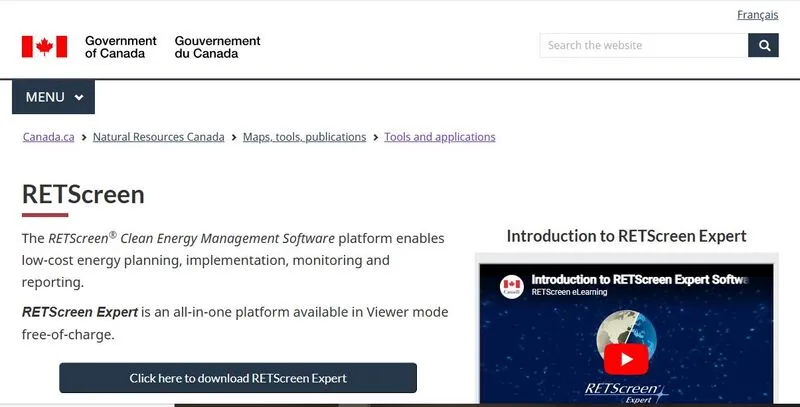
What is RETScreen?
RETScreen is energy analysis software developed by the Government of Canada, led by Natural Resources Canada’s CanmetENERGY research center. It estimates energy production, project costs, financial returns and emissions reductions for renewable energy, energy efficiency and cogeneration projects, from homes to power plants.
The current version, RETScreen Expert, replaced the Excel-based RETScreen 4 in 2016. It has four analyses: Benchmark (compare a facility with similar ones), Feasibility (screen a proposed project), Performance (measure savings after implementation) and Portfolio (many facilities in one view). NASA counts more than 950,000 users.
RETScreen is a Windows desktop tool for the first question in an energy project: is it worth pursuing? One model returns energy output, IRR, NPV, payback and emissions reductions, and shows how far they move when prices or costs change. It suits developers, consultants and facility energy managers screening options before layouts, procurement and detailed engineering. It is not a design tool: there is no PV layout, shading, electrical design or bankable P50/P90 yield report, so PV projects that pass move on to PVsyst, PVcase or HelioScope.
Pros and Cons
Pros
- IRR, NPV and payback recalculate instantly as inputs change
- Built-in climate data, so no weather files to source
- Compares PV, wind, hydro, efficiency and cogeneration on one financial basis
- Emissions and sensitivity results come from the same model
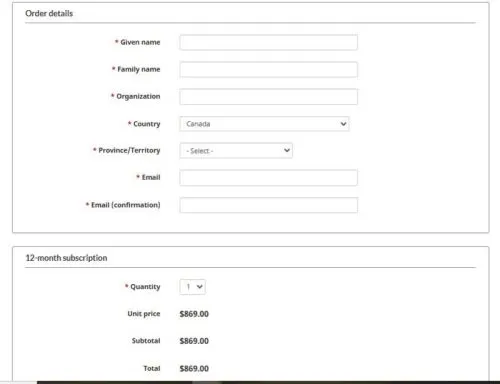
- Free Viewer mode; one CA$869 subscription covers up to 10 computers
Cons
- Windows only, with a dated interface that takes time to learn
- No layout, shading or electrical design; PV projects still need PVsyst or a similar tool
- Visual output is limited
- Free Viewer mode cannot save, print or export
Features
Feasibility analysis
This is the core module: enter project data, and RETScreen calculates energy output or savings, costs and financial metrics in one model.
Climate database
RETScreen includes climate data from NASA satellites and more than 6,700 ground monitoring stations, so solar radiation, temperature and other inputs are already filled in for most locations worldwide. Hourly NASA data requires Professional mode.
Financial modeling
This is the strongest part of RETScreen. Capital costs, operating costs, escalation rates and revenue assumptions go into a fixed, structured form, and IRR, NPV and payback recalculate as soon as an input changes. That makes scenario testing quick, even if the rigid layout takes some getting used to.
Emissions analysis
RETScreen calculates greenhouse gas reductions from the project type and local grid emission factors, which helps where carbon targets are part of approval or reporting. The emission factors database is Professional-only.
Performance monitoring
This is measurement and verification (M&V) of savings after implementation, not real-time plant monitoring: RETScreen compares metered energy use or production with a baseline, so deviations show up without a separate tracking system. Backcasting, non-routine adjustments and heatmaps are Professional-only. It does not replace SCADA or inverter monitoring portals.
Risk and sensitivity analysis
Sensitivity and risk analysis vary the inputs that usually decide a project, such as energy price, capital cost and production, to show which assumption the returns hinge on. A project that stays viable across the range is sound; one that fails on a modest cost overrun is marginal.
RETScreen Pricing
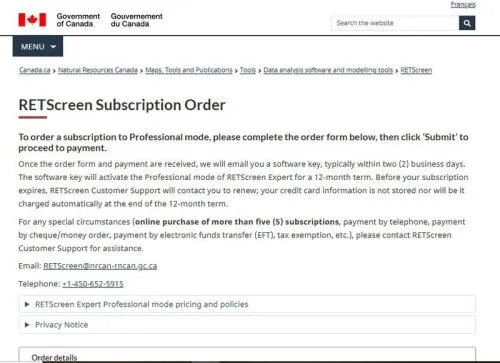
Viewer and Professional are one download: the subscription unlocks Professional mode for 12 months and does not renew automatically. Educational institutions get unlimited installs for non-commercial teaching and research.
RETScreen Expert Viewer mode (free): covers feasibility analysis, financial modeling, and climate data, but files cannot be saved, printed or exported, and NRCan reserves numerous advanced features for Professional mode, among them parts of the power, storage and off-grid modeling, hourly NASA data and the portfolio tools.
RETScreen Expert Professional mode (CA$869 per year per subscription, which covers up to 10 computers in one organization): unlocks saving, printing and exporting, plus premium features such as the Virtual Energy Analyzer, advanced performance analytics, portfolio dashboards and RETScreen Connect data import.
Integrations
RETScreen’s integrations import metered and energy data; none links to PV design tools. All are part of RETScreen Connect (Professional mode):
- Microsoft Excel file import
- CSV import and export
- Direct connections to SQL Server, MySQL and PostgreSQL databases, ENERGY STAR Portfolio Manager, EnergyCAP and EnergyPlus
There is no public API and no connector to PV design platforms.
How to Use RETScreen
To get started:
- Define Project Type
Choose the technology: solar PV, wind, hydro, cogeneration or an energy efficiency measure. Then set the location and capacity; the location also brings in climate data for the site.
- Input Energy Data
Enter expected production or load data. If exact figures are missing, built-in climate data can fill the gap at a basic level.
- Add Financial Inputs
Enter capital cost, operating and maintenance costs and tariffs. Accuracy matters: a loose capex or tariff assumption still produces a precise-looking IRR, just a wrong one.
- Check Energy Output
RETScreen recalculates results as inputs change; there is no separate run. Sanity-check the annual energy figure before trusting the financials.
- Review Results
Focus on IRR, NPV, and payback period. These determine whether the project meets internal or investor thresholds.
- Test Scenarios
Run the sensitivity analysis on energy price, system cost and production. A project that only works in the base case is not ready for design.
FAQs
Is RETScreen suitable for solar design work?
No. It does not support layout design, shading, or electrical configuration.
Where does it fit in a project workflow?
Early-stage feasibility and screening, before detailed engineering tools. After implementation, Performance analysis handles M&V of savings.
Can it be used for large projects?
Yes, up to power-plant scale, but for utility-scale PV the results are pre-feasibility; financing usually needs a P50/P90 yield report.
Is the climate data reliable?
It combines NASA satellite data with measurements from more than 6,700 ground stations. That is good enough for feasibility; detailed design still needs site-specific data.
Does it support hybrid systems?
Yes, though NRCan lists power, storage and off-grid modeling as Professional-mode features.
Is it enough for investment decisions?
For early-stage decisions, yes. Final investment typically requires more detailed engineering and validation.


