
What is PVsyst?
PVsyst is a Windows desktop package for the study, sizing and data analysis of complete PV systems, first developed in Geneva by André Mermoud in 1992 and now sold by PVsyst SA. It focuses on electrical performance rather than site layout: you feed it meteorological data and component specifications, and it predicts energy production over the year. For developers, the key output is the P50/P90 pair of exceedance values: annual production has a 50% probability of exceeding P50 and a 90% probability of exceeding P90. The gap between them, driven mainly by weather variability and data uncertainty, shows investors how much yield risk the project carries. The P50/P90 tool is not available for stand-alone or pumping systems.
Nameplate capacity says little about what a PV plant will actually deliver or earn. PVsyst works it out hour by hour, from irradiance on the modules to energy at the grid connection, and itemizes every loss along the way (incidence angle, soiling, temperature, mismatch, ohmic wiring, transformer) in a single loss diagram. It is built for design engineers, EPCs and yield assessors; residential installers who need quick sales proposals are better served by other tools.
Pros and Cons
Pros
- The interface is available in 12 languages, including Chinese, Japanese, Korean and Turkish, so local teams can work in their own language.
- PVsyst reports are widely accepted by banks and investors as a benchmark for project financing.
- One license covers grid-connected, stand-alone and pumping systems, so firms with mixed project types need only one simulation tool.
- Every simulation report includes the loss diagram, so a reviewer can see which loss costs the most yield and question the assumption behind it.
- The component library covers modules, inverters, batteries, pumps and optimizers, with data supplied by manufacturers and checked by PVsyst, so most designs start from verified datasheets rather than manual entry.
Cons
- The learning curve is steep: loss parameters start at default values, and reliable results depend on reviewing them one by one for each project in a dense, dialog-heavy interface.
- It produces no CAD site plans or mounting designs, so layout work stays in a separate CAD or layout tool.
- It is Windows-only desktop software with no cloud version: one license per computer, and the workspace cannot sit on shared or synced drives, so teams exchange project files by hand.
Features
PVsyst SA sells three separate programs: PVsyst 8 for interactive design and simulation, PVsystCLI for scripted runs, and PVsystBasic for solar water pumping only.
PVsyst 8 (Main Software)
Detailed Modeling: The full program checks module and inverter sizing against I/V curves and power limits, accepts unlimited array orientations, and can combine trackers and fixed tables in one simulation.
3D Shading: You build the 3D scene in PVsyst or import it from a CAD tool, and the software calculates near-shading losses from terrain, nearby structures and adjacent rows, including the electrical mismatch they cause in each string. Far-horizon profiles can be imported from Meteonorm or PVGIS.
Bifacial Support: It calculates rear-side gains of bifacial modules from ground albedo, on fixed tables as well as on single- or dual-axis trackers with backtracking.
Sub-Hourly Analysis: Since version 8.1 (April 2026), grid-connected and stand-alone systems can be simulated with 1-minute or 15-minute weather data instead of hourly values.
PVsystCLI
Automation: PVsystCLI runs simulations and imports or converts weather files from scripts, without opening the graphical interface.
Batch Processing: It runs many simulations with varying parameters in a single command, so teams can compare design scenarios side by side.
Workflow Integration: Results come out as CSV files in RVT or SFI format plus the standard PVsyst report in any of 12 languages. Unlike PVsyst 8, the CLI can be installed on Windows Server 2016–2022, so it fits into in-house data pipelines.
PVsystBasic
Quick Estimates: PVsystBasic is a separate, simplified program for quick simulations of direct solar water pumping systems only; it reports how much water is pumped and delivered over the year.
Pumping Focus: Its tools find the optimal pump operating point and analyze borehole characteristics from hydraulic tests. It works fully offline, with the interface and help in English and French only.
It suits solar pump suppliers and installers who size pumping systems and have no use for grid-connected modeling.
PVsyst Pricing
PVsyst is sold as a yearly license, which must be renewed to keep full functionality and to receive the updates that carry new hardware data.
| License Type | Annual Price (CHF) | Target User | Focus Area |
| Professional | CHF 700 | Engineers & EPCs | Full grid-connected, off-grid, and bankable modeling. |
| PVsystBasic | CHF 25 | Pumping Specialists | Direct solar water pumping only; simplified interface. |
| PVsystCLI | CHF 3,000 | Large Developers | Command-line automation for batch processing; a PVsyst 8 license is needed to set up projects. |
| Education | CHF 420 | Teachers | Academic version for verified university faculty. |
| Classroom | CHF 25 | Students | Learning version for use in academic courses. |
| Student | CHF 25 | Students | Personal license for students; a student card is required. |
| Training/Research | CHF 560 | Training centers and researchers | For training courses and research work. |
Each Professional license covers one computer and also gives access to PVsyst 7. Orders of several licenses get 5% off for 2–4, 15% for 5–9 and 20% for 10 or more. A free one-month evaluation mode offers full features, except that only generic components can be used and reports carry a watermark.
Integrations
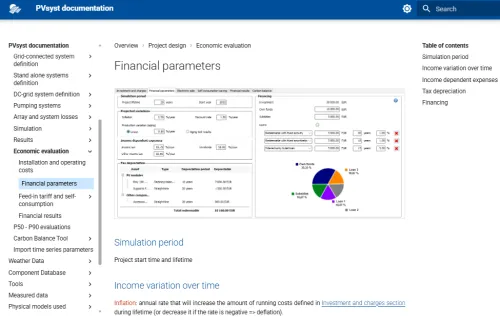
PVsyst takes weather, layout and terrain data from other tools and exports results for financial models. It also has its own economic evaluation (CAPEX, OPEX, NPV, LCOE, ROI) for a first check of project returns.
- Layout and CAD Design Tools: You can import 3D scenes from layout tools like PVcase (PVCollada files) or SketchUp (DAE files); AutoCAD drawings need an extra conversion step, because AutoCAD cannot export DAE directly.
- Meteorological Data Sources: From the built-in map, PVsyst imports weather data directly from Meteonorm 9, NASA POWER, PVGIS-TMY, NLR/NSRDB TMY, Solcast TMY, SolarAnywhere TGY and Solargis; files in many other formats can be imported manually.
- Topography and 3D Modeling: The software can import terrain data as CSV point files or GeoTIFF elevation models, or download topography within PVsyst, to calculate how uneven terrain affects shading and row spacing.
- Financial and Reporting Tools: PVsyst exports simulation output files in CSV format for use in Microsoft Excel and other tools.
How to Set Up PVsyst
PVsyst installs only on a Windows 8, 10 or 11 workstation (Home or Pro edition). Windows Server, Enterprise editions, remote desktop environments and ARM versions of Windows are not supported.
Download and Install
Download the software from the official PVsyst portal and install it.
Activate the License
Enter your activation key to unlock the software features.
Synchronize Databases
PVsyst checks for updates at startup; install the latest version to get the newest component data.
Configure the Software
Configure your default project settings, including local currency, measurement units, and standard albedo values.
Create a Workspace
Set up a dedicated local folder for your project files and custom components. Keep it out of OneDrive, Dropbox or Google Drive synced folders, which PVsyst does not support.
FAQs
Can PVsyst run on a Mac?
Not natively; PVsyst runs only on Windows. On an Intel Mac you can use Boot Camp or a Windows virtual machine. On Apple Silicon Macs, check with PVsyst before buying: Boot Camp is not available there, and PVsyst does not support ARM versions of Windows.
What are “Bankable Reports”?
Energy yield reports, prepared to a recognized methodology, that lenders and investors accept as evidence of a project's expected production when deciding on financing.
Does PVsyst handle battery storage?
Yes. PVsyst 8 sizes battery banks for stand-alone systems and simulates storage in grid-connected systems for self-consumption, tracking hourly energy flows, battery aging and efficiency losses.
How often is the hardware database updated?
With each software release, roughly once a month; there is no separate online database update, so you need the latest version to get new components.


