
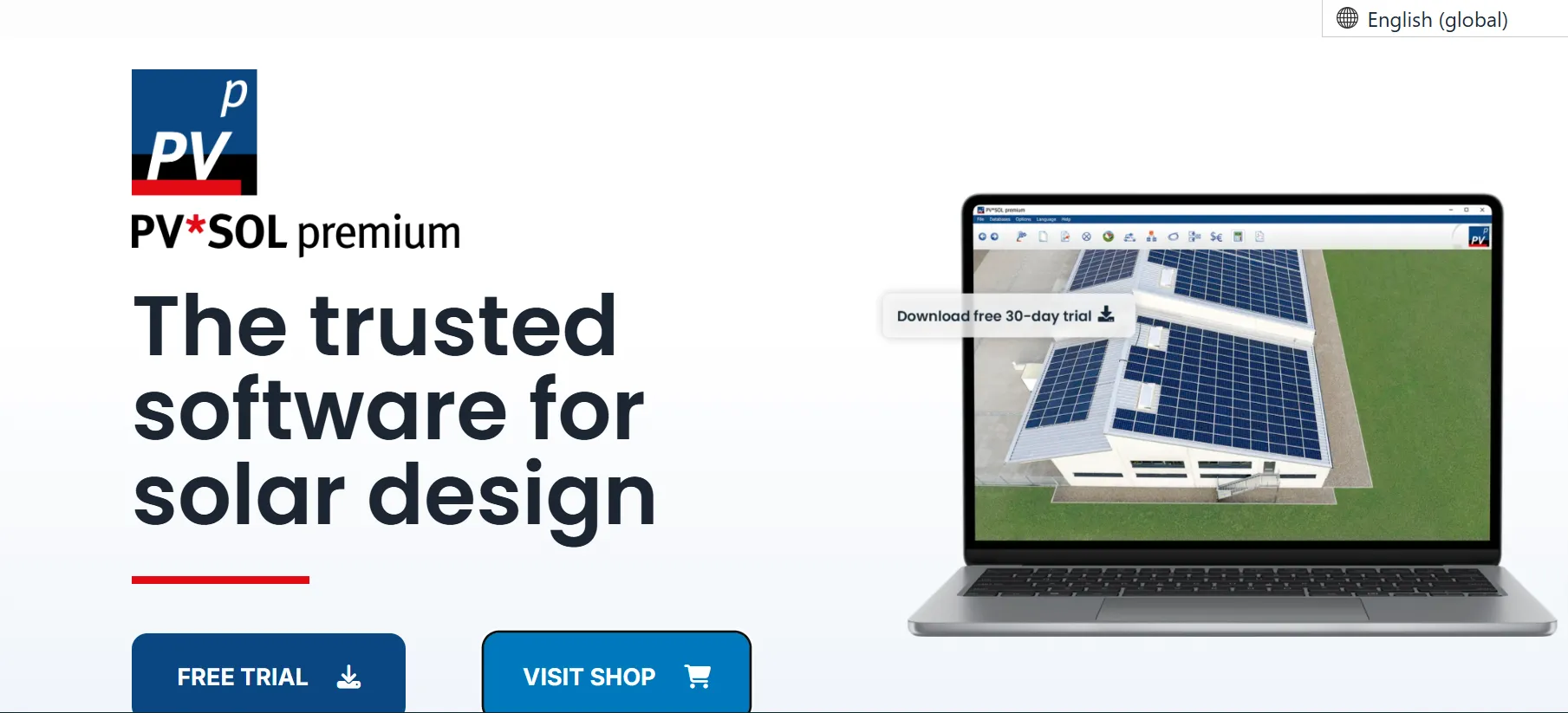
What is PV*SOL?
PV*SOL is a program for designing photovoltaic systems and simulating their yield and economics, from single-family homes to commercial buildings. You model the site, choose real modules, inverters and batteries, and the software calculates output and savings.
Unlike basic solar calculators, it simulates the actual layout, so shading, cable losses, battery behavior and the building’s consumption all count. PV*SOL covers 2D design and 2D shading; PV*SOL premium adds 3D design and 3D shading.
Solar design software ranges from quick estimators to engineering suites that take training to learn. PV*SOL, from Berlin-based Valentin Software, sits near the engineering end: a Windows program that simulates a PV system over a full year and turns the result into a client report.
It suits installers and planners working on homes, commercial rooftops and smaller ground-mounted systems, especially in Germany, where its climate and 3D building data are most detailed. It is not built for Mac or Linux users, teams that want a browser-based tool, proposal and CRM workflows, or bankable utility-scale studies.
Pros and Cons
Pros
- Hourly or one-minute simulation with real component data gives yield figures that hold up in client reports
- Batteries, EVs and heat pumps are simulated against real consumption, so storage sizing rests on the actual load
- 3D shading in PV*SOL premium, down to each module, catches problems before installation
- Detailed data for German projects: DWD-based climate data for every km² and Rexplorer 3D buildings
Cons
- Steep learning curve; built for planners, not for quick sales quotes
- Windows 10/11 (64-bit) only, with no Mac or full browser version; the license needs an online sign-in
- At €585 to €845 per user per year, with no perpetual option, it is costly for occasional users
Features
3D system modeling
In PV*SOL premium you build the site in 3D by tracing a floor plan, cadastral map or satellite image, or by importing a 3D model, then fill the roof areas with modules automatically or by hand. Since the 2027 R1 release (November 2026), a 3D project can hold up to 15,000 roof-mounted or 10,000 ground-mounted modules.
Advanced shading simulation
PV*SOL calculates how buildings, trees and other objects block sunlight over the year and carries those losses into the yield forecast, so it does not overstate production. In PV*SOL premium the shading is calculated in 3D, and you can see the annual radiation loss for each module and every point of the PV area.
Energy yield calculation
PV*SOL combines climate data for the site with the characteristics of the selected modules and inverters and simulates output in hourly or one-minute steps for a full year. For Germany it uses Valentin’s own DWD-based typical-year data for every square kilometer; elsewhere it uses Meteonorm 9 or the other sources under Integrations.
Battery storage simulation
Batteries are simulated against the building’s consumption profile, which can include EV charging and heat pumps, so you see how much solar energy is stored and used on site. The 2027 R1 release added peak shaving and charging based on dynamic electricity prices.
Component database
The built-in database lists more than 30,000 PV modules plus inverters, battery systems and EVs, so simulations use real products rather than generic components.
Financial analysis tools
Enter the system costs and PV*SOL produces a 20-year financial analysis with savings, payback period and return on investment. You can model feed-in tariffs and consumption patterns, and since 2027 R1 also tariffs with capacity prices and imported dynamic tariffs.
PV*SOL Pricing
Since November 2024, PV*SOL has been sold only as a one-year or three-month user license; perpetual licenses are no longer offered. PV*SOL (2D shading only, no 3D design) costs €585 per user per year plus VAT, while PV*SOL premium, with 3D design and shading analysis, costs €845 per year plus VAT. Three-month licenses cost €195 and €285 plus VAT, and every license includes all updates plus email and phone support. A free 30-day trial includes all features except printing and saving reports.
Integrations
PV*SOL works with:
- Google Solar API, Rexplorer (Germany), K2 Base and Renusol PV-Configurator (premium)
- Climate data from Meteonorm, PVGIS, Solcast and SolarAnywhere via the built-in MeteoSyn tool
- Your own measured weather data, imported in DWD, Meteonorm or WBV format
- Word and PDF export of project reports in 24 languages
PV*SOL itself is installed desktop software, not a cloud platform.
How to Use PV*SOL
Install the software
Download PV*SOL from the Valentin Software website and install it on a 64-bit Windows 10 or 11 PC; an Intel i3 or AMD Ryzen 3 processor and 4 GB of RAM are enough. Then sign in with your user account to activate the license.
Create a new project
Start by choosing the system type: grid-connected (optionally with consumers, battery storage, EVs or a thermal system) or stand-alone off-grid. Enter location details for accurate weather data.
Build your 3D model
In PV*SOL premium, model the building and nearby shading objects in the 3D editor. In the standard edition, you lay out the modules in 2D instead.
Add solar components
Select modules, inverters and batteries from the database, place the modules and connect them to inverters. PV*SOL can generate the circuit diagram, including fuses and surge protection, automatically.
Run simulation
Run the simulation, then check yield, shading losses, cable losses and system efficiency; carpet plots show the whole year at a glance. Adjust the layout or components and run it again if the numbers fall short.
Generate reports
Export a client report with performance, design details and financial projections; you choose which sections it includes and add your company logo.
FAQs
Is PV*SOL beginner-friendly?
Not really. It is built for planners and engineers, so expect a learning curve; Valentin Software offers video tutorials, free webinars and product training.
Is PV*SOL better than free solar tools?
For detailed design, yes. For a quick yield or self-consumption estimate a free tool is enough, including Valentin’s own browser-based PV*SOL online.
Can PV*SOL be used for residential solar?
Yes, especially homes with a battery, EV charging or a heat pump. Installers who mainly need fast quotes and sales proposals may find it more than they need.
Does PV*SOL work offline?
Partly. It is a Windows desktop application, but the user license needs an internet connection by default; you can switch it to offline mode for a set period, during which it is tied to one device.
Is PV*SOL widely used in the industry?
Yes, above all in German-speaking countries; Valentin Software released the first version in 1998.
Can PV*SOL replace PVsyst?
Not for every job. PV*SOL is stronger on residential and commercial projects with batteries, EVs and self-consumption, while PVsyst remains the norm for bankable utility-scale studies.


