
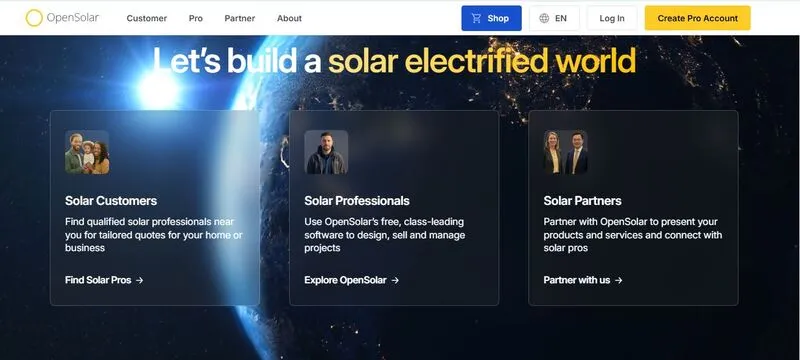
What is OpenSolar?
OpenSolar is a cloud design, sales and project management platform from OpenSolar Pty Ltd, an Australian company founded in 2017 by Andrew Birch (CEO) and Adam Pryor (CTO). It covers 3D roof design, shading and production estimates, financial modeling, proposals, e-signature, payments and a project CRM. The company says 28,000+ solar professionals use it; the platform is built mainly for residential and small commercial sales.
Installers pay nothing for OpenSolar’s core platform, which carries a residential job from the roof model to a signed proposal and, since the OS 3.0 release in September 2025, on to project management, invoicing and hardware ordering. It suits small to mid-sized residential installers and sales-led teams. It is a sales tool first: production estimates are sales-grade, and utility-scale projects or detailed engineering validation need dedicated tools.
Pros and Cons
Pros
- No license fee for design, proposals and project management; paid extras are optional
- One flow from 3D design to signed proposal and payment, with no re-keying between tools
- Sales estimates backed by independent PVEL and DOE lab accuracy tests
- Clean interface; low training overhead
- Also quotes EV chargers, heat pumps and HVAC jobs, useful for electrification installers
Cons
- Sales-stage modeling; detailed engineering validation still needs separate tools
- Premium imagery (Nearmap, MetroMap, 3D Plus) costs extra per image
- CRM is lighter than dedicated platforms, and connecting one needs the paid API
- Requires a stable internet connection
- Finance, imagery, Shop and permitting options vary by country
Features
Fast solar system design
Ada, the AI auto-design tool (in beta), builds a 3D design in seconds from a photogrammetry surface model, calculating pitch, azimuth and shading automatically. Where no 3D imagery exists, you sketch the roof on 2D imagery instead.
Real-time performance simulation
Production updates as you edit the design. Shading is traced through the year to sub-panel level, with heatmaps and shade reports.
Built-in proposal generation
Proposals show system, price and savings, including current-versus-electrified comparisons, and customers can view the design in 3D without logging in. Quick Quote handles non-solar jobs. No separate proposal software is needed.
Financial modeling
Customers compare cash and finance offers side by side (monthly payment, term, APR, total repayable); US options include loans, leases and PPAs. Payback, ROI and savings are calculated automatically.
Component database
Choose panels, inverters and batteries from a global catalog or your own equipment lists. Auto designs generate a bill of materials.
Customer management (light CRM)
Leads, projects and proposal status sit alongside the designs. CashFlow adds invoicing and collects deposits, progress payments and final balances online where available.
Collaboration tools
Custom roles set who can view, create, edit, or delete project and account data.
OpenSolar Pricing
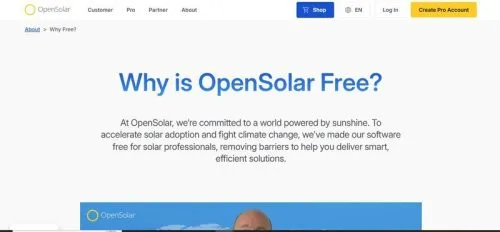
OpenSolar is free to use for solar professionals, with no subscription tiers for core functionality. The core platform is paid for by partners—manufacturers, finance companies, distributors, and permitting companies—rather than by license fees from installers. The paid add-ons are optional: Enterprise Services plans (Support at US$500/month, Customize at US$1,350/month, Enterprise on custom pricing), premium Nearmap, MetroMap or 3D Plus imagery bought per image from a prepaid Wallet, and the OpenSolar API, billed per project after a 30-day free trial.
Integrations
- CRM systems such as HubSpot or Salesforce, via the OpenSolar API or integration partners
- Finance providers such as GoodLeap and LightReach (US), Propensio (UK), Plenti (Australia) and Cloover (Germany)
- Hardware suppliers in the US, UK and Australia via Shop, with supplier pricing and stock
- E-signature through the built-in workflow, PandaDoc or DocuSign
OpenSolar lists 200+ partners and providers, but availability depends on the market; permitting integrations, for example, are offered for US projects, with partners such as GreenLancer, SolarAPP+ and WattMonk.
How to Use OpenSolar
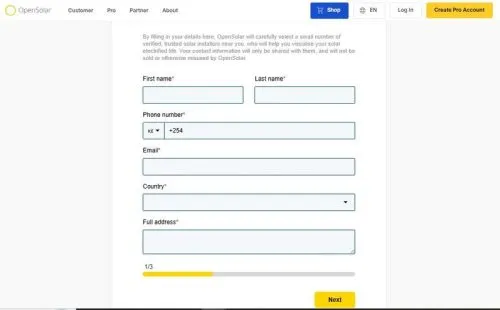
- Create an account
Sign up on the platform. No payment details required.
- Start a new project
Enter the project address. The system loads satellite imagery automatically.
- Design the system
Run auto-design or place panels yourself, then adjust layout, orientation and system size.
- Review performance data
Check estimated energy production and the shading analysis.
- Build a proposal
Select financial options and generate a client-ready proposal.
- Share with the client
Share it straight from OpenSolar; the customer accepts and e-signs inside the proposal.
FAQs
Is OpenSolar suitable for commercial-scale projects?
It can design small commercial systems and generate single-line diagrams, but the Swipe, Scroll and Bespoke proposal formats are built for residential jobs. For complex or utility-scale projects, additional engineering tools are typically required.
Does it support battery storage integration?
Yes. Battery systems can be included in designs and proposals.
How reliable are production estimates?
They are suitable for sales-stage analysis. The energy model is based on the U.S. DOE’s System Advisor Model (SAM), and a PVEL review found production figures within 0.1–1.9% of PVsyst estimates. In a shading study on eight Denver and Los Angeles roofs, the DOE’s National Laboratory of the Rockies found OpenSolar within ±2.7 solar access values of on-site SunEye readings. Detailed engineering validation should still be done separately.
Can multiple team members collaborate?
Yes. Projects can be accessed and edited by multiple users.
Does OpenSolar work worldwide?
Yes. OpenSolar reports users in 185+ countries, but finance providers, premium imagery, Shop suppliers and the newer proposal formats vary by market.
Does OpenSolar replace dedicated CRM software?
For lead and project tracking, often yes: it has custom workflows and stages, Kanban views, task assignment, and scheduling synced with Google Calendar or Outlook. Teams with advanced sales pipelines may still keep a dedicated CRM and connect it through the OpenSolar API.
Is customization available for proposals?
Yes. You can pick a slide-based (Swipe) or document-style (Scroll) proposal and control branding, sections, content, and disclaimers; fully bespoke templates come with the paid Customize and Enterprise plans.
What type of installer benefits most from OpenSolar?
Small to mid-sized residential installers and sales-focused teams, who save on software licenses and keep design, proposal and payment in one tool.


