
What Is OpenDSS?
OpenDSS (Open Distribution System Simulator) is an open-source simulator for electric distribution systems, now developed and distributed by the Electric Power Research Institute (EPRI). It began in 1997 at Electrotek Concepts as DSS; EPRI's subsidiary EPRI Solutions acquired it in 2004, and EPRI released it as open source in 2008.
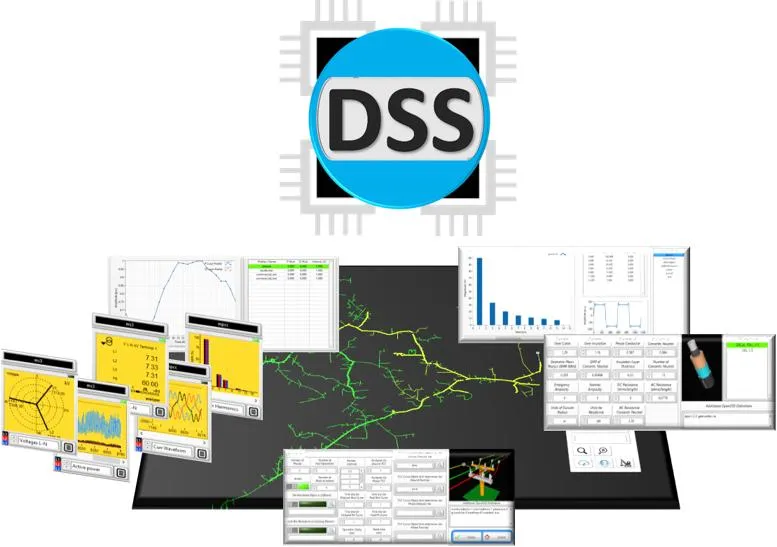
It is a frequency-domain (phasor) solver, not an electromagnetic transient program. EPRI provides a standalone executable (OpenDSS.exe), a COM DLL that other software can drive, and OpenDSS-G, a basic graphical interface that runs the same script commands.
OpenDSS is EPRI's free, open-source simulator for utility distribution feeders. Its core job is quasi-static time-series (QSTS) power flow: stepping a feeder model through a day or a full 8,760-hour year to see what rooftop PV, batteries and EV charging do to voltages and equipment loading hour by hour, which a single snapshot load flow cannot show.
Utility planners, researchers and consultants use it: by 2019 it had been downloaded nearly 80,000 times, and Con Edison relies on it to screen DER interconnection requests and set IEEE 1547-2018 smart-inverter parameters. The trade-off is a script-driven workflow with only a basic GUI. It is a grid simulator, not a tool for PV plant layout, shading or energy-yield design.
Pros and Cons
Pros
- No license cost, so a whole planning team or research group can use it.
- PV, storage and smart-inverter models ship with the program, so DER studies need no add-ons.
- Yearly time-series runs catch voltage and loading problems that a peak-hour snapshot misses.
- Scriptable from Python, MATLAB or Excel, so large scenario sets can run in batch.
- Models unbalanced, multi-phase circuits and non-standard transformer connections as built.
- Widely used in research and for IEEE test feeders, so reference models and examples are easy to find.
Cons
- Steep learning curve: models and studies are written as scripts, and the OpenDSS-G interface is basic.
- The official EPRI installer is Windows-only; Linux and macOS users rely on the C++ build or community packages.
- Building and validating feeder models takes solid distribution engineering knowledge.
- Documentation is split between EPRI's site and the separate docs of each community package.
- No electromagnetic transient (EMT) studies; those need a PSCAD- or EMTP-type tool.
Features
Power Flow Analysis
Solve radial MV feeders and the meshed subtransmission that ties substations together.
Quasi-Static Time-Series Simulations
Model daily and yearly grid behavior for solar and storage studies.
Fault Analysis
Run single-fault and Monte Carlo fault studies across distribution feeders.
Harmonic Flow Analysis
Analyze power quality and harmonic distortion effects.
Flexible N-Phase Modeling
Represent any number of phases per element, including non-standard transformer connections.
Programmable Scripting Environment
Define circuits and study sequences in plain-text .dss scripts that can be reused and rerun.
Controller Modeling
Built-in regulator, capacitor, switch, storage and smart-inverter controls (RegControl, CapControl, SwtControl, StorageController, InvControl).
OpenDSS Pricing
OpenDSS is free to download and use; the real cost of adopting it is the engineering time needed to learn the scripting workflow.
Free Download: Available directly from EPRI and open-source repositories.
Open-Source License: BSD license, so the source code can be modified and redistributed.
No Paid Tiers: All core simulation functionality is available at no cost.
Third-Party Consulting: Implementation help and training, if you need them, come from outside consultants.
Integrations
EPRI's own interface is the COM DLL. Most language bindings (OpenDSSDirect, dss_python, dss_sharp, DSS_MATLAB) come from the community DSS-Extensions project, whose builds also run on Linux and macOS.
- Python Integration: py-dss-interface, supported by EPRI, plus the community OpenDSSDirect.py and dss_python packages.
- MATLAB Integration: Official COM object support for automation workflows.
- Julia and .NET: OpenDSSDirect.jl and dss_sharp.
- GIS and Simulation Platforms: EPRI's separate OpenDSS-GIS program plots the circuit on a map; Typhoon HIL co-simulates power flow through OpenDSSDirect.py.
- Excel Integration: Support for VBA-driven workflows and reporting.
How to Set Up OpenDSS
- Download the latest Windows installer from EPRI's OpenDSS project on SourceForge.
- Run the installer, which also registers the OpenDSS COM DLL.
- Review example feeder models included with the installation.
- Launch OpenDSS.exe or configure a Python/MATLAB integration.
- Load a .dss script file and compile the model.
- Run a Solve command to begin simulations.
How to Use OpenDSS
A study starts with a text model of the circuit: lines, transformers, generators and loads written in the OpenDSS scripting language. After compiling it, engineers run a snapshot power flow to check voltages, losses and equipment loading.
For solar and storage studies, they attach load and PV output profiles and battery dispatch rules, then switch to daily or yearly mode. Monitors and energy meters record the results, which are usually exported to Python, MATLAB or GIS software for plotting.
What You Can Manage with OpenDSS
- Distribution Planning: Evaluate feeder expansion and DER integration impacts.
- Renewable Energy Simulations: Model how solar, wind and storage output affects feeder voltages and loading.
- Fault and Protection Studies: Calculate fault currents and model how relays, reclosers and fuses respond.
- Power Quality Analysis: Investigate harmonics, interharmonics and neutral-to-earth voltages.
- Smart Grid Automation: Test control algorithms and switching strategies.
FAQs
What does OpenDSS do?
OpenDSS simulates electric utility distribution systems, helping engineers analyze power flow, renewable energy integration, fault behavior, and smart grid operations.
Who is OpenDSS best for?
Distribution planners and DER interconnection engineers at utilities, plus researchers and consultants who are comfortable scripting their studies. It is not meant for PV plant layout or energy-yield design, and teams that want a vendor-supported point-and-click tool are better served by a commercial package.
Is OpenDSS free?
Yes. It is free to download and use, and the source code is released under the BSD license.
What are the main limitations of OpenDSS?
A script-driven workflow with only a basic GUI (OpenDSS-G), an official installer that runs only on Windows, no electromagnetic transient studies, and the need for solid power systems knowledge.
What are the best alternatives to OpenDSS?
Popular alternatives include CYME, Milsoft, GridLAB-D, pandapower, and DIgSILENT PowerFactory.


