
What Is IBM Envizi?
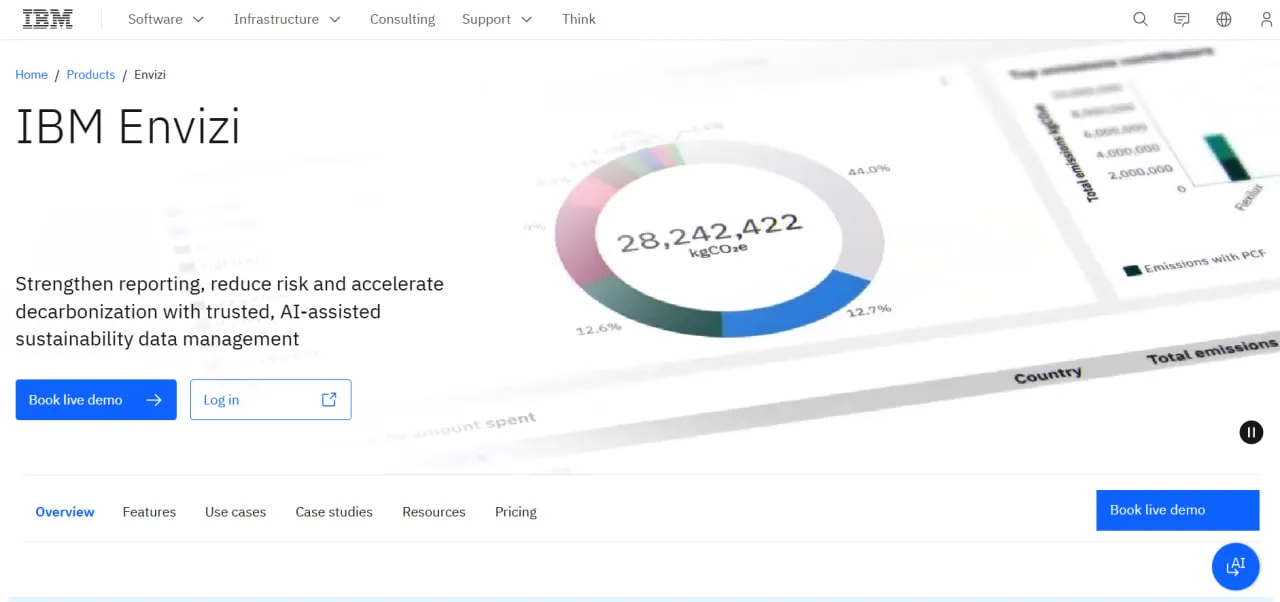
IBM Envizi is a SaaS suite for ESG data management, greenhouse gas (GHG) accounting and energy analytics. Its energy tools work on utility bills, interval meter data and building benchmarks: it measures and reports consumption but does not control equipment like a real-time energy management system (EMS) or building management system (BMS). Its core technology was built in Australia in 2004 to process utility smart-meter data for billing; the company became CarbonSystems in 2008, focusing on carbon accounting, later took the Envizi name and was bought by IBM in January 2022.
Data arrives through automated connections and spreadsheet uploads, is tagged with metadata on the way in, and then feeds the GHG calculations, energy dashboards, target tracking and framework reports. For companies already on IBM software, Envizi connects to IBM Maximo for asset management and IBM TRIRIGA for facilities management.
IBM Envizi gives a large organization one system of record for its environmental, social and governance (ESG) data. It collects over 500 data types, from utility bills and IoT sensor readings to supplier information, and replaces the spreadsheets that sustainability teams usually start with. Its users are sustainability officers, energy managers and finance teams at multi-site companies. They need audit-ready Scope 1, 2 and 3 emissions for CSRD, GRI or SASB reports, and they want the same data to show which buildings waste energy.
Solar developers, installers and PV asset managers should look elsewhere: Envizi has no PV design, plant monitoring, SCADA, O&M ticketing or project-finance modeling. It is also too costly for most small companies; IBM’s own Emissions Calculations in Excel, from USD 45 a month, is a cheaper way to start.
Pros and Cons
Pros
- Energy, emissions and supplier data share one dataset, so energy bill analysis, the carbon inventory and the CSRD report use the same numbers.
- IBM maintains the emission factor library, so the sustainability team does not have to keep its own factor tables current.
- Health checks and a change log on every record make the figures easier to defend when a CSRD report goes to third-party assurance.
- A natural fit for companies already running IBM Maximo, TRIRIGA or Turbonomic, which have ready-made connectors.
- Pays back beyond compliance: IBM’s case study for property group GPT cites USD 20M in annual savings on energy and water costs.
- Handles very large data volumes: Downer Group ingested 20 million lines of data from 33,000 suppliers.
- SaaS hosting on AWS or Azure data centers, with local-region data residency options and daily encrypted backups.
Cons
- Contracts start from $30,000 a year, which puts the suite out of reach for most small and mid-sized companies.
- Setup is a project: data mapping and integrations usually involve IBM Expert Labs or a partner, and file connectors need a separate Connector AddOn subscription.
- Over a dozen modules mean a steep learning curve for teams coming from spreadsheets.
- No published price list: the online estimator gives only an indicative figure, and the binding price still needs a quote from IBM or a partner.
- No operational tools: no PV monitoring, O&M ticketing or equipment control, so Envizi runs alongside a monitoring platform or BMS rather than replacing one.
Features
Automated Data Capture
Pulls data from utility providers, metering and IoT platforms, ERP systems, spreadsheets and supplier portals, then checks it for completeness, accuracy and timeliness and logs every change in an audit trail.
Emissions Management
Uses a calculation engine built on the GHG Protocol, with over 40,000 managed emission factors (including US EPA, eGRID, DEFRA and IEA sets), to calculate Scope 1, 2, and 3 emissions for regulatory disclosures.
Energy Benchmarking and Bill Analytics
Compares energy intensity across sites, flags anomalies in utility bills and analyzes interval meter data, showing facility managers which buildings need efficiency upgrades first.
ESG Reporting Frameworks
Manages over 1,000 questions from major frameworks, including ESRS (CSRD), GRI, SASB and TCFD, and exports reports with supporting documentation to PDF or Word.
Decarbonization Planning
Models emission-reduction scenarios, sets energy and emissions targets, and tracks projects such as renewable energy investments or building retrofits against budget and schedule.
Supply Chain Intelligence
Engages suppliers and collects supplier-level transaction data to calculate Scope 3 Category 1 and 2 emissions (purchased goods and services, capital goods).
AI-Assisted Scope 3 Categorization
An embedded watsonx.ai natural language processing model classifies spend data for spend-based Scope 3 calculations.
IBM Envizi Pricing
IBM publishes no price list for Envizi, but its online estimator shows how the subscription is built. You pay for the number of “Accounts” you track, where an Account is one stream of activity data, supplier data or a KPI, and the estimator works out that number from your industry and the number of locations you include.
Free Trial and Demo: The 14-day free trial of IBM Envizi Essentials includes a sustainability executive report, a Scope 3 dashboard, an emissions dashboard and a data health report; IBM also runs live demos.
Tiered Plans: The estimator always places you in one of three bundles: Essentials (up to 1,000 Accounts), Standard (1,001–5,000) or Premium (5,001 to 15,000+), each with a minimum 12-month term.
Starting Costs: IBM’s AWS Marketplace listing shows 12-month contracts starting from $30,000, priced by data volume; IBM notes that prices vary by country and configuration.
Add-Ons: Functionality such as ESG reporting, Scope 3 calculations and supply chain emissions management is added to the base package; file connectors need a separate Connector AddOn subscription, and custom API integrations are scoped through IBM Expert Labs.
Custom Quotes: The estimate is indicative, not a formal offer. The binding price comes from IBM sales or a business partner, and partners set their own Envizi prices, so quotes for the same scope can differ.
Integrations
IBM offers ready-made connectors for three of its own products: Maximo, TRIRIGA and Turbonomic. All three run through IBM App Connect middleware; everything else needs a file connector or a custom API integration.
Asset and Facility Management
- IBM Maximo: The MAS Connector for Envizi syncs asset locations and meter readings from Maximo Application Suite to track energy use and Scope 1 and 2 emissions.
- IBM TRIRIGA (now IBM Maximo Real Estate and Facilities): Syncs space and occupancy data so energy use can be analyzed by location, floor area and occupant.
Data Synchronization and APIs
- Envizi Integration Hub: Facilitates the flow of ESG data from various external sources.
- Custom APIs: Pull account or meter data from external cloud platforms.
IT and Business Systems
- IBM Turbonomic: Sends data center locations and accounts to Envizi so energy use can be compared across data centers by number of active hosts and VMs.
- ERP Integrations: Captures financial and utility data from ERP systems through file connectors or custom API integrations.
How to Set Up IBM Envizi
- Audit and Map Data: Work with an IBM specialist to identify all internal and external data sources, including utility accounts and IoT sensors.
- Subscription and Workspace Setup: Buy the bundle that matches your number of Accounts (Essentials, Standard or Premium) and set up the administrative workspace.
- Configure Organizational Hierarchy: Define the sites, regions, and business units within the platform to match your company’s structure.
- Establish Data Pipelines: Use the Integration Hub or API connectors to link your utility providers and ERP systems to the Envizi platform.
- Validate and Tag Data: Run initial data health checks to ensure information is being captured accurately and tagged with the correct metadata.
- Customize Dashboards: Set up specific Energy Performance Indicators (EnPIs) and reporting widgets for different stakeholders.
How to Use IBM Envizi
Day to day, Envizi users watch the automated data feeds and fix the gaps found by the data health checks. Managers read the executive dashboard for energy use and emissions trends; when the system flags an anomaly in a utility bill, an energy manager drills down to the meter data behind it to find the cause.
At reporting time, the sustainability team selects the framework (GRI, or ESRS for CSRD) and answers its questions from data already in the system, with emissions calculated and every figure traceable through the audit trail. IBM’s case study says Melbourne Water now produces its sustainability reports in hours rather than days. Facility managers use the benchmarks to pick which buildings get maintenance or a retrofit first.
What You Can Manage with IBM Envizi
- Energy Portfolios: Consolidated views of energy usage, costs, and intensity across multiple facilities.
- GHG Accounting: Audit-ready records of Scope 1, 2, and 3 carbon emissions.
- Compliance Reports: Documents formatted for regulatory disclosures and ESG frameworks.
- Decarbonization Projects: Tracked progress of sustainability initiatives and their financial ROI.
- Utility Billing Records: A single digital record for all electricity, gas, and water invoices.
- Supply Chain Data: Environmental performance metrics from third-party vendors.
FAQs
What does IBM Envizi do?
IBM Envizi collects an organization’s energy, emissions and other ESG data in one place, calculates Scope 1, 2 and 3 emissions under the GHG Protocol and prepares disclosures for frameworks such as CSRD, GRI and SASB. It also analyzes utility bills and meter data to show where sites waste energy.
Who is IBM Envizi best for?
It is built for large, multi-site organizations whose ESG officers, energy managers and finance teams need audit-ready emissions disclosures, including Scope 3 data from suppliers. It is not meant for small companies or for solar project work such as PV design, monitoring or O&M.
Is IBM Envizi free?
No. There is no free plan, only a 14-day free trial of IBM Envizi Essentials and a live demo.
How much does IBM Envizi cost?
Pricing is typically based on the volume of data accounts and the specific modules required, and IBM’s AWS Marketplace listing shows 12-month contracts starting from $30,000. IBM’s online estimator gives only an indicative figure; a binding price comes from a quote by IBM sales or a business partner.
What are the main limitations of IBM Envizi?
The main ones are cost and effort. Contracts start from $30,000 a year, file connectors and custom API integrations cost extra, and implementation may need IBM Expert Labs or a partner. The breadth of the suite also takes time to learn for teams used to spreadsheets.
What are the best alternatives to IBM Envizi?
Top competitors in the ESG and energy management space include Schneider Electric EcoStruxure, Enablon, Workiva, and specialized platforms like Diligent (formerly Accuvio) or Sphera.


