
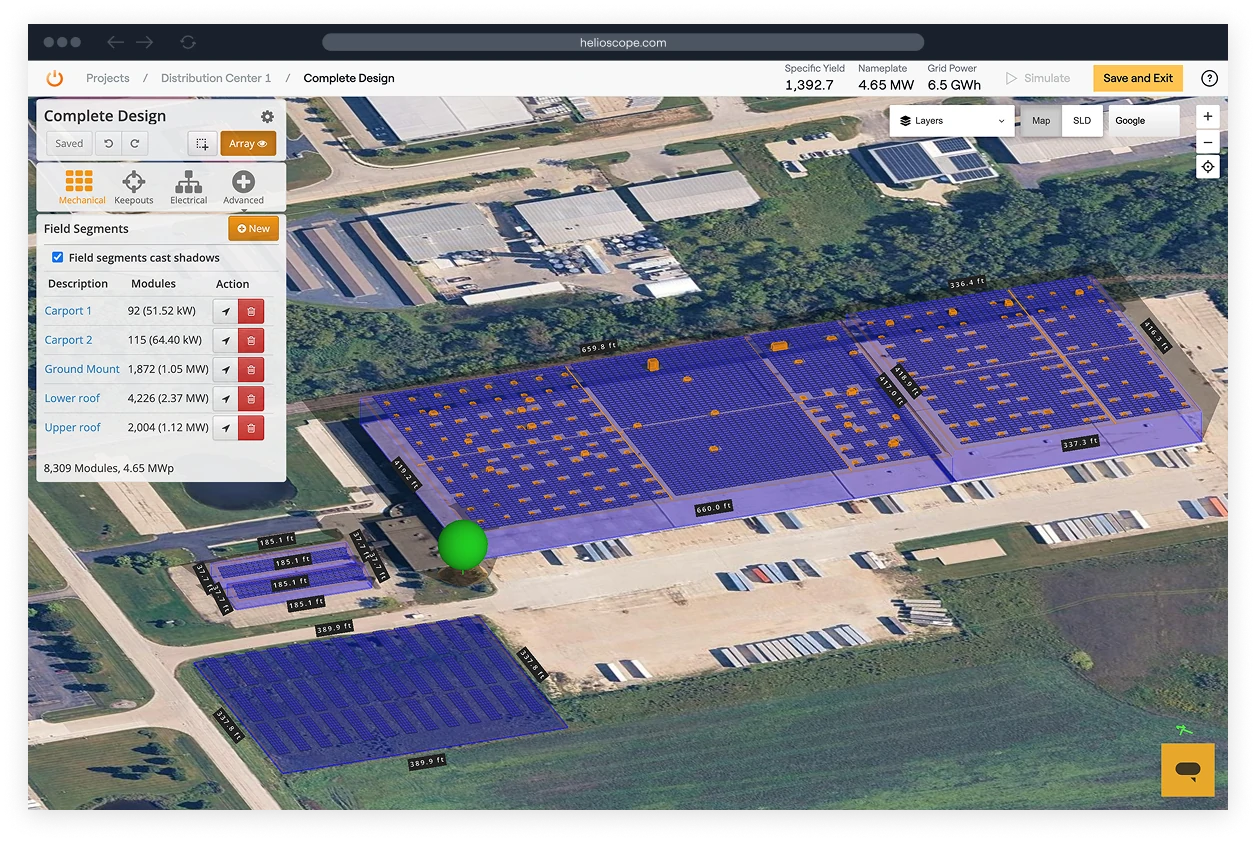
What Is HelioScope?
HelioScope is design and simulation software for commercial and industrial (C&I) solar. Folsom Labs, founded in 2011, built it for C&I from the start, and Aurora Solar acquired the company in 2021. It fits C&I designers and engineers who need a layout, a shading-aware energy estimate and a report a lender will accept, without running a desktop tool. It is not aimed at residential installers, and utility-scale developers will outgrow it: designs top out at 30 MW (DC) even on Enterprise, and single-axis trackers are Enterprise-only.
HelioScope takes a commercial solar project from a site address to a module layout, a shading analysis that updates as you draw, an energy simulation and a PDF report, all in a browser tab with nothing to install.
Pros and Cons
Pros
- Runs in a browser, so there is no desktop software to install or update
- Simulations finish in under a minute, so layout options can be compared in one sitting
- DNV GL-validated energy model that lender Sunstone Credit accepts in underwriting
- About 50,000 modules and inverters in the library, plus global weather coverage
Cons
- Storage modeling requires the Pro plan or higher
- Single-axis trackers only on Enterprise, and designs are capped at 30 MW (DC) even there
- Full permit-ready electrical documentation still requires a CAD tool such as AutoCAD
- Basic and Pro licenses are limited to one user and 10 projects a month, so teams need a license per designer or Enterprise
Features
- 3D design engine that auto-populates field segments with modules
- Simulations typically complete in under a minute
- DNV GL-validated accuracy within 1% of PVsyst for typical C&I projects
- Production estimates accepted in underwriting by lender Sunstone Credit, which renewed that recognition in October 2025
- Component library of about 50,000 items: 40,000+ modules and 10,000+ inverters
- LIDAR integration and AI-based obstruction detection (Pro and above)
- Independent Tilt, P90 estimates, and a financial calculator (Pro and above)
- Single-line diagram generation, CAD (DXF) export and one-click project sharing on all plans
HelioScope Pricing
HelioScope offers three tiers:
Basic plan
costs $159/month per license ($1,620/year) for one user, up to 10 projects a month and designs up to 1.25 MW.
$159Pro plan
is $259/month ($2,640/year) with the same one-user, 10-projects-a-month limit, and adds LIDAR, AI obstruction detection, P90 estimates, the financial calculator, storage modeling and designs up to 5 MW.
$259Enterprise
is priced per project on request and suits larger teams that need unlimited users, single-axis trackers, PVsyst export, API access, SSO and designs up to 30 MW (DC).
Annual billing saves 15% on Basic and Pro.
Integrations
HelioScope includes Google and Bing imagery at no extra cost and supports Nearmap imagery for users with their own Nearmap subscription. It dropped its SketchUp plugin in 2018; obstructions are now modeled with keepouts and image overlays (JPG, PNG, KMZ, KML) directly in the browser. Hourly (8760) production data exports as CSV for use in tools like HOMER Grid and Energy Toolbase, and Energy Toolbase can also import HelioScope designs directly. Layouts and single-line diagrams export as DXF files for AutoCAD and other CAD tools.
How to Set Up HelioScope
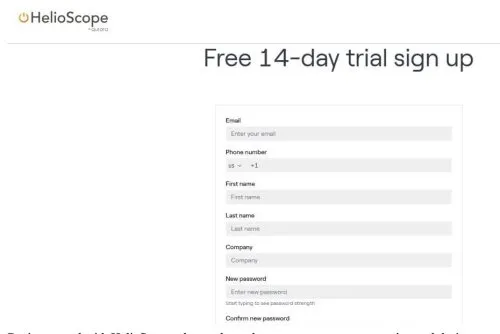
Aurora says a commercial solar professional can model a project in about 20 minutes. Account setup comes first:
- Sign up at helioscope.aurorasolar.com and log in through any browser
- Add your company profile and logo under Settings
- Build your component favorites from the 50,000-item library
- If you use Nearmap imagery, link your Nearmap account with an API key under Settings, then Integrations
- Click “New Project,” enter the site address, and select your preferred map imagery
How to Use HelioScope
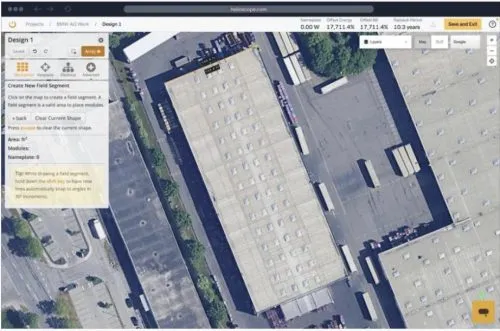
HelioScope solar design workspace
- Draw field segments over the target area and let the platform auto-fill them with panels.
- Select modules and inverters from the component library.
- Add obstructions manually, or on Pro and Enterprise plans use AI detection or Fit to LIDAR to set keepout heights.
- Configure strings and review any electrical warnings.
- Hit Simulate and review energy output, performance ratio, and system losses.
- Adjust the layout and re-run the simulation as needed.
- Export a PDF report, share via link, or export DXF for your CAD workflow.
FAQs
Does HelioScope offer a free trial?
Yes. HelioScope offers a free trial, so you can model a real project before choosing a plan.
Is HelioScope accurate enough for lender submissions?
Yes. In October 2025 lender Sunstone Credit reaffirmed that it accepts HelioScope production estimates in underwriting, and a DNV GL review found HelioScope's energy model within 1% of PVsyst at each step of the calculation.
Does HelioScope support battery storage design?
Yes. Since June 2026, HelioScope includes integrated storage modeling: a battery calculator recommends storage sizing for each design and recalculates as the layout changes, and storage performance and financials are modeled in the same project. Battery layout is available on all plans, while storage modeling is part of Pro and Enterprise.
Can multiple users collaborate on the same project?
Yes. The project owner or a team admin can share a project through a share link with anyone who has a HelioScope account and manage access in the Sharing tab. Basic and Pro licenses each cover one user, while Enterprise adds unlimited users and advanced team management tools.


