
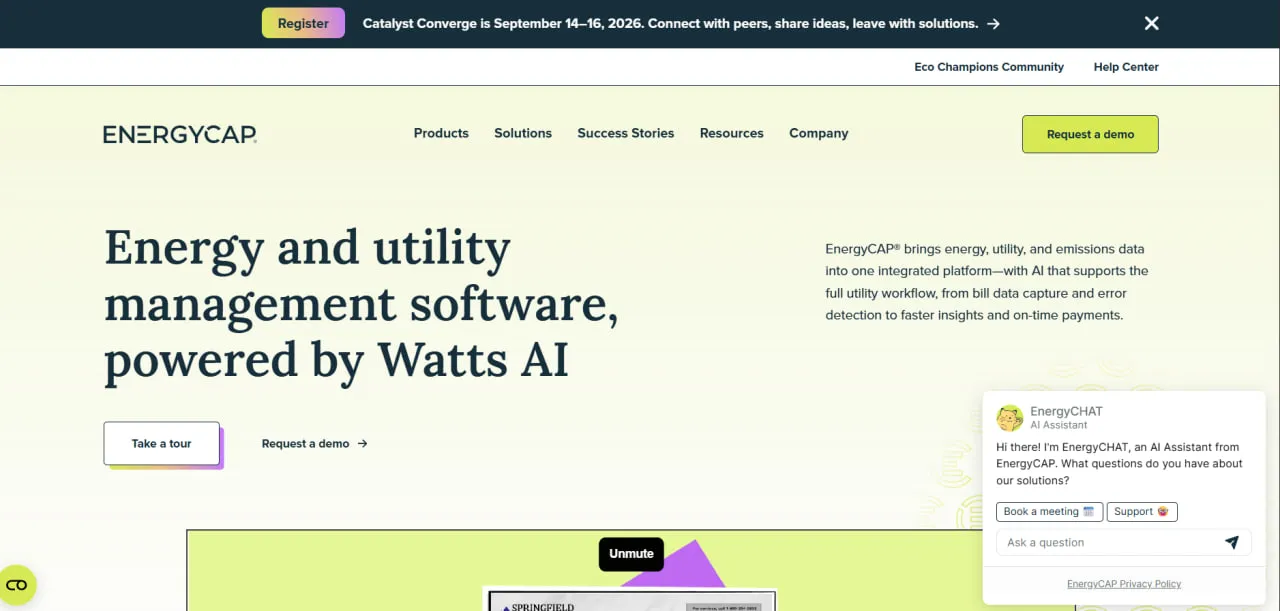
What Is EnergyCAP?
EnergyCAP is Software-as-a-Service (SaaS) for utility bill management and energy accounting, a category also known as energy management information systems (EMIS). Bills enter by manual entry, Electronic Data Interchange (EDI) or the Bill Capture service, and an audit engine checks every bill for billing errors and unusual usage.
Its modules cover accounting (bill approval, AP export, budgets and chargebacks), energy management (benchmarking, interval data and retrofit savings) and sustainability (carbon accounting). EnergyCAP has worked in utility and energy data management for more than 40 years, serves more than 750 organizations and has been named ENERGY STAR Partner of the Year several times, most recently in 2024.
An organization with many buildings pays separate electricity, gas, water and steam bills for every account, and when those bills are keyed into spreadsheets, overcharges and duplicate bills slip through. EnergyCAP is a cloud platform built around that bill stream: it collects the bills, checks each one for errors, and turns the data into budget, benchmarking and emissions reports.
It suits organizations with many utility accounts, such as government agencies, universities, hospitals, retailers and commercial real estate firms. It is not a PV design, monitoring or SCADA tool and controls no equipment. With per-meter pricing and paid add-ons, it is hard to justify for an organization with only a few meters.
Pros and Cons
Pros
- Audits catch overcharges and duplicate bills before they are paid; the vendor says the platform flags more than 1 million billing errors a year.
- Accounting, facility and sustainability teams work from the same audited bills, so budgets, benchmarks and the carbon inventory all rest on what was actually billed.
- Well rated by users: 4.7 out of 5 from 132 reviews on Software Advice, with 4.8 for customer support.
- Bill entry and payment can be outsourced to the Bill Capture and Bill Pay services; the vendor says Bill Capture saves teams about 40 hours of manual entry a month.
- Counts on-site solar and CHP generation against grid imports and exports, so net consumption and emissions reflect self-generation.
Cons
- Setup takes time: migrating bill history from legacy systems is slow, and some users found connecting interval meters a manual, fairly complex job.
- Third-party directories list a starting price of about $5,000 a year, which is a lot for an organization with only a few meters.
- Some users find the report filters confusing and the standard report templates hard to adapt.
- Chargebacks and cost splits are hard to learn, according to user reviews, and the paid training courses consist only of videos.
- No prices are published, and every module beyond the core Utility Management platform adds to the sales quote.
Features
Utility Bill Tracking
Keeps accounts, meters and bill history for electricity, natural gas, water, sewer, steam, chilled water, propane, fuel oil and custom commodities in one database, and handles deregulated supply bills, summary bills and multi-country portfolios.
Automated Auditing
Runs each bill through dozens of automated checks that flag billing errors, duplicate bills and abnormal usage before the bill is paid.
Emissions (formerly Carbon Hub) and GHG Reporting
Converts utility consumption and other activity data into Scope 1, 2 and 3 emissions using eGRID-based or custom emission factors, with location- and market-based Scope 2 and GHG Protocol alignment.
Cost Avoidance and Measurement and Verification (M&V)
Calculates savings from efficiency projects such as lighting and HVAC upgrades using IPMVP methods, so you can show what each retrofit returned.
ENERGY STAR Integration
Syncs utility data to EPA Portfolio Manager and pulls ENERGY STAR scores back, so benchmarking needs no second round of data entry.
Submetering and Chargebacks
Splits costs among tenants or departments by submeter readings or formulas and generates an internal invoice for each.
Watts AI
EnergyCAP’s AI engine; its Watts chat assistant answers plain-language questions about your utility data.
Interval Data (formerly Smart Analytics)
Charts real-time and interval meter data and flags anomalies, so managers can catch demand peaks and leaks as they happen instead of when the bill arrives.
EnergyCAP Pricing
EnergyCAP charges per meter (point of service) per year, and the total depends on which modules are added to the core platform.
Free Version, Trial and Demo: There is no free version or free trial; the company offers self-guided product tours and live demos on request.
Starting Price: EnergyCAP does not publish prices on its website; third-party software directories such as Capterra list a starting price of about $5,000 per year.
Core Platform and Add-Ons: Pricing starts with the Utility Management core platform; Interval Data (formerly Smart Analytics), Emissions (carbon accounting, formerly Carbon Hub), and finance modules such as Chargebacks, the Accounting interface, and BI Reports are added as needed.
Premium Complete Package: Bundles every EnergyCAP product; the company says it carries its best pricing.
Implementation Fees: Initial setup involves a one-time fee for software configuration, training, and data migration.
Managed Services: Bill Capture (collection and data entry for paper, PDF and electronic bills) and Bill Pay are sold as separate services on top of the software subscription.
Integrations
Bills come in from utilities, approved bills go out to accounting as export files, and meter readings come in from gateways, files and the API.
- Utility Vendor Integrations: Receives bill data as EDI 810 files directly from utilities and suppliers that support Electronic Data Interchange (EDI).
- Accounting and ERP Integrations: Exports audited, approved bills as formatted AP files for ERP and accounting systems such as SAP, Oracle NetSuite, Microsoft Dynamics 365, Workday, and Sage Intacct.
- Meters, Gateways and BAS: Imports interval and smart meter data from Siemens Desigo CC, eGauge, Obvius AcquiSuite, Schneider Electric Com’X, Carlo Gavazzi VMU-C, Accuenergy, EpiSensor, Wattwatchers and Smappee devices, plus Green Button XML and FTP file feeds.
- API Access: Offers a REST API for custom integrations, data exports and loading interval data from other systems.
How to Set Up EnergyCAP
- Contact sales with your meter count and the modules you need to get a quote.
- During implementation, EnergyCAP specialists help you configure your site hierarchy and facility database.
- Choose how bills arrive: EDI feeds from utilities, or the Bill Capture service, which takes scanned PDF, TIFF and JPG bills, EDI 810 files, spreadsheets, mailed paper bills, portal downloads and email but cannot process handwritten bills.
- Set up the AP export file for your accounting system so that approved bills go to payment without rekeying.
- Add team members and assign permissions based on roles such as Accounting, Sustainability, or Facility Management.
- Run audits on historical bills to find past overcharges and set a baseline for later savings calculations.
How to Use EnergyCAP
An energy manager’s day starts with the audit flags on the dashboard, which mark billing discrepancies and usage spikes. For each flag, the manager opens that meter’s history to decide whether the cause is on site, such as a leak or faulty equipment, or an error by the utility.
Accountants approve bills that have passed all audits and export them to their ERP system as an AP file for payment. Sustainability officers produce monthly or annual emissions reports for stakeholders in the “Emissions” module. For long-term planning, managers use the “Cost Avoidance” feature to track savings from energy retrofits and compare current spending with the annual budget.
What You Can Manage with EnergyCAP
- Utility Bill Portfolios: Account, meter and vendor records with the full bill history of each building.
- GHG Emission Inventories: Scope 1, Scope 2 and Scope 3 inventories at meter, building and organization level.
- Audit Records: Detailed logs of billing errors and potential refunds.
- Energy Benchmarks: Weather-normalized energy use intensity (EUI) by building and ENERGY STAR scores for comparing buildings.
- Chargeback Invoices: Internal billing for submetered departments or tenants.
- Project ROI: Financial tracking of energy efficiency and conservation measures.
- Interval Data: Real-time analysis of smart meter consumption patterns.
FAQs
What does EnergyCAP do?
EnergyCAP collects utility bills, audits them for errors before they are paid and uses the same data to report energy use, cost and greenhouse gas emissions across an organization’s buildings.
Who is EnergyCAP best for?
It is built for government agencies, schools and universities, and commercial organizations that pay utility bills for many buildings and meters, where finance teams need accurate bills and energy teams need consumption data. It is a poor fit for organizations with only a few meters, for anyone who needs real-time equipment control or a building management system, and for PV or battery operators looking for plant monitoring.
Is EnergyCAP free?
EnergyCAP does not offer a free version or a free trial. You can take its self-guided product tours or request a live demo before buying a subscription.
How much does EnergyCAP cost?
Pricing is set per meter per year, plus any add-ons, and EnergyCAP provides exact quotes through its sales team. Third-party software directories list a starting price of about $5,000 per year.
What are the main limitations of EnergyCAP?
The main drawbacks are cost and complexity. Every add-on module costs extra and the pricing is aimed at multi-site organizations, migrating historical bills takes effort, and users report a learning curve for chargebacks, cost splits and report filters.
What are the best alternatives to EnergyCAP?
Common alternatives in the energy and utility management space include Schneider Electric EcoStruxure, Tango Energy & Sustainability (formerly WatchWire), and DEXMA. Organizations focused primarily on sustainability might also consider tools like Measurabl or FigBytes.


