
What is CYME?
CYME was originally developed by CYME International T&D of Quebec, Canada (founded in 1986). Cooper Industries bought the company in 2008, and Eaton took over CYME when it acquired Cooper in 2012; it is now sold as part of Eaton’s Brightlayer Utilities suite. The same family includes separate programs for protection coordination (CYMTCC), cable ampacity (CYMCAP) and substation grounding (CYMGRD).
CYME is not a tool for solar installers or project developers. It has no PV layout, shading, yield (P50/P90) or proposal features, and financial modeling such as LCOE or PPA pricing is outside its scope.
CYME is Eaton’s software for modeling electrical networks and running engineering studies on them: power flow, short circuit, protection coordination, arc flash and the impact of distributed energy resources (DER) such as solar and batteries. It is built mainly for distribution networks but also handles transmission and industrial systems.
Its users are utility planners, protection engineers and the consultants who run grid studies for them, including interconnection studies for new PV and battery projects. The point is to test a change, from a new feeder to a large solar connection, in a model before it is built.
Pros and Cons
Pros
- Power flow, short-circuit, protective device, arc flash and DER analyses are modules on the same network model, so one dataset serves them all
- Scales to utility-wide distribution models and also covers transmission and industrial networks
- DER modules answer the questions an interconnection request raises: how much PV or storage a feeder can take and what it does to voltage, loading and protection
- GIS and SCADA links keep the model in step with the real network instead of relying on manual updates
Cons
- Steep learning curve: useful results need a power systems engineering background
- No public pricing, and downloads and updates require an ongoing maintenance contract on top of the licenses
- GIS and SCADA integration is configured by Eaton for each customer as a service project, not an out-of-the-box connector
Features
Power flow analysis
calculates voltages, currents and loading across the network, so planners can find overloaded lines and transformers and voltage problems before load growth or new connections cause them.
Protection coordination
check that relays, reclosers, fuses and breakers operate in the right sequence, so the device closest to a fault clears it before an upstream device trips a larger part of the network. The CYMTCC library holds 15,000+ protective devices from 100+ manufacturers.
Fault & short-circuit assessment
calculates fault currents for different fault types and locations, the basis for checking equipment ratings and protection settings.
Arc flash analysis
calculates arc flash hazard levels to IEEE 1584, NFPA 70E and CSA Z462 and prints the warning labels for equipment.
Renewable energy modeling
PV, wind and battery storage can be added to the network model, with modules for hosting capacity (Integration Capacity Analysis, EPRI DRIVE), DER impact evaluation, long-term dynamics time series, microgrids and Load Relief DER Optimization for non-wires alternatives.
Visual network modeling
networks are drawn and edited in a graphical editor, which makes large feeder models easier to navigate and check.
CYME Pricing
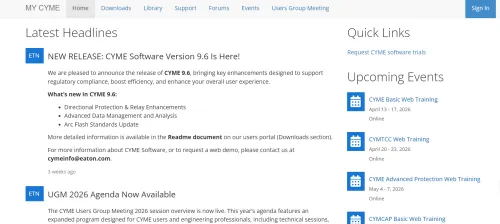
Eaton does not publish CYME prices. Licenses are quoted per customer and sold by module, so the price depends on which studies you need, and software downloads and new versions require an active maintenance contract. A trial version is available on request through the CYME portal.
Integrations
- SCADA systems: Pulling field measurements (loads, voltages, switch statuses) into the network model
- GIS platforms: CYME Gateway extracts GIS data to build and update the CYME network model automatically
- EMS/DMS/OMS systems: Requesting CYME simulations through CYME Server
- Python scripting: the CymPy API for automating repetitive studies and model edits
These are not ready-made connectors: Eaton configures CYME Gateway and the data plugins for each customer’s systems as a service project.
How to Use CYME
CYME is not plug and play: most of the setup effort goes into building the network model and checking its data, and every study after that depends on it.
- Install and set up
Once you have a license, install CYME on each engineer’s Windows workstation; with network licenses, the workstations draw their licenses from the CYME License Manager on a company server.
- Build your network
Draw the network in the graphical editor (lines, transformers, loads, generators) or, for a utility system, import it from GIS through CYME Gateway.
- Input system data
Enter voltage levels, load data and equipment specifications such as conductor, transformer and protective device ratings.
- Run simulations
Choose the study (power flow, short circuit, arc flash or one of the DER modules) and run it.
- Review your results
Check the outputs, such as fault currents, voltage drops and equipment loading.
- Optimize
Change the design (reconductor a line, move a recloser, resize a battery), rerun the study and compare the results.
FAQs
Is CYME only for big companies?
Mostly. It is built for utilities, large industrial sites and the consulting engineers who run interconnection and protection studies for them. For a solar installer or small EPC it is more than the job needs.
Can beginners use CYME?
Technically yes, but the results only make sense if you already understand power systems: power flow, fault types and protection coordination.
Does CYME support solar and renewable energy?
Yes, from the grid side: PV, wind and battery storage are modeled as part of the network for interconnection, hosting capacity and DER impact studies. It does not design the plant itself (layout, shading, yield).
Is CYME cloud-based?
Not primarily. CYME is Windows desktop software, and network licenses are served from the CYME License Manager on a company server; CYME Server, which runs simulations for other enterprise systems, can scale through the cloud.
How long does it take to learn CYME?
It depends more on your background than on the software. An engineer who already does power flow and protection studies mainly has to learn the interface and data model; someone new to power systems has to learn the engineering first. Eaton sells CYME training courses.
What makes CYME unique?
Its depth on utility distribution networks: classic power flow, short-circuit and protection studies plus dedicated DER modules such as hosting capacity and non-wires alternatives, on a model that can be fed from the utility’s GIS and SCADA data.


