
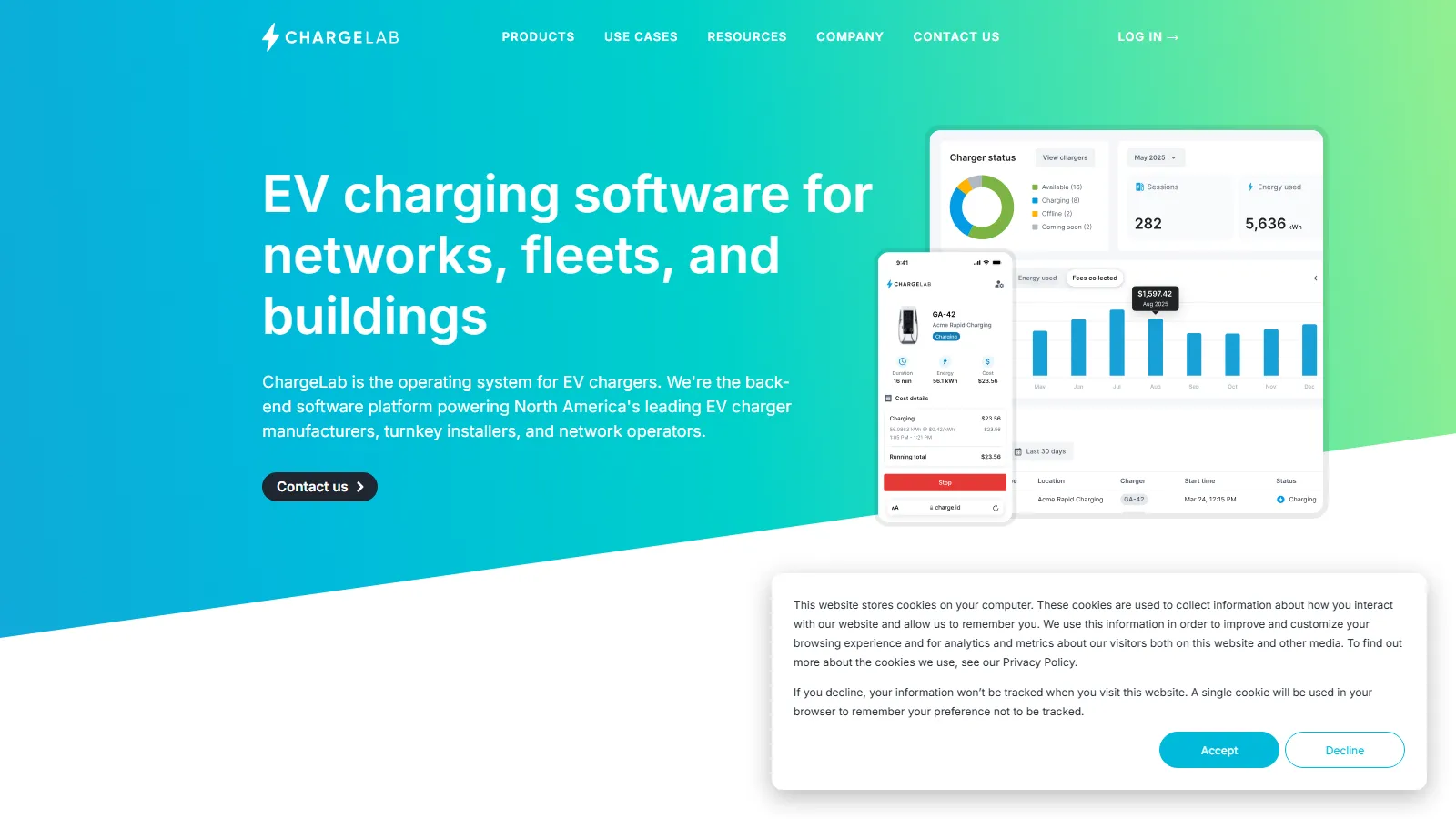
What Is ChargeLab?
ChargeLab is a cloud Charging Station Management System (CSMS) for OCPP-compatible chargers. Most site owners buy it through authorized resellers and turnkey installers, who package the chargers, installation and the ChargeLab subscription together.
ChargeLab is built for the US and Canadian market, with a North American support team, so operators in Europe or elsewhere should look at other platforms. It is also not a solar tool: it has no PV design, monitoring or asset management features, only EV charging control with OpenADR demand response and smart-building integrations.
ChargeLab runs networks of EV chargers at fleet depots, apartment buildings and commercial properties. It controls who can charge and at what price, shares a site's limited electrical capacity across chargers, and flags faulty chargers from their logs.
Teams usually choose ChargeLab to run chargers from several brands on one dashboard. Because it is built on the open OCPP standard, an owner can switch charger suppliers later without changing software.
Pros and Cons
Pros
- Not tied to one charger brand: ChargeLab says it has integrated more than 200 OCPP charger models.
- Load balancing lets a site run more chargers on its existing electrical service, which can avoid or delay a costly upgrade.
- Spark's early fault alerts shorten the time a broken charger goes unnoticed.
- White-labeling and API access suit resellers that want to sell charging as their own service.
- Drivers and site managers reach an in-house North American support team 24/7, so property staff do not field charging calls.
- Scales from a single site to large networks; ChargeLab reports more than 15,000 chargers under management.
Cons
- No published price for the Enterprise License aimed at rollouts of hundreds of chargers within a year.
- Power management and California CTEP features work only on chargers that pass ChargeLab’s additional verification.
- Physical chargers and installation must be purchased separately.
- Focused on the US and Canada; not a fit for operators elsewhere.
Features
Dynamic power management
Balance energy loads across multiple chargers in real time.
Admin dashboard
Monitor charging stations, usage, and charger health from one interface.
Automated revenue collection
Accept payments and configure custom pricing models.
Spark™ AI monitoring
AI-assisted diagnostics that read chargers' OCPP logs to flag hardware faults and network issues early.
White-labeling
Your logo and colors on the site manager dashboard and the driver web app (paid add-on).
24/7 end-user support
Support for drivers and charging site operators.
API and developer tools
Integrate EV charging into building and fleet management systems.
ChargeLab Pricing
ChargeLab charges a flat monthly subscription per charging port, sold mainly through authorized resellers; one plan includes all features.
Free Home Use
Single-family homeowners can use the ChargeLab app with select OCPP-compliant home chargers at no cost; there is no free plan for commercial sites.
Standard Subscription
$25 per port per month for Level 2 AC chargers and $50 per port per month for DC fast chargers (reseller list prices, no setup fee; three- and five-year terms are 10% and 20% off).
$25Custom Enterprise Pricing
An Enterprise License with services chosen à la carte, for organizations installing hundreds of chargers within 12 months.
Demo Access
Free live product demos are available.
Additional Costs
Hardware and installation are billed separately. Add-ons: a SIM card with 4G data ($8 per SIM per month), a branded site manager dashboard or driver web app ($1,500 per month each, $2,500 for both) and branded RFID cards (orders of 250–2,000).
$8Integrations
- Smart Building PlatformsSmartONE, 1VALET, Peak Power, Smappee.
- Grid and Energy SystemsBTR Energy (LCFS credit claims in California), eCAMION battery-backed DC fast chargers and OpenADR 2.0b support.
- Charging StandardsOCPP 1.6, OCPP 2.0.1, OCPI 2.2 and OSCP 1.0.
- EV Charging MapsPlugShare and ChargeHub.
- Payment SystemsCredit and debit cards and RFID in the app, Apple Pay in the mobile app, and on-site Payter (tap, Apple Pay, Google Pay) and Nayax card readers.
How to Set Up ChargeLab
- Consult with ChargeLab or a reseller about your charging project.
- Choose OCPP chargers from ChargeLab's verified hardware list.
- Install chargers with a certified electrician.
- Create a ChargeLab account and choose a subscription plan.
- Register chargers and connect them to the cloud platform.
- Configure users, pricing, and charging rules.
How to Use ChargeLab
Site managers use the dashboard to monitor charger availability, manage pricing, track charging sessions, and troubleshoot equipment remotely.
Drivers find stations and check prices in the ChargeLab mobile app, start a session by scanning the QR code on the charger or tapping an RFID card, and receive payment receipts.
What You Can Manage with ChargeLab
- Energy Loads: Keep charging within a site's electrical capacity and take part in utility demand-response events via OpenADR 2.0b.
- Hardware Diagnostics: Monitor charger status and firmware updates.
- Fleet Operations: Track EV energy consumption and driver access.
- Compliance Reporting: Generate reports for rebates and environmental programs.
FAQs
What does ChargeLab do?
ChargeLab is cloud software that runs networks of OCPP-compatible EV chargers in the US and Canada: it controls driver access and payments, shares available power across chargers and diagnoses faults remotely.
Who is ChargeLab best for?
Fleet managers, apartment building owners and commercial, workplace or public charging hosts in the US and Canada, along with the resellers who install and sell charging for them. It is aimed at North America only and has no solar PV features.
Is ChargeLab free?
ChargeLab is free for single-family homeowners with select OCPP-compliant chargers, but commercial sites pay a per-port subscription ($25 per port per month for Level 2, $50 for DC fast charging).
Does ChargeLab support integrations?
Yes. It works with OCPP 1.6 and 2.0.1 chargers, smart-building platforms such as SmartONE and 1VALET, OpenADR 2.0b demand response, the PlugShare and ChargeHub maps, and Payter and Nayax card readers.
What are the main limitations of ChargeLab?
ChargeLab sells software only, so chargers and installation are bought separately, usually from the same reseller. Power management needs chargers that ChargeLab has additionally verified, and the service is aimed at the US and Canada.
What are the best alternatives to ChargeLab?
Common alternatives are ChargePoint, EV Connect, Ampeco and Driivz.


