
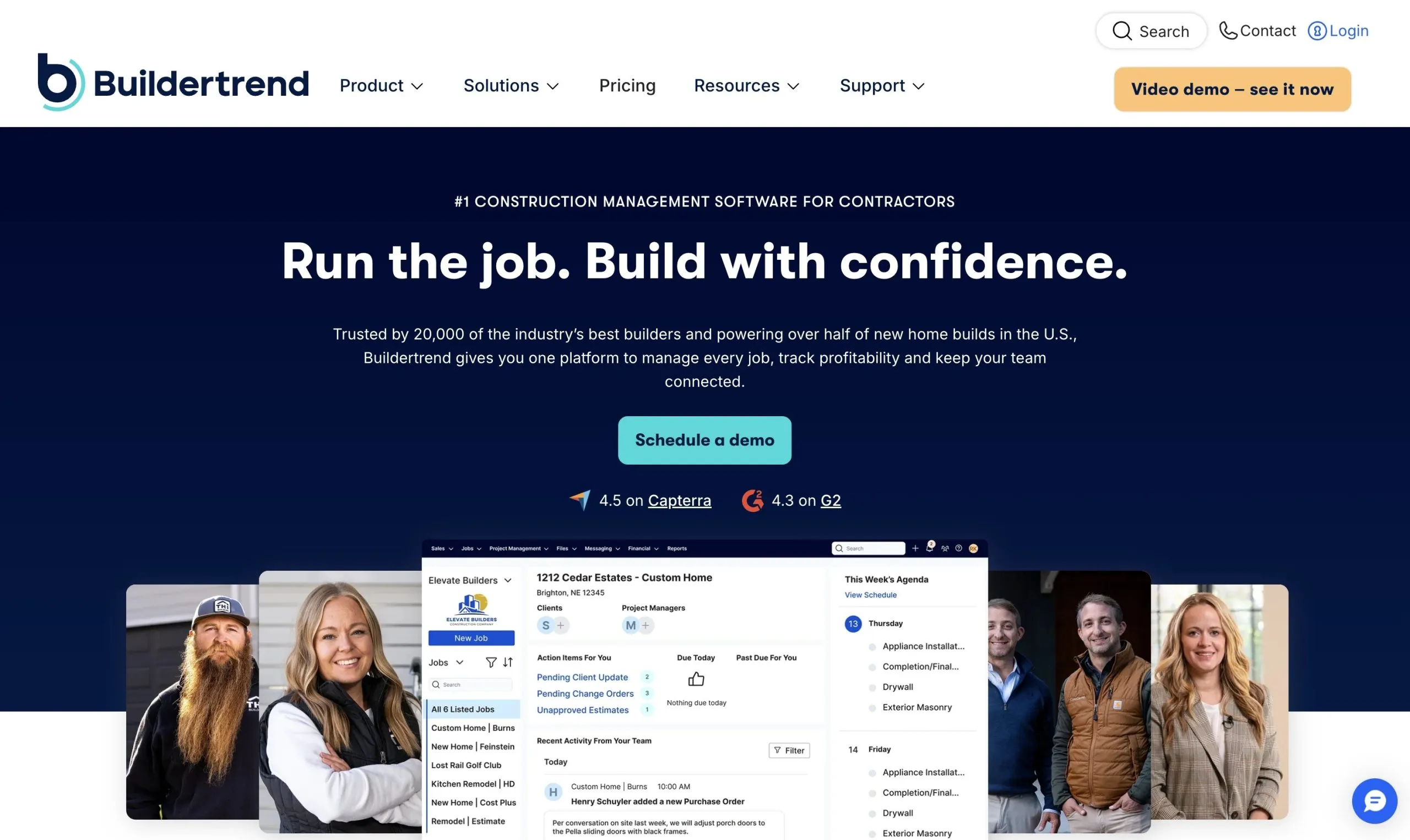
What Is Buildertrend?
Buildertrend, founded in 2006, runs a residential job from first lead to final payment, with mobile apps for field crews and portals for clients and subcontractors. The vendor reports more than 1 million users and 20,000+ active construction businesses.
Its core users are home builders and remodelers. The vendor also targets trades contractors such as outdoor living and kitchen-and-bath firms, and commercial general contractors whose projects run like residential ones.
Buildertrend puts sub schedules, daily logs, budgets, change orders, selections and leads in one cloud system, so the office, field crews and homeowners work from the same record instead of email threads, spreadsheets and paper notes. It is built for established, growing builders and remodelers with several jobs running at once.
For a solar company it is general construction software: there is no PV design, production or financial modeling, monitoring or utility interconnection workflow. It fits residential installers that run many jobs at once and must keep homeowners informed through long permit waits. Small or low-volume installers are outside its target, and there is no free trial.
Pros and Cons
Pros
- One job record from lead to final invoice, with no retyping between sales, field and office tools.
- Schedules and the time clock work offline, with GPS geofencing on clock-in.
- Homeowners approve changes, sign and pay in the portal, not over email.
- Unlimited photo and document storage.
- Onboarding from self-paced setup to 1:1 coaching, plus daily virtual trainings.
- Real-time QuickBooks Online sync keeps job costs and books aligned.
- Unlimited users, so adding staff costs nothing extra.
Cons
- No public pricing or free trial.
- Large feature set: a real learning curve and a crowded interface at first.
- Pitched at firms with 5+ projects a year; more than small contractors need.
- No solar tools: PV design, monitoring and interconnection need other software.
- Exporting large amounts of data may take effort.
Features
Project scheduling
Gantt, agenda and calendar views, critical-path scheduling, baselines and Google Calendar/Outlook sync.
Daily logs
Upload site photos, videos, notes, weather and delay updates from the field.
Financial management
Estimates, budgets, purchase orders, bills and invoices; AI Bill Capture reads bills into line items and cost codes.
Client portal
Homeowners review updates, approve changes and pay online.
Lead management and CRM
Track sales opportunities and proposals.
Subcontractor portal
Coordinate schedules and bid requests with trade partners.
Time clock
GPS tracking, geofencing and offline clock-in; hours feed job budgets.
Selection management
Help clients manage finish and fixture selections.
Buildertrend Pricing
There is no public price list: Buildertrend quotes after a live demo, based on builder type, annual revenue, job volume and team size. Every plan includes the full feature set.
Monthly Pricing: Smaller companies generally pay several hundred dollars per month.
Annual Discounts: Annual billing may provide up to 10% savings.
Unlimited Users: Every subscription includes unlimited users; most plans also include unlimited projects.
Integrations
Accounting is the key link: bills, invoices and time entries push to QuickBooks on the same cost codes as the job budget. QuickBooks Online syncs in real time; QuickBooks Desktop goes through Intuit's Web Connector and syncs automatically every two hours.
- Accounting: QuickBooks Online, QuickBooks Desktop, Xero, Sage Intacct.
- CRM and Marketing: HubSpot, Salesforce, Pipedrive.
- Productivity: Microsoft Outlook, Google Calendar, Excel.
- Payroll and HR: Gusto integration.
- Construction Tools: Bluebeam for plan markup, plus estimating and takeoff apps.
How to Set Up Buildertrend
- Request a demo and receive a custom quote.
- Complete onboarding: self-paced data setup and training, or hands-on 1:1 coaching on the higher onboarding tier.
- Customize branding, templates, and client portal settings.
- Configure project templates and cost codes.
- Add employees, subcontractors, and vendors.
- Connect accounting systems like QuickBooks or Xero.
How to Use Buildertrend
Project managers build schedules from job templates and share them with subcontractors; field leads clock in and post daily logs with photos, weather and delays from their phones. Ipsun Solar, a solar installer working in DC, Maryland and Virginia, ran about 137 concurrent projects in Buildertrend and used Daily Logs for weekly customer updates during permit waits.
Homeowners use the client portal to follow progress, pick finishes, approve change orders and pay. The office works from the same job record for budgets, invoicing and estimate-vs-actual reports.
What You Can Manage with Buildertrend
- Site documentation: Store photos, videos, and progress reports.
- Client communication: Approvals, selections and updates in one place, plus AI-written weekly progress summaries.
- Budgets and job costing: One cost-code list links estimates, bills, time entries and invoices for estimate-vs-actual reports.
- Digital signatures: Approve contracts and change orders online.
- Labor tracking: Monitor team time and workforce costs, with hours sent to payroll in Gusto or QuickBooks.
FAQs
What does Buildertrend do?
Buildertrend helps construction companies manage scheduling, budgeting, client communication, subcontractors, and project workflows in one cloud-based platform.
Who is Buildertrend best for?
Residential builders, remodelers and specialty contractors running five or more projects a year. Solar installers can use it to manage jobs, but it has no PV design or monitoring tools.
Is Buildertrend free?
No, Buildertrend is a paid subscription platform with no free version or free trial; instead, it offers free personalized demos.
How much does Buildertrend cost?
Prices are not published. Quotes depend on builder type, annual revenue, job volume and team size; smaller companies generally pay several hundred dollars per month.
What are the main limitations of Buildertrend?
There is no public pricing or free trial, and the large feature set takes time to learn. QuickBooks Desktop syncs automatically only every two hours, and there are no solar-specific tools.


