
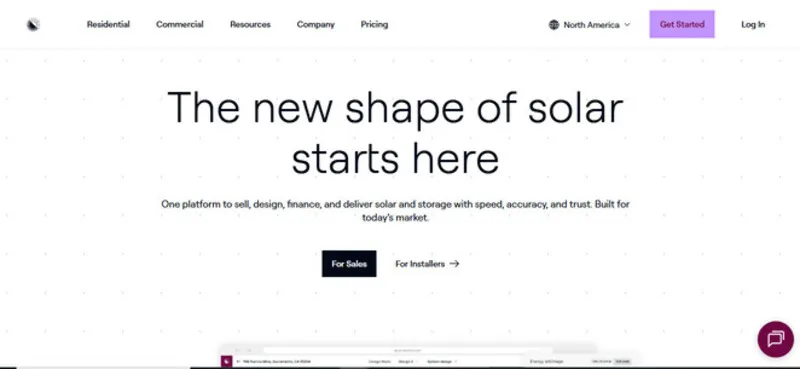
What is Aurora Solar?
Aurora Solar is built for residential installers: the designers who model roofs and size systems, and the sales reps who present the offer to homeowners. Besides the US, it has localized sites for the UK, Germany, Spain and France. For commercial rooftops Aurora points designers to HelioScope, which it acquired in 2021, and it is not a utility-scale design tool.
Selling a home solar system usually means switching between a layout tool, spreadsheets and separate proposal software. Aurora Solar puts the roof model, shade analysis, production estimate, financing and proposal in one cloud project, and the company says more than 7,000 solar organizations use it.
Pros and Cons
Pros
- Remote designs validated against NREL data mean fewer site visits
- Layout, stringing and fire-pathway automation in every plan
- Partner loan, lease and PPA offers built into proposals
- One project from roof model to proposal, nothing re-entered
- Monthly plans bought online, no minimum commitment
Cons
- $159 per user per month is steep at low project volumes
- Accurate roof models and stringing take practice
- Needs a stable internet connection
- AI roof models, CRM links and e-signature are Enterprise-only
- Residential focus: commercial rooftops need HelioScope, a separate product
Features
Designers work in Design Mode, a CAD environment; reps present the result in Sales Mode. Both come with every plan.
3D site modeling
Roof planes, pitch, edges, trees and chimneys are modeled over HD aerial imagery, with LiDAR assistance on Premium and Enterprise. On Basic and Premium you trace the model yourself or order an on-demand one from $9.99 (about three hours); on Enterprise, Aurora AI builds it in under 10 seconds.
Shading analysis
Shading is simulated across different times of day and seasons. The results are applied directly to system performance calculations.
Energy production estimates
Output is calculated from local weather data, orientation, shading and the selected modules and inverters, with losses for degradation, soiling and snow. Results are annual and monthly.
Proposal generation
Web and PDF proposals show the 3D layout, production, financing options and a bill comparison; reps can switch panels on or off while presenting.
Financial modeling built in
Aurora models cash purchase, loan, lease and PPA scenarios and reports the payback period and savings for each.
Collaboration
Design and sales share one project, so the proposal uses the designer’s layout with no re-entered data. User roles, team groups and dealer management are Enterprise-only.
Aurora Solar Pricing
Aurora Solar is sold per user. Basic costs $159 per user per month on monthly billing or $135 on annual billing, and includes tablet-friendly sales proposals, HD imagery, automated layout and stringing, and access to on-demand site models.
Premium costs $259 per user per month ($220 billed annually) and adds LiDAR-assisted modeling, bankable shade reports and battery modeling. Each Basic or Premium license covers one user and 50 projects a month. Enterprise is priced on request and adds unlimited users, Aurora AI site models, drone mapping, APIs, advanced permissions and e-signature.
There’s no free plan. Basic and Premium can be bought online by credit card, with no minimum commitment on monthly billing; Enterprise is arranged through sales, usually after a demo.
In practice, the price suits companies that sell residential systems every week; at a few projects a month, a full seat is hard to justify.
Integrations
Financing and rate data come with every plan; CRM links and e-signature need Enterprise. Aurora connects with:
- CRM systems like Salesforce, through partner apps, the Sync API and webhooks
- Financing from GoodLeap, LightReach, Mosaic, Dividend, Sungage, EnFin and custom lenders
- Genability utility rates, plus custom rates
- DocuSign e-signature through Contract Manager
How to Use Aurora Solar

- Create a New Project
Enter the customer’s address; Aurora loads HD aerial imagery from Google or Vexcel (Nearmap costs extra).
- Build the Site Model
Adjust roof planes, add trees or obstructions, and fine-tune the structure so it matches reality.
- Design the Solar System
Place panels by hand or let AutoDesigner lay out a system for an energy target; stringing and fire pathways can also be automated.
- Run Performance Simulations
Let Aurora calculate energy production, factoring in shading, orientation, and local weather.
- Add Financial Details
Set pricing per watt, per component or as a flat fee, add adders and incentives, and pick the financing options the customer will see.
- Generate the Proposal
Present it on a tablet or share it as a web link or PDF.
- Review and Refine
Check roof measurements, shading and the utility rate: a missed obstruction or wrong tariff changes the promised savings.
FAQs
Is Aurora Solar beginner-friendly?
Manageable, but not instant. Placing panels and building a proposal is quick to learn; accurate roof models and stringing take practice on real projects.
Does Aurora require technical expertise?
You do not need to be an engineer, but you need solar basics such as tilt, azimuth, string sizing and setbacks to judge a layout. Aurora sells permit plan sets and engineering stamps only to Enterprise customers.
How accurate is it really?
Aurora cites NREL studies: its remote shading matched on-site SunEye readings within ±3 solar access points where LiDAR was available, and its remote measurements were within stated bounds 98% of the time. Bankable shade reports (Premium and up) are accepted by NYSERDA, MassCEC, NJ Clean Energy, Oncor and Sunnova. The result is only as good as the site model.
Is there a free plan?
No, there is no free version, but you can book a demo.
Who benefits most from Aurora?
Residential installers and sales teams that quote several homes a week. A September 2026 update added HVAC and EV charger quoting in the US, heat pump modeling in Germany and MCS-compliant UK proposals.
Does it help close deals?
It can. Sun-path animations and live panel changes help a rep answer a homeowner’s questions during the visit, but price and the rep still decide the deal.


